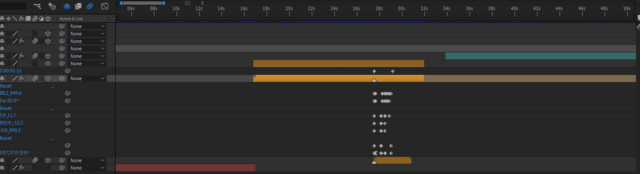
If you were to precompose that, you could use a protected region to keep your animation together at the end of the clip so you’d only have to drag the end of the comp out.
When you have a protected region on one comp that’s nested into another, dragging the handles at the beginning or end of the layer does an automatic time stretch instead of a trim — but any protected regions are preserved.
https://helpx.adobe.com/after-effects/using/responsive-design.html
Failing that, applying this expression to every keyframed property should have them start their animations at the time of the first marker on the layer, then run straight through:
try {
if (time >= thisLayer.marker.key(1).time) {
thisProperty.valueAtTime(thisProperty.key(1).time + time - thisLayer.marker.key(1).time);
} else {
valueAtTime(thisProperty.key(1).time);
}
} catch (err) {
value;
}