Creative Communities of the World Forums

The peer to peer support community for media production professionals.

Activity Forums Apple Final Cut Pro Compressor cannot be opened because of a problem.

  • Compressor cannot be opened because of a problem.

    Posted by Laura Ramirez on November 4, 2020 at 6:01 pm

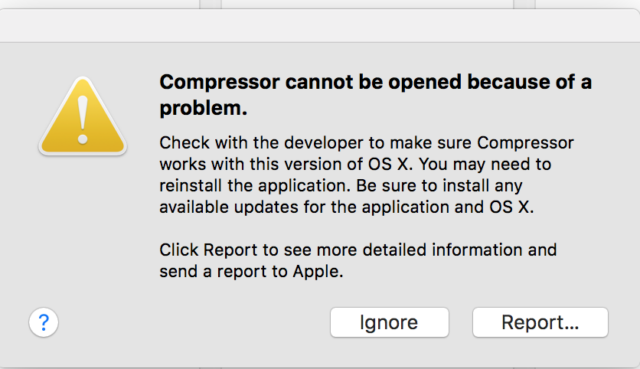
    Every time I try to run Compressor I get this message “Compressor cannot be opened because of a problem.” My system is El Capitan and compressor 4.2.

    I already tried all the basic guidelines and nothing works , What could be the problem? This is the report:

    Application Specific Information:

    dyld: launch, loading dependent libraries

    Dyld Error Message:

    Library not loaded: /System/Library/PrivateFrameworks/MobileDevice.framework/Versions/A/MobileDevice

    Referenced from: /System/Library/Frameworks/CoreAudioKit.framework/Versions/A/CoreAudioKit

    Reason: no suitable image found. Did find:

    /System/Library/PrivateFrameworks/MobileDevice.framework/Versions/A/MobileDevice: mach-o, but wrong architecture

    Thanks!

    Christopher Mcdonell replied 5 years, 8 months ago 2 Members · 2 Replies
  • 2 Replies
  • Christopher Mcdonell

    November 14, 2020 at 11:48 pm

    I’m having the same problem. I haven’t done anything different. Still running Mac OS 10.11.6 (El Capitan) and trying to open Compressor 4.3.2. What happened??

  • Christopher Mcdonell

    November 15, 2020 at 12:04 am

    Hey, in case anyone else is reading this, I just solved the issue by updating software on the app store. There’s a MacOS Supplemental Update that resolves as an issue with 32-bit apps launching. Voila. All good now.

We use anonymous cookies to give you the best experience we can.
Our Privacy policy | GDPR Policy