Creative Communities of the World Forums

The peer to peer support community for media production professionals.

Activity Forums Adobe After Effects Composition-specific render hang

  • Composition-specific render hang

    Posted by Gareth Hudson on January 11, 2023 at 9:42 pm

    Greetings all

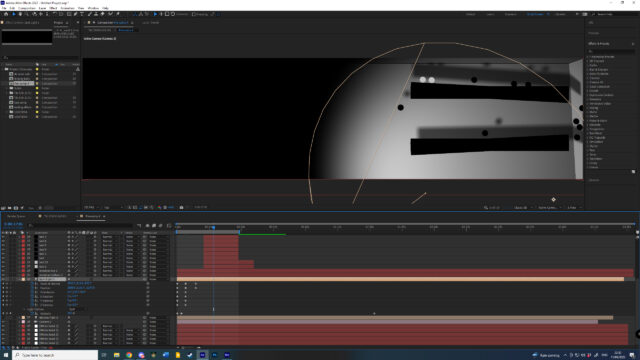
    Trying to resolve a render hang on a composition within a project. All other compositions seem to go render out fine, this one hangs whether it’s media encoder or render queue – there is simply no progress – you hit go and nothing happens except the elapsed counter ticking away.

    Nothing awkward in the comp, one layer had particular but was switched off and I’ve deleted it. No footage, all solid layers with masks, couple of lights and a camera. Things I’ve tried – copying layers to a new comp, purge memory and disk cache, disable layer cache, ignore render errors, video rendering mercury software only, renderer Mercury only.

    All assistance welcome (he sobbed)

    Max Haller replied 3 years, 3 months ago 3 Members · 3 Replies
  • 3 Replies
  • Gareth Hudson

    January 11, 2023 at 10:40 pm

    it was the light! support still welcome however

  • Graham Quince

    January 15, 2023 at 10:53 am

    Thanks for coming back and sharing the solution, you never know when someone else will get stuck on the same problem.

    In my experience when everything appears right and it’s still hanging, I’d check Task Manager and see if part of AE has crashed. That part is generally something to do with the GPU.

  • Max Haller

    January 18, 2023 at 12:49 am

    Glad you got it working. Shot in the dark here (sorry light pun) but I’ve had weird issues like that when i bring in a psd file that has layers with layer styles. They always cause weird issues for me when interacting in a 3d scene. The Classic 3D vs Cinema renderer can sometimes create unexpected issues too but not usually what you’ve described.

We use anonymous cookies to give you the best experience we can.
Our Privacy policy | GDPR Policy