-
Comp Layer Quandry/Picture-in-Picture Puzzle. Ideas?
Hello all,
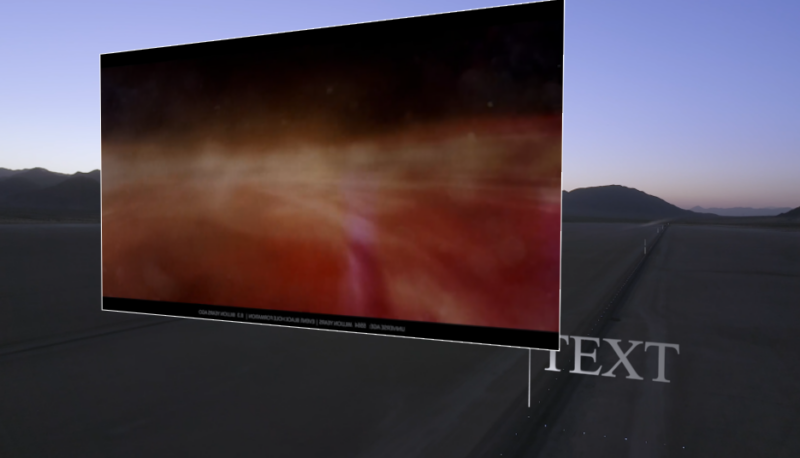
I’m having a hard time figuring out how best to order some GFX within a motion tracked shot to achieve the desired effect, and I’m sure there’s an easy way I’m not aware of that perhaps one of you knows. I’ve attached a still from the project as reference.
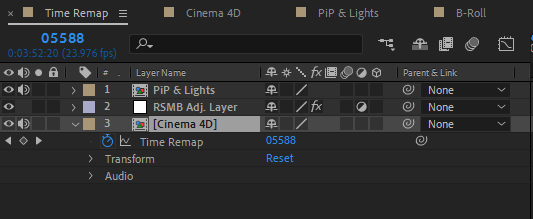
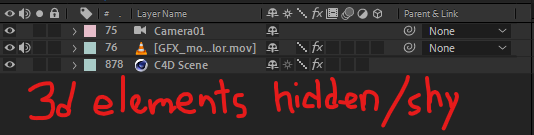
The background footage, motion tracked camera layer, c4d scene, 3d elements/text w/ lights, are all in a Cinema 4d comp. This comp will be sped up significantly in the final export, and have ReelSmart Motion Blur added for polish.
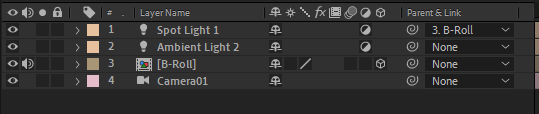
The Picture-in-Picture comp is Classic 3d containing a comp for the b-roll (currently within the PiP (w/ lights, and stroke–hence the Classic 3d), and a copy of the camera layer to match the C4d comp. The PiP moves along through the shot in 3d as well, much like the other 3d elements, and it should live behind the C4d elements, as they pass in front of it. Right now it doesn’t: you can see it eclipsing the text despite being further back in Z space.
Now here’s my problem: the Cinema 4d comp will be sped up significantly, but the b-roll in the PIP should not be. It plays at a normal speed, unaffected by the time remap. I can’t seem to figure out how to make the PiP 3d comp live behind the C4d comp AND find a way to keep the PiP b-roll unaffected by the time remap (and, ideally, unaffected by RSMB).
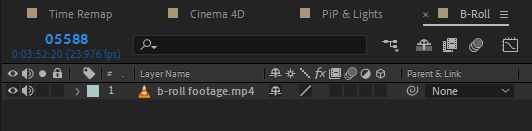
I’ve attached pics of my current comp order too. Thank you all so much for whatever guidance you can provide. I’m probably missing something obvious, I look forward to learning the depth of my ignorance.