Creative Communities of the World Forums

The peer to peer support community for media production professionals.

Activity Forums Adobe Premiere Pro Color Grading, It’s all RED, is it fixable?

  • Color Grading, It’s all RED, is it fixable?

    Posted by Jonathan Reed on February 8, 2026 at 5:39 pm

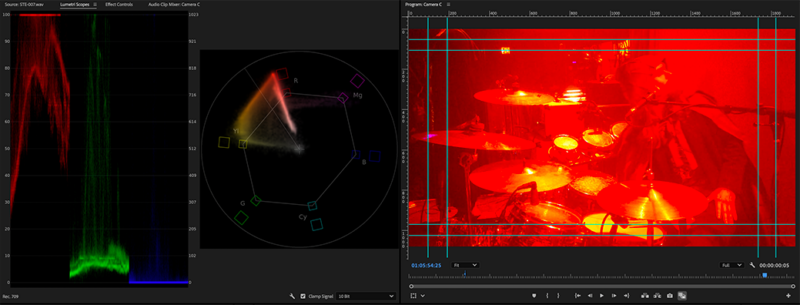
    So i filmed a live band last night. I figured id take my HDV-201LM’s off “AWB”, it was LED and it didn’t have an LED setting, So I tried Florescent. (To be honest i didn’t notice a change in screen color regardless of what WB setting i chose so it might just not be working anyway. I also took it off Auto Exposure (Auto Iris) and Auto ISO. But I digress.

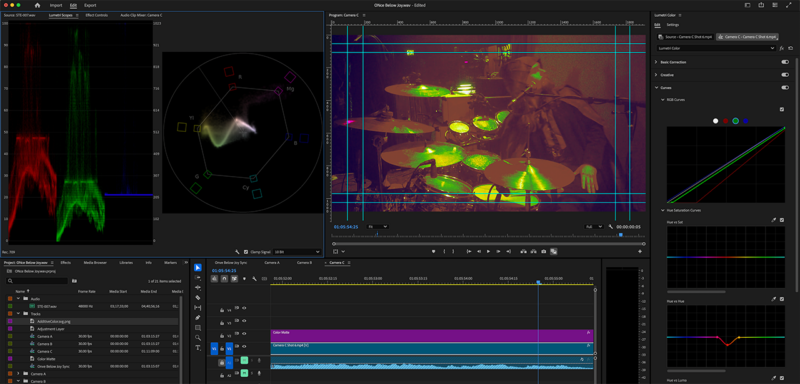
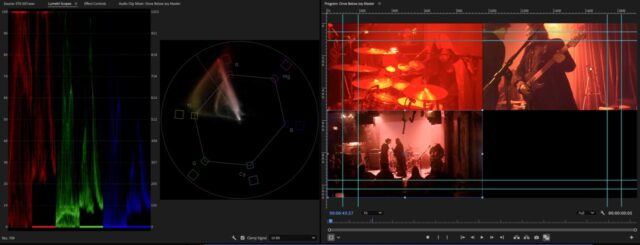
    The opening is like this first picture. It’s consistent between all three so i feel fairly confident it was the Stage LED’s. I’m trying to fix this. There’s the settings i chose, i also put a blue Color (0000FE) matte at 2.5% opacity over it to bring in some blue’s because there was none in the original shot. It’s not pretty but it’s everything my experience so far knows. Am I headed in the right direction? Is this as good as it’s gonna get? Am I missing something? Do I Need to go into Da Vinci?

    Mads Nybo jørgensen replied 3 months, 3 weeks ago 2 Members · 7 Replies
  • 7 Replies
  • Mads Nybo jørgensen

    February 8, 2026 at 5:56 pm

    Hey Jonathan,

    Do you have a reference shot, even a still, with the correct colors?

    If so, this is the fastest way is to do a Color Match in the Lumetri Panel (Color).
    Insert the still in your timeline, and park it up in the left Comparison Window:
    https://helpx.adobe.com/uk/premiere-pro/using/color-match-comparison-view.html

    You could also try “lucky dip” by clicking the Auto Color at the top of the Lumetri Panel:
    https://helpx.adobe.com/uk/premiere-pro/using/auto-color.html

    If neither of that works, you’ll need to go manual.
    There is a wide number of ways to do that, but try Match Color and/or auto first.

    Hope this is what you were looking for?

    Atb
    Mads

  • Jonathan Reed

    February 9, 2026 at 4:34 pm

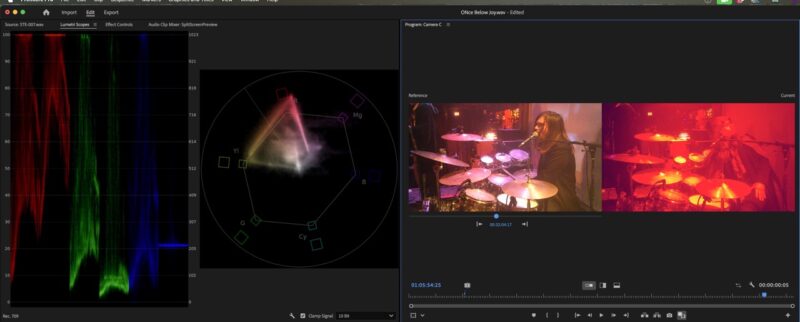
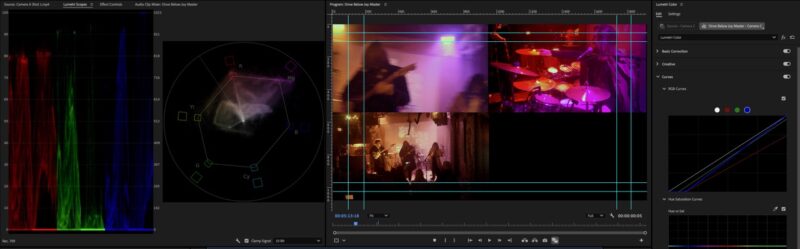
    here’s what I’m looking at.

  • Mads Nybo jørgensen

    February 10, 2026 at 2:23 pm

    Hey Jonathan,

    Yes, that does not look great – I wonder whether Adobe is mistaking one of the Hi-Hats for a face?

    Is it the whole video that is that read?
    Or just parts of it?

    I tried to pull a white balance on the Hi-Hats, but that did not move it at all.
    Will try again later.

    Atb
    Mads

  • Jonathan Reed

    February 10, 2026 at 8:43 pm

    The picture is incredibly compressed, it was the LED’s that were on red and seemed to over blow everything. It’s just the beginning, after a couple of moments, the LED’s are taken on random colors and it’s more manageable. Also taking into account that they are cheap video cameras, I gotta hope for the best. The other two camera’s aren’t nearly as bad, but are still strongly red. I can send you a clip if you really wanna mess with it.

  • Jonathan Reed

    February 11, 2026 at 2:18 am

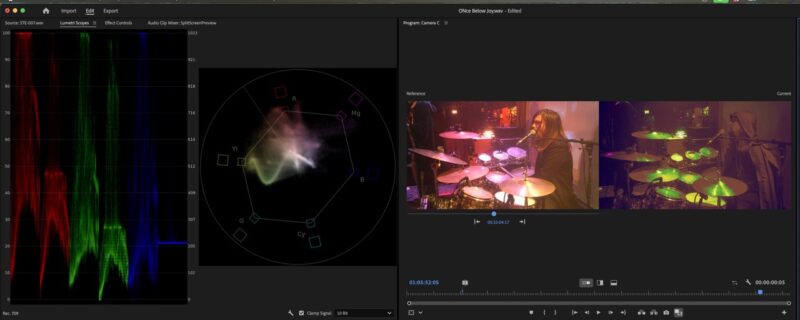
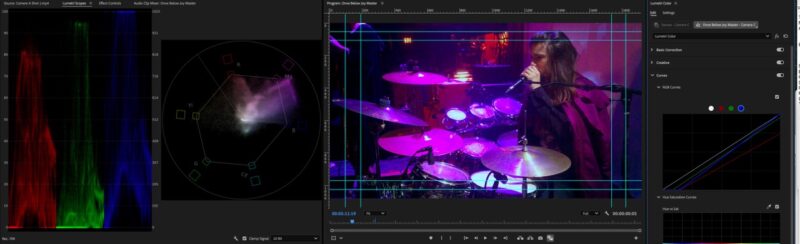
    Okay so, out of frustration I just sat back and watched the drummers footage waiting for anytime the LEDs on him where “white” I found one where the LED light behind the camera (stage right) what white and the LED in front of the camera (Stage Left) was magenta and I got this. Outside of that, whatever color the LED Stage Right is, completely blows out the camera’s color and it DOMINATES everything. So if the LED Stage Right is blue, then the drummer is DROWNING in blue, like he was with red. I’m thinking it may be a mix of the specific camera I had on him AND that I had it on “Florescent WB” rather than AWB that I usually have it on.

  • Jonathan Reed

    February 11, 2026 at 9:18 pm

    N?A

  • Mads Nybo jørgensen

    February 15, 2026 at 6:27 pm

    Hey Jonathan,

    Sorry, been busy at work on a big job.

    However, on your last upload, on the first screen shot the drummer’s skin-tones looks as good as you are going to get.

    Although everything else might look purple, I would go with that setting.

    Atb
    Mads

We use anonymous cookies to give you the best experience we can.
Our Privacy policy | GDPR Policy