-
Cinema 4D Rendering Artifacts for Layers With Transparency
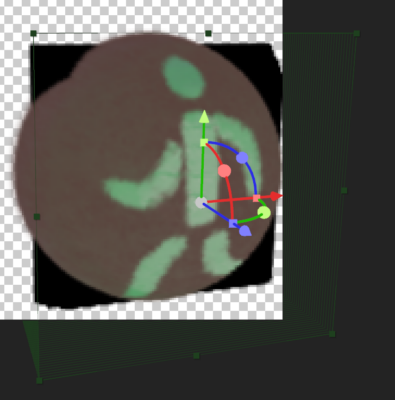
Hey, I am trying to simulate convex object by layering multiple layers of the same, masked image.
However, seems I have hit the limit of 40’ish layers where I get those black artifacts, even my Comp’s Settings for Render Quality is set to 99% – it renders ok in precomp, but that’s not enough to render the final image. Unfortunately, that’s the limit of render quality value, can’t overdrive.
How would you fix it?
Or, perhaps there are other approaches in creating 3D bulges/hemispheres, that bypass the use of Advanced Renderer, which at the moment seems of little use in creating quite complex hand-drawn environments. Classic 3D renderer, seems, has no issues of rendering this particular image, yet it lacks the geometry and shading options C4D counterpart has for the other objects in the scene; afaik, can’t combine C3D and C4D.