-
Cinema 4D REDSHIFT render times increased insanely for no apparent reason.
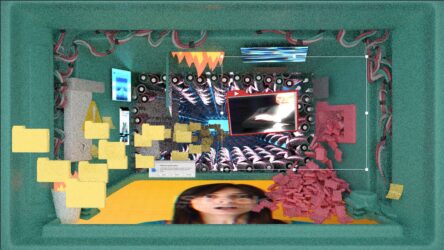
Redshift Issue where out of nowhere “Redshift Render Viewer” is taking forever to show the same scene that was only taking a couple minutes and in way less clarity (scene is noisy af). I’ve copied and pasted the scene into a new project in case I had clicked something in the render settings that messed everything up but it doesn’t seem to make a difference.
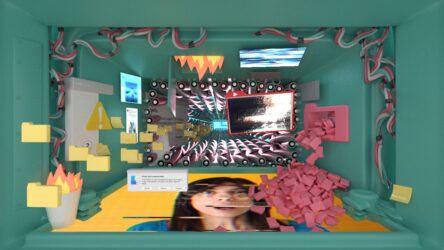
Below are the snapshots of what I used to get compared to whats happening now with insane render times and way too much noise.
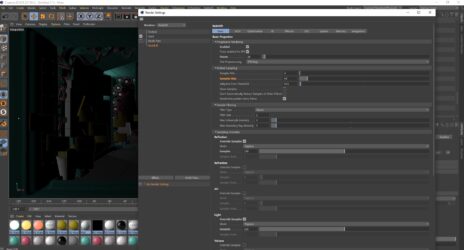
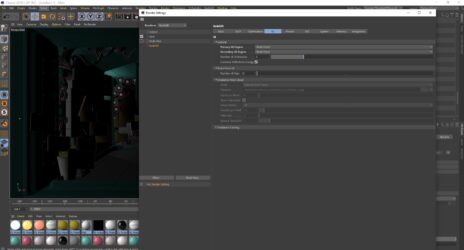
I wanted to upload the project file but it’s too big. Again nothing has been added geometry wise or light wise of my knowledge for this sudden change in quality to occur. I’ve gone through and done all the sampling override for lights and reflections, changed my gi to brute force and irradiance point cloud as secondary. Nothing is reducing noise.
I tried exporting a frame over night and it didn’t even render anything after 5.5 hours.
Other projects that have higher poly counts render fine so there seems to be something hidden in here that’s causing this cluster f*#&.
If anyone has any inkling to what’s happening I’d love your input. Please let me know if there’s any more information I could give that would be helpful in this problem solving.
Computer Specs:
Gtx 1080
32 GB DDR4 RamCheers!