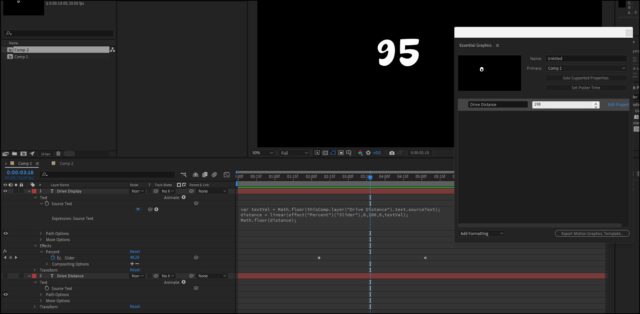
That’s a nice implementation of MoGrt and Essential Graphics.
I’ve found with Essential Graphics that any expressions you try to run on text get “broken”, but you can get around this by using a second text layer.
I don’t know what expression you used, but this is one I went with to test out before posting:
var textVal = Math.floor(thisComp.layer("Drive Distance").text.sourceText);
distance = linear(effect("Percent")("Slider"),0,100,0,textVal);
Math.floor(distance);
The layer: Drive Display has the expression and slider on it, but it’s final value is populated from the text on the Drive Distance layer, which is the text used in Essential Graphics.