-
Changing Font Weights with Sliders
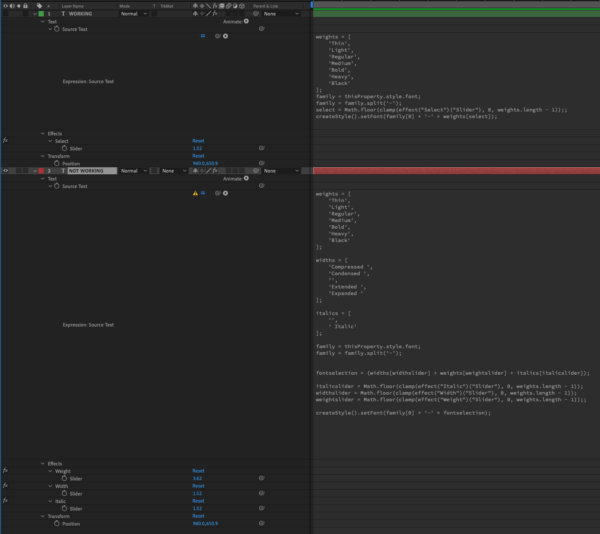
I am trying to create a text layer with the font weights linked to sliders. I was able to get a single slider to shuffle through an array of weights, thanks to the help of the guys over at workbench. I am trying to set up three sliders to access all of the different font options (width, weight, italic). The font weights are named in three parts, width, weight, italic. ex. Condensed Bold Italic etc. I created an array for each part that would be controlled by sliders to assemble the name of the font weight. Below are the two expressions (not working & working) as well as screen shots of my AE and full font list I am trying to access. Please help, thanks!!
NOT WORKING:
weights = [
‘Thin’,
‘Light’,
‘Regular’,
‘Medium’,
‘Bold’,
‘Heavy’,
‘Black’
];
widths = [
‘Compressed ‘,
‘Condensed ‘,
”,
‘Extended ‘,
‘Expanded ‘
];
italics = [
”,
‘ Italic’
];
family = thisProperty.style.font;
family = family.split(‘-‘);
fontselection = (widths[widthslider] + weights[weightslider] + italics[italicslider]);
italicslider = Math.floor(clamp(effect(“Italic”)(“Slider”), 0, weights.length – 1));
widthslider = Math.floor(clamp(effect(“Width”)(“Slider”), 0, weights.length – 1));
weightslider = Math.floor(clamp(effect(“Weight”)(“Slider”), 0, weights.length – 1));;
createStyle().setFont(family[0] + ‘-‘ + fontselection);
WORKING (single array):
weights = [
‘Thin’,
‘Light’,
‘Regular’,
‘Medium’,
‘Bold’,
‘Heavy’,
‘Black’
];
family = thisProperty.style.font;
family = family.split(‘-‘);
select = Math.floor(clamp(effect(“Select”)(“Slider”), 0, weights.length – 1));;
createStyle().setFont(family[0] + ‘-‘ + weights[select]);