

-
Cant open an MP4 file from a Canon R6
Posted by Rob Lindsay on December 18, 2020 at 7:41 pmI’m trying to edit in Vegas 13. I’ve never had this problem before, but the camera is a new version and maybe my old Vegas cant recognize it’s file format, even tho it says its an MP4?
Any ideas on what I can do?
Thanks,
Rob
Rob Lindsay replied 5 years, 8 months ago 3 Members · 4 Replies -
4 Replies
-

Tom Pauncz
December 18, 2020 at 7:52 pmI still use VP13 and it has no problems with MP4 files from my Canon EOS-90D, even in 4K. Try re-coding it with Handbrake.
-

Francois Pénzes
December 18, 2020 at 10:37 pmHi Rob
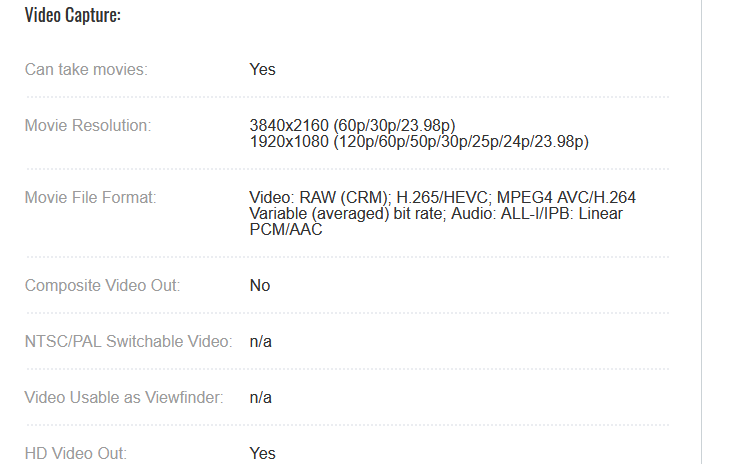
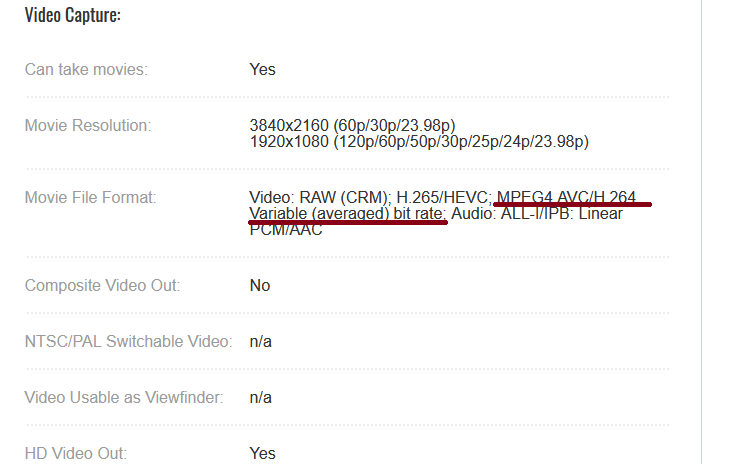
I just checked the specs for the R6. I’m confident that your problem lies with the file having a variable bit rate (see pic taken from Canon web site) Vegas doesn’t like variable bit rate. If possible, use constant bit rate when recording. As TOM mentioned, re-coding the file with a constant bit rate should do the trick.

-
Francois Pénzes
December 19, 2020 at 2:05 amHi Rob
Ignore my previous post. It’s the variable FRAME rate that Vegas doesn’t like. Sorry mate. ( I think my cold medicine is finally having an effect…)
-

Rob Lindsay
December 19, 2020 at 5:07 amThank you, Tom and Francois. It seemed to be the 29.97 fps that choked my ol’Vegas 13. 24.9whatever is going down better.
Now for the next issue: When palying back footage from the camera in Vegas and in Windows, when using the in camera IBIS, very ugly “frame tearing” was visible whenever I panned or moved the camera. This was freaking me out since I have to shoot tomorrow. After many tests with and w/o camera and lens IBIS and with IBIS digital off, I finally tried to render a clip. TG, that did the trick — no horizontal tearing. What in the world is going on with this camera?
Reply to this Discussion! Login or Sign Up