

Activity › Forums › Adobe Premiere Pro › Can “Maximum Render Quality” cause this?
-
Can “Maximum Render Quality” cause this?
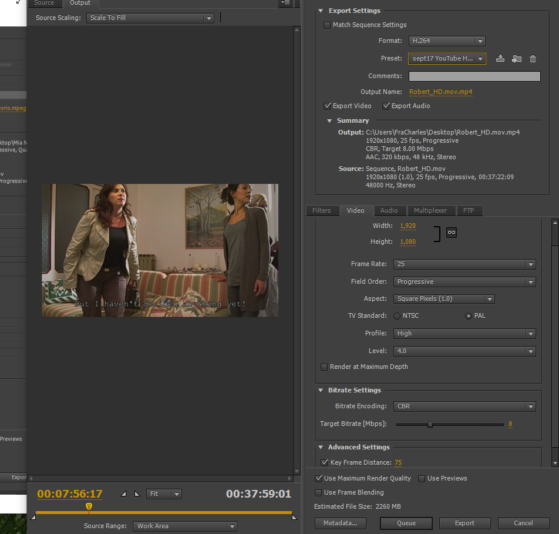
Posted by Robert Gilbert on August 7, 2021 at 7:49 pmPlease, could anyone help me understand why I sometimes, randomly, get these block distortions on transitions, playing an mp4 export on VLC? Could it possibly be caused by the “Maximum Render Quality” box in AME?
 Todd Perchert replied 5 years, 1 month ago 5 Members · 6 Replies
 -
6 Replies

-

Robert Gilbert
August 8, 2021 at 8:44 pmI’d really rather try to diagnose where the problem is coming from, because to check each exported video is very time-consuming and may be even useless, since the problem occurs randomly and not necessarily in the same spot. It might even be a bug in the VLC for all I know! Any clues?
-

Tero Ahlfors
August 9, 2021 at 3:44 amLooks like you’re reading and/or writing from a failed/failing spot on a hard drive.
-
Robert Gilbert
August 9, 2021 at 2:46 pmThank you very much, Tero!
So, if the problem is the reading, then the video file is good. But if the problem was the writing, then it would always break up in the same spot on every replay. Is that right?
-

Eric Santiago
August 9, 2021 at 6:26 pmFind another source to test on.
I use frame io, or any other cloud for most of my work.
And try on a different computer.
-

Todd Perchert
August 10, 2021 at 1:37 amIn the past, I’ve gotten less than desirable results when using the “Maximum Render Quality” box. I don’t usually check it. About the only time I might is when I am going to a different frame size. Like taking a 1080 sequence down to 720 to I can email a :30 spot. So, as what was suggested, try one without it. Since you are going from 1080 to 1080, I don’t see a need for it.
TC

Reply to this Discussion! Login or Sign Up