-
Cache file memory question
I bought a 1 TB solid-state external for my 12in laptop that has Final Cut Pro 10. I shot about an hour and a half stage production in 1920 x1080, and thought that I had set up this drive to hold the entire project from this one show.
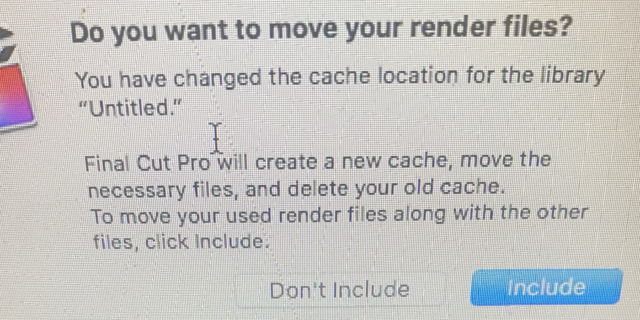
I must have NOT selected something properly, because the cash file from this show was saved in the Movie folder on my laptop. Everything else went to the external.
Consequently, the Movie folder now takes up around 49 GB (specifically the cache file folder) and of course I got the warning:
“run out of memory.”
I had about 50 GB available on that drive.
I thought I had a preferenced everything to go to the new external TB.
Question is, I’m not certain how to move the cache files from my laptop to the TB external.
Or even more so, what should I have selected in the beginning (before I imported the footage) to make certain my laptop wouldn’t get any files from this project and that it would ALL go on the new external?
And just what is the safest way to move this cache file folder to my external— and then delete the old cache folder on the laptop to free up space?
This project needs to be finished before the end of the year. This was shot on December 11, 2022.
Thanks so much…
Jonny