Creative Communities of the World Forums

The peer to peer support community for media production professionals.

  • Posted by Steve Robinsons on March 18, 2021 at 9:39 am

    var posx = transform.xPosition;

    var posy = transform.yPosition;

    var rect = thisComp.layer("BG Box").content("Rectangle 1").content("Path 1").scale;

    var x= ease(posx,rect[0]/-2+20,rect[0]/2-20,10,100);

    var y= ease(posy,rect[1]/-2+20,rect[1]/2-20,100,10);

    [x,y]

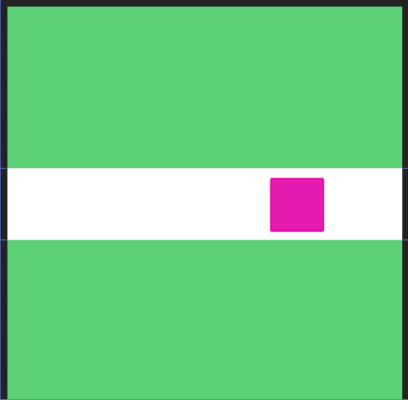
    This time, I want to establish the limit in this white box regardless of its scale. I mean, if the scale changes the limit changes too.

    Here my wrong attempt:

    Thank you!!

    Yoan Boisjoli replied 5 years, 1 month ago 2 Members · 1 Reply
  • 1 Reply
  • Yoan Boisjoli

    April 1, 2021 at 2:37 am

    Hi Steve, so you would like to have the pink square contained in the white box no matter how big the white box gets?

    I think you could use the clamp() method.

    Here’s a quick tutorial on it: https://youtu.be/MITA3ygqvQY?t=314

    Basically in your case you could use sourceRectAtTime() to establish the limits of the Y and X position of the pink square.

    Some contents or functionalities here are not available due to your cookie preferences!

    This happens because the functionality/content marked as “Google Youtube” uses cookies that you choosed to keep disabled. In order to view this content or use this functionality, please enable cookies: click here to open your cookie preferences.

We use anonymous cookies to give you the best experience we can.
Our Privacy policy | GDPR Policy