-
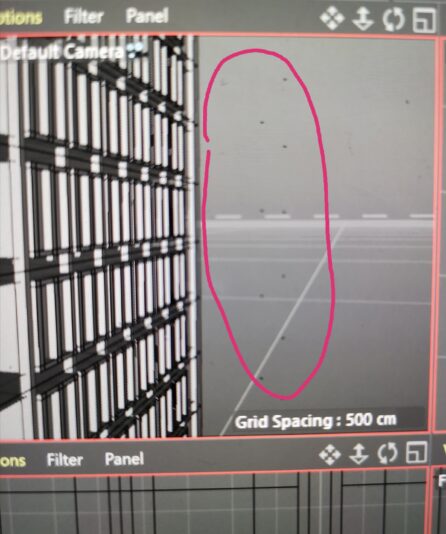
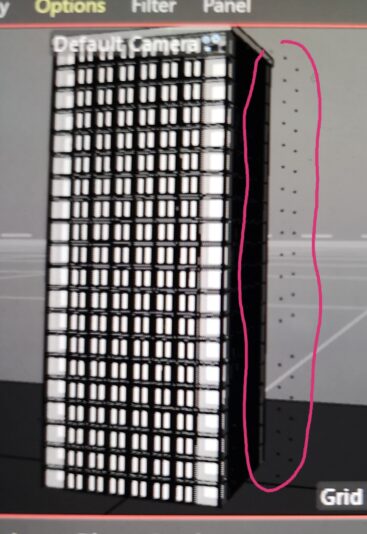
“Black dots”
Hello,
(I am still getting used to cinema 4d)
After I copied and placed a groupe of objects in a building model, black dots have appeared outside of the building and I can’t find a way to interact with them.
Various post mention black dots appearing in rendering processes and lighting settings. I have indeed accidentally added a lighting object while operating on my objects but removed it immediately afterwards.
I have seared for any way to remove them but noting I try is working on them.
Can someone of you provide any advice on this issue. I would appreciate any hint of direction or solution, because it took a long time of work till now and would rather not restart, if possible 🙁
Thanks you