Creative Communities of the World Forums

The peer to peer support community for media production professionals.

Activity Forums VEGAS Pro BCC Extruded EPS Struggles

  • BCC Extruded EPS Struggles

    Posted by Oscar Paquette on August 30, 2021 at 5:55 pm

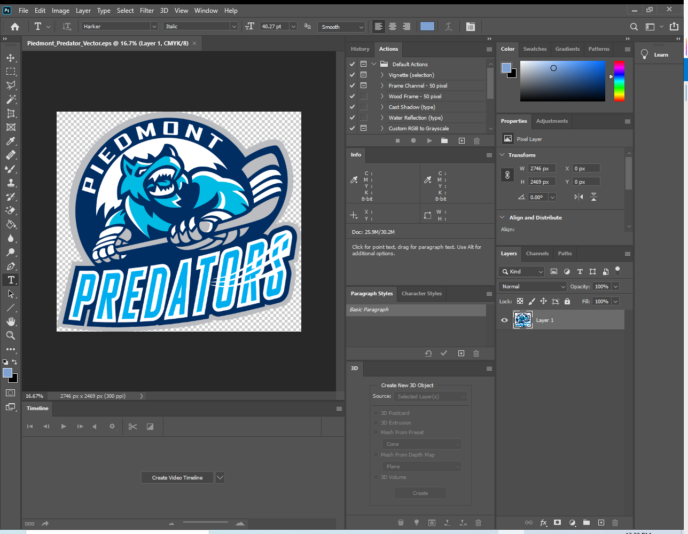
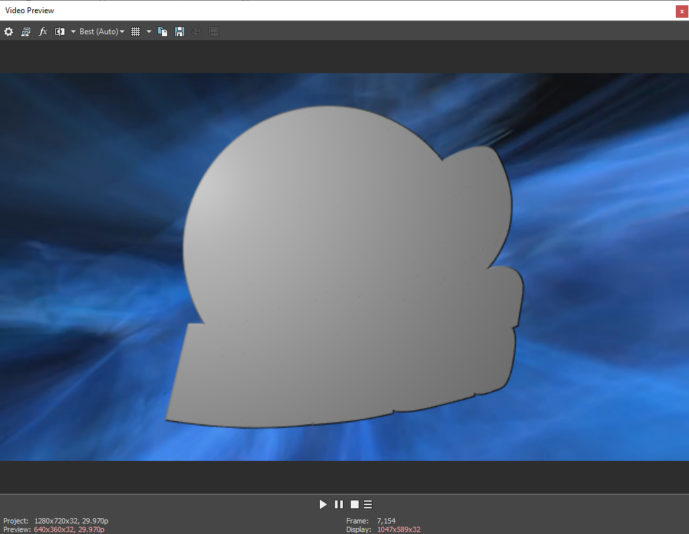
    Per an online guide I added this plug in to an empty event then opened my EPS file (a youth hockey team logo) and selected “Keep EPS Color” only to see no change and everything covered in gray/silver. I’ve messed around with all the settings but never get to the point where I can see any of the original colors from the EPS file. Anyone out there well versed in this plug in have a recommendation? I’d like to use the EPS file so I can tilt the logo and give it some 3D depth.

    Using Vegas Pro 17

    THANK YOU!!

    In the comment, I will post what it looks like on vegas

    Oscar Paquette replied 4 years, 8 months ago 2 Members · 3 Replies
  • 3 Replies
  • Oscar Paquette

    August 30, 2021 at 6:14 pm

    This is what the original Ps EPS looks like and how it looks in Vegas w the plug in

  • Red-rob Rothkopf

    August 31, 2021 at 8:30 pm

    Not sure if this will be helpful but in the past I learned that the EPS had to be generated with Illustrator 8 compatibility (I think that was it) to work properly with the Extruded EPS tools. I also started using the BCC Title Studio for my extrusions and had good success with that… getting a working EPS to start always has seemed like a challenge for me too. Peter @ Boris (I think it was Peter) has been super helpful

  • Oscar Paquette

    September 1, 2021 at 5:43 pm

    Thanks for the response…. I don’t have title studio, just working with the plug in’s that came with vegas… it’s frustrating because I’m sooooo close to getting some color to come out but it just seems like it’s not going to work either. Do you happen to have contact info for “Peter” by chance?

We use anonymous cookies to give you the best experience we can.
Our Privacy policy | GDPR Policy