

Activity › Forums › Maxon Cinema 4D › Baking spline with deformer into spline with PLA
-
Baking spline with deformer into spline with PLA
Posted by John Mcmullin on October 24, 2019 at 12:31 pmHi there. I’ve got a spline that I’ve deformed with an animated displacer deformer. Is it possible to bake it with it’s deformer so that the spline is animating only by points level animation? So I can then get rid of the displacer? I’ve tried baking it but basically that seems to leave it untouched.
I want to keep the spline in a sweep so I don’t want to turn it into geometry.
Thanks a lot for your help.
John
Kouraib Abdmalek replied 6 months, 3 weeks ago 4 Members · 8 Replies -
8 Replies
-

Brian Jones
October 24, 2019 at 4:43 pmBake To Alembic works – maybe NitroBake works as well but it’s not free.
-

John Mcmullin
November 13, 2019 at 11:05 amThanks Brian.
This project was parked for a few weeks but getting back to it now. This site is great for filling in the gaping holes in my knowledge.
Best wishes,
John
-

Henrique Bispo
February 4, 2026 at 6:07 pmBaking works well by using a Point Cache tag.
https://www.youtube.com/watch?v=9fmeTBuynCM
Some contents or functionalities here are not available due to your cookie preferences!This happens because the functionality/content marked as “Google Youtube” uses cookies that you choosed to keep disabled. In order to view this content or use this functionality, please enable cookies: click here to open your cookie preferences.
-

Kouraib Abdmalek
February 5, 2026 at 10:50 amHi Henrique,
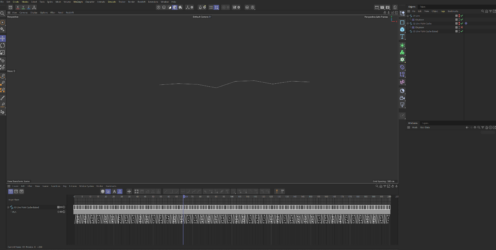
Thank you for sharing this with us! Both methods work with polygons, whether using bake as Alembic or Point Cash Tag, and the Tag might have some advantages, such as not needing reference files. However, in Brian’s case, where he wants to apply this to a Spline, the Tag doesn’t seem to work, so we have no choice but to use bake as Alembic, as in the screen recording below.
-
Henrique Bispo
February 5, 2026 at 11:29 amHi Kouraib Abdmalek,
I shared that method because I ran into the same issue yesterday, and it sorted it for me.
It does work for baking splines, but the video misses a step. After you calculate the Point Cache, you still need to bake the cached spline using Functions > Bake Objects in the timeline panel.
That way, the spline points get baked as PLA keyframes, which is handy if you need proper keyframe animation (like using it with a Step Effector’s Time Offset).
I’ve attached a project so you can see what I mean.
Sorry, should’ve explained that bit better!
-
Kouraib Abdmalek
February 6, 2026 at 11:22 amThank you again for this addition! I just hope you could make a screen recording to show how it works. I tried to simulate it, but it didn’t work for me and that’s weird.
-
Henrique Bispo
February 11, 2026 at 10:30 amHi Kouraib,
I’ve recorded a quick video showing what worked for me, and there’s a small catch.
Turns out the point cache method only works if the source spline is set to Linear with Adaptive Interpolation.
I hadn’t noticed this before because I just happened to be using that spline type anyway.
If you need a different spline type, you can always change it afterwards with a MoSpline object. I’ve shown that in the video as well. 🙂
-
Kouraib Abdmalek
February 13, 2026 at 11:20 amThanks, Henrique, for your response! it was helpful. However, the destinate Spline only sumulates the source one in the soft interpolation tangent, not in the hard, this problem doesn’t exist with the bake as Alembic as you could see in the screen recording, so I believe it remains better than point cache tag with Spline. Thanks again; this discussion has clarified several subtle points regarding this trick. I think users who will follow this will find everythings clear and easy to understand.
Reply to this Discussion! Login or Sign Up