

Activity › Forums › Adobe After Effects › AyatoTut Problem
-
AyatoTut Problem
Posted by Steve Atkins on April 2, 2008 at 2:47 pmRight, i am working on my AS level art project, and for the first title i wanted something similar to the title created by Ayato@web, tutorial link here – https://www.ayatoweb.com/ae_tips_e/ae21_e.html . Anyway, no offense intended to Ayato or anyone else but i can not understand their translation, and they go to no extent of depth within their tutorials. I have done my best but all i produce is a black composition with my text faintly in the background, made up of dots similar to the effects grain or dissolve. I know its supposed to be a track matte but there is so little information in the tutorial that i can not figure out how to coordinate it. Please could somebody try out the tutorial and advise me?
Cheers,
SteveSteve Atkins replied 18 years, 5 months ago 3 Members · 11 Replies -
11 Replies
-

Darby Edelen
April 2, 2008 at 10:14 pm[Steve Atkins] “I know its supposed to be a track matte but there is so little information in the tutorial that i can not figure out how to coordinate it. Please could somebody try out the tutorial and advise me? “
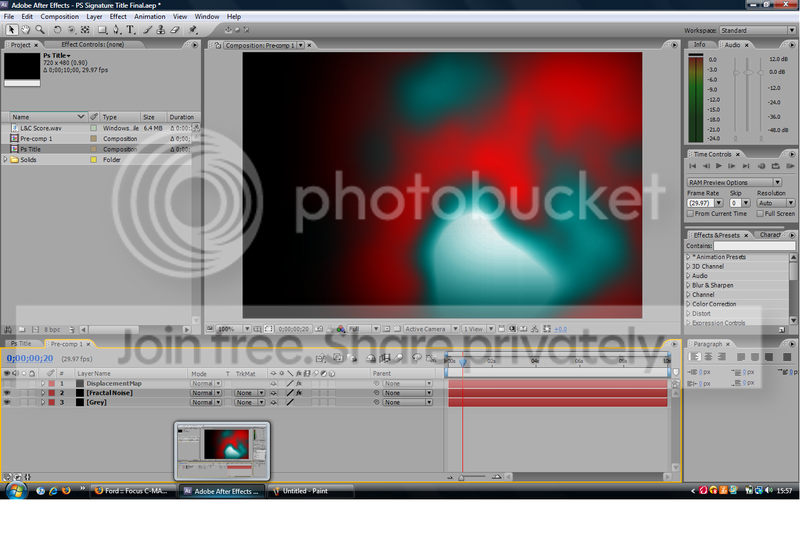
I’m positive that there are no track mattes used in this project. All that’s really going on is there is some pre-composed fractal noise with its evolution animated.
This pre-comp is used to drive a Blur & Sharpen > Compound Blur effect and a Distort > Displacement Map effect.
In the tutorial Ayato makes the fractal noise red/white for the displacement map so that the horizontal and vertical distortion will vary (red determines horizontal, green determines vertical). I’m not sure what the purpose of the U shaped curve is for the compound blur except to perhaps limit and control the effect of the compound blur.
Darby Edelen
Designer
Left Coast Digital
Santa Cruz, CA -

Steve Atkins
April 3, 2008 at 6:35 amOk, but how do i get the fractal noise to shape my text without the text appearing before its supposed to? Ive tried several different methods and spent a couple of hours doing it but i just can’t see what Ayato are trying to describe…
Cheers for the help so far,
Steve -
Darby Edelen
April 3, 2008 at 3:42 pmIn the final render from Ayato the text is always visible, just distorted. If you want to make it fade in as it is distorting then you might try using a Transition > Gradient Wipe effect with one of the fractal noise pre-comps as the input layer.
Darby Edelen
Designer
Left Coast Digital
Santa Cruz, CA -
Steve Atkins
April 3, 2008 at 5:40 pmSorry to prolong my questions, but i think i did not explain it clearly, i have the fractal noise, pretty much the same as Ayato’s, but the fact is the fractal layers are just there on top of the text and whatever i try to do the text is just behind them, and i can only just see its grey figure, my text does not ‘wave’ in like Ayato’s but instead stays liek an un edited text layer at the centre of my image with the fractal a screen on top…,
Sorry if this is some silly little blunder of mine, but i really can’t see a way around it..,
Cheers,
Steve -
Darby Edelen
April 4, 2008 at 12:40 am[Steve Atkins] “Sorry if this is some silly little blunder of mine, but i really can’t see a way around it.., “
It sounds like you don’t have the fractal noise layers pre-composed.
Darby Edelen
Designer
Left Coast Digital
Santa Cruz, CA -
Darby Edelen
April 5, 2008 at 12:05 amIt’s hard to know what is going on there without seeing the effects you have applied and their settings.
Darby Edelen
Designer
Left Coast Digital
Santa Cruz, CA -
Steve Atkins
April 5, 2008 at 11:47 amOk these further three screenshots show all of the effects i have applied and their settings, the layers that i have not screen shotted do not have any effects applied.
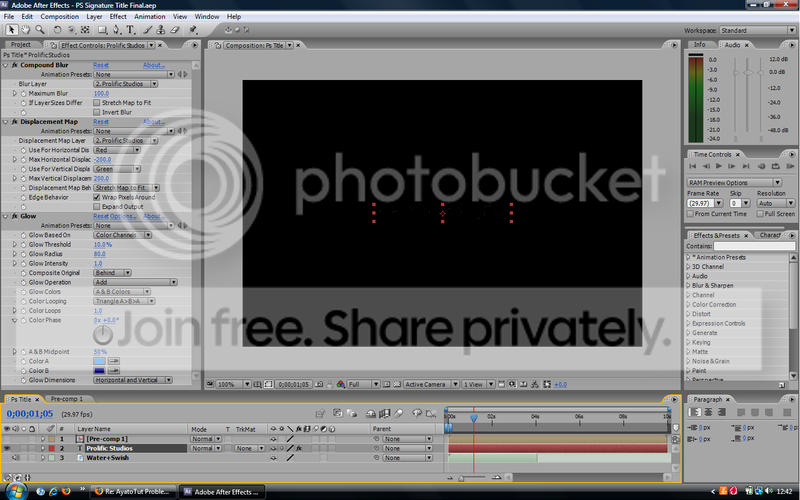
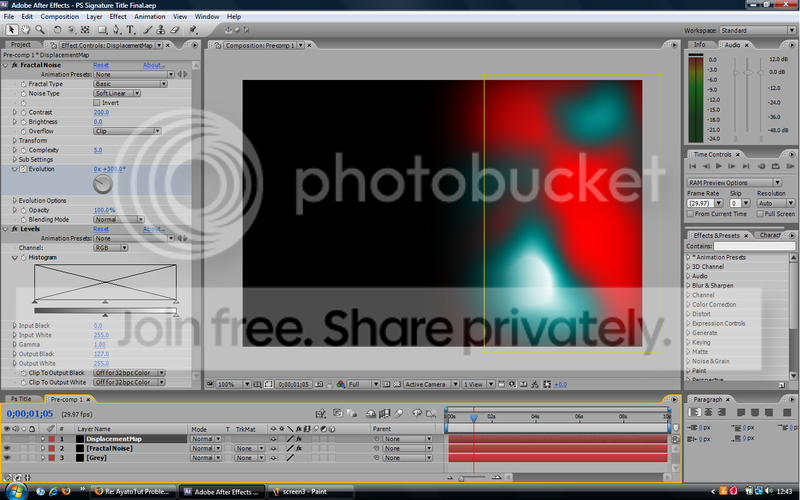
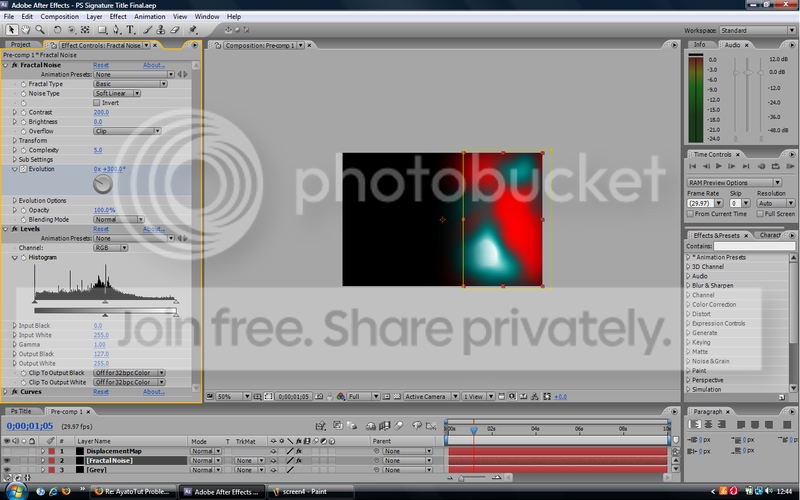
-
Steph Foster
April 5, 2008 at 3:50 pmI have to agree with you that it is sometimes very hard to make head or tail of what Ayato is trying to explain but I think I have managed to come up with something very close to what he intended.
If you’d like to drop me a line I’d be happy to send you my project file.
steph.p.foster {at} gmail {dot} com
-
Darby Edelen
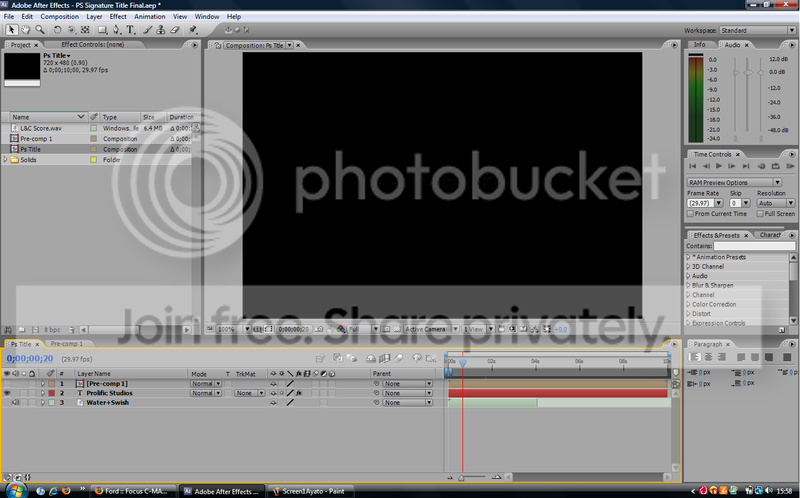
April 7, 2008 at 6:40 pmAs I suspected… Your Displacement Map and Compound Blur effects are using the wrong input layer. The default is to use the layer you apply the effect to, but this is almost always not what you want.
Change the ‘Displacement Map Layer’ and ‘Blur Layer’ to Pre-Comp 1.
Darby Edelen
Designer
Left Coast Digital
Santa Cruz, CA
Reply to this Discussion! Login or Sign Up