

Activity › Forums › Adobe Premiere Pro › Audio Export – WAV A-LAW
-
Audio Export – WAV A-LAW
Posted by Martin Gardiner on December 17, 2020 at 8:14 pmI need to export an audio file to these specifications:
<b data-stringify-type=”bold”>WAV – ALAW – 8Khz 64bit monoI’m unable to change the codec of a WAV file in Premiere, is it possible?
Also, for the ’64bit’, I can only go up to 32bits, can I go beyond this?Martin Gardiner replied 5 years, 9 months ago 2 Members · 7 Replies -
7 Replies
-

Steven L. gotz
December 17, 2020 at 8:42 pmIt should be easy enough for you to set up an audio export using A-Law at 8Khz mono, but the 64 bit part makes no sense to me. I don’t even see the point of 16 bit. After all, 8Khz is not exactly going to make an audiophile happy.
In any case, set the export to:
Waveform Audio
Uncheck the Export Video box so that only the Export Audio is checked
Click on the Audio tab (since Effects might be selected)
Change the codec to CCITT A-Law
Change the sample rate to 8000 Hz
Select the Mono radio button
That should get you what you want.
Let us know if you have additional questions.
-

Martin Gardiner
December 17, 2020 at 9:20 pmIn the Audio tab, I can’t change the ‘Audio Codec’ setting. It is stuck on ‘uncompressed’
-
Steven L. gotz
December 17, 2020 at 9:56 pmAre you sure you are on Waveform Audio?
If you want to screen share I might be able to find the problem looking over your shoulder, so to speak. I can’t imagine that you don’t have the necessary codecs.
Do you have Adobe Audition on your computer?
-
Martin Gardiner
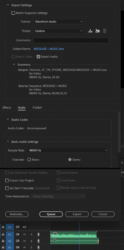
December 18, 2020 at 3:35 amHere is the screenshot, I have the format set to Waveform Audio, but in the Audio tab, the Codec is greyed out, I can’t change it. Is that what you’re asking me to change?
Yes, I have Audition and the whole suite. Thanks -
Steven L. gotz
December 18, 2020 at 5:59 amHmmm. There is either something odd about your Pr installation or possibly the source audio. But my suggestion is to render and replace. If that doesn’t work, ask to edit it in Audition, then save it back out. Or simply export out of Audition.
Just wondering, does it show up in other projects? If so, perhaps create a new project and import that sequence into the new project?
-
Martin Gardiner
December 18, 2020 at 8:38 pmIt seems to be any export I do from premiere… as soon as I select ‘waveform audio’ it goes to Audio: Uncompressed and greys out/can’t change it
I figured out how to do it in Audition, but it doesn’t seem to allow for 64bits with all of the other settings they need. Most it allows is 32bits. Hoping they’re ok with it and will find out soon.
Thanks for your help -
Martin Gardiner
December 22, 2020 at 4:26 amApparently you can do select it as a setting with some audio program called ‘GoldWave’, but it’s not available on Mac, so, not sure what I can do next year… thankfully, this is only needed around Christmas each year… so got some time to figure it out 🙂 Merry Christmas!
Reply to this Discussion! Login or Sign Up