Creative Communities of the World Forums

The peer to peer support community for media production professionals.

Activity Forums Apple Final Cut Pro Artifacts in background after export

  • Artifacts in background after export

    Posted by Oleksandr Kocherhin on October 24, 2020 at 1:37 pm

    Hi guys. I’m using greenscreen and putting a still background image behind me. There are no artifacts in preview however when I export it from fcpx I get and artefacts on background.

    I’m recording 1920x1080p 25p and I have an image with the same size. I tried png, jpeg, color space override and putting it as recorded video. It always have artefacts.

    It happens even if I just put an image without me on the background.

    I attached the video for better understanding.

    Also here is the example of video on youtube. There are visible stripes all over background.

    https://www.youtube.com/watch?v=_9se6oGRoMA&t=94s

    Some contents or functionalities here are not available due to your cookie preferences!

    This happens because the functionality/content marked as “Google Youtube” uses cookies that you choosed to keep disabled. In order to view this content or use this functionality, please enable cookies: click here to open your cookie preferences.

    Oleksandr Kocherhin replied 5 years, 6 months ago 3 Members · 3 Replies
  • 3 Replies
  • Dirk De jong

    October 24, 2020 at 2:03 pm

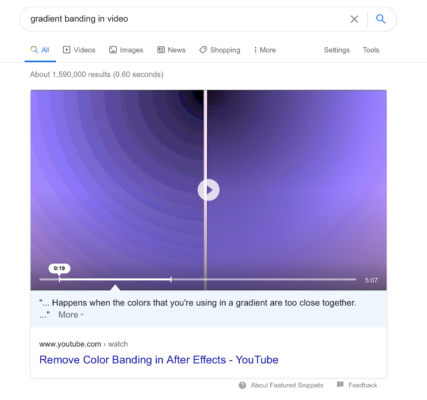
    I think a solution might be found somewhere in the results for a google search on “gradient banding in video”

  • Joe Marler

    October 24, 2020 at 3:35 pm

    The backgrounds are possibly 16 bits per color channel, yet you are exporting as H264 and most versions of H264 are 8 bit. It’s similar to editing a 16-bit single-color TIFF gradient in Photoshop, then exported it as 8-bit JPG. Another issue is the H264 export is re-compressed, then re-compressed again for Youtube upload.

    You could try exporting a short tests clip as ProRes 422, check how it looks when played locally, then upload that to Youtube. Of course ProRes files are large.

    Another possibility is exporting as 10-bit HEVC. Unfortunately FCPX currently does not have hardware acceleration for 10-bit HEVC encoding, so it’s very slow. You could export as ProRes which is fast and preserves color depth, then use Handbrake to transcode that to 10-bit HEVC. Handbrake is pretty fast and that would hopefully provide smaller upload files and avoid the banding problem.

    Hopefully the next version of FCPX will have hardware acceleration for 10-bit HEVC encoding. It’s not a Mac hardware issue because both Resolve and Premiere do that rapidly on the same machine.

  • Oleksandr Kocherhin

    October 24, 2020 at 6:47 pm

    Guys you are amazing. Thanks for answers. At least now I know what to google.

    Thanks I will try both ProRes and HEVC.

We use anonymous cookies to give you the best experience we can.
Our Privacy policy | GDPR Policy