Creative Communities of the World Forums

The peer to peer support community for media production professionals.

Activity Forums Adobe After Effects Applying a layer to shape created through Track Matte

Tagged: 

  • Applying a layer to shape created through Track Matte

    Posted by Tom Leonard on October 17, 2022 at 5:57 pm

    Hi. I’m sure this is a simple fix but I’m new to After Effects and I can’t figure it out.

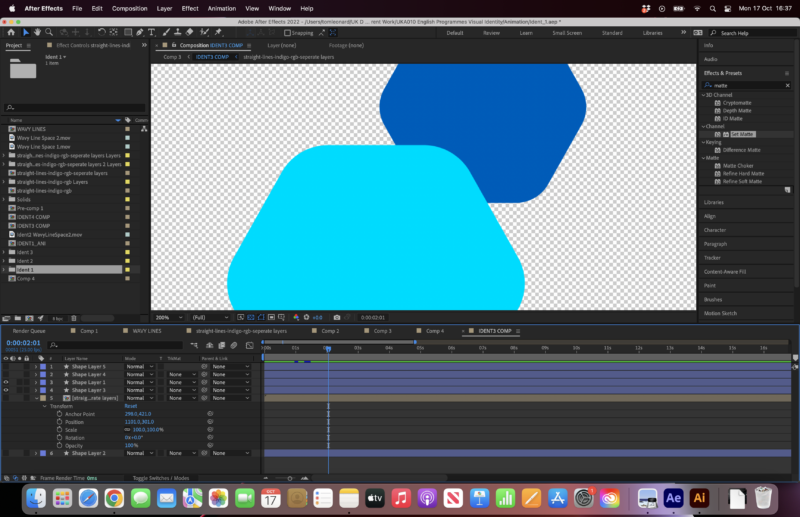
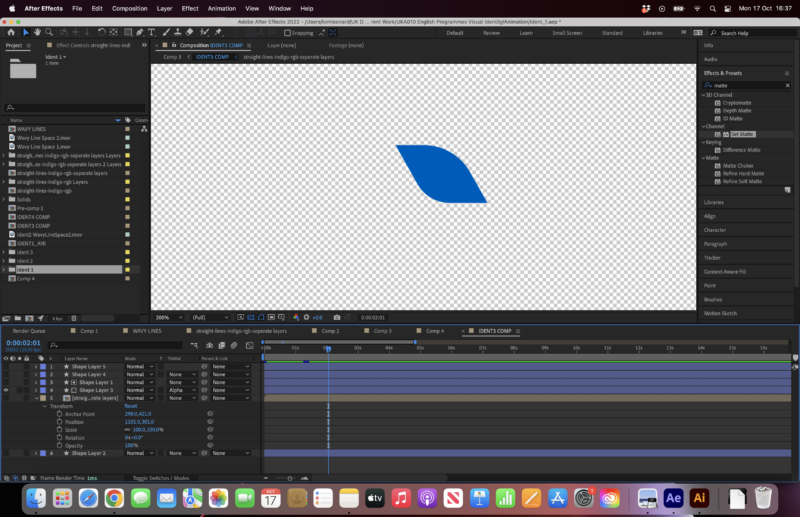
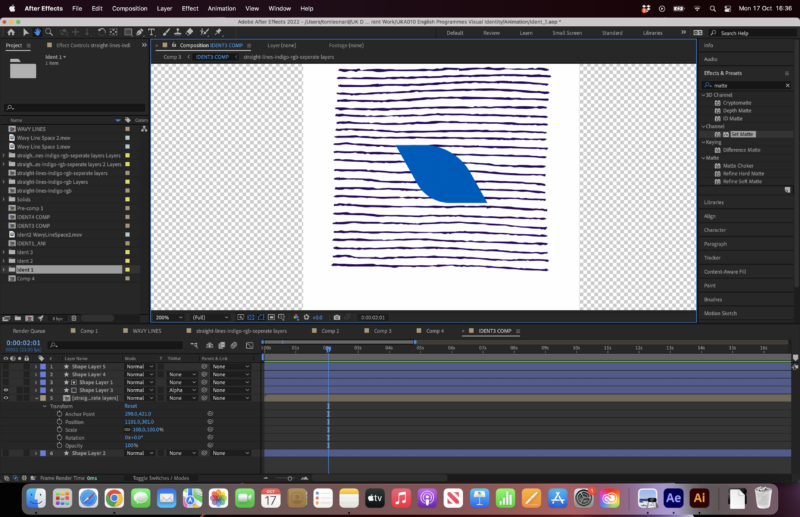
    I’ve got two hexagons, that overlap on two different layers. I’ve used the track matte to create a shape where the two hexagons overlap. How do I then apply the lined pattern just to the new overlap shape?

    Any help very much appreciated.

    Thanks.


    Adam Greenberg replied 3 years, 7 months ago 2 Members · 1 Reply
  • 1 Reply
  • Adam Greenberg

    October 17, 2022 at 7:10 pm

    precompose your 2 hexagons, and then use that precomp as a track matte over your pattern layer

We use anonymous cookies to give you the best experience we can.
Our Privacy policy | GDPR Policy