

Activity › Forums › Adobe Premiere Pro › Any camera shake or zoom templates to copy these?
-
Any camera shake or zoom templates to copy these?
Posted by Esther Casas on March 7, 2024 at 11:44 pmHello all! I have anew assignment editing on very dynamic style I have never done before. There are some small camera shakes in the camera while zooming, as well as very fast zooms which I don’t think I can copy correctly doing keyframes, does anybody know if there are templates for these in Premiere pro? been looking but could not find them. OR any tips on how to copy these exact camera moves? thank you!
Brie Clayton replied 2 years, 6 months ago 3 Members · 8 Replies -
8 Replies
-

Mads Nybo jørgensen
March 8, 2024 at 9:22 amHey Esther.
Interesting job. There isn\’t really enough time to experience the shakes because of the fast pace of the cuts.
If you want pre-made presets, Motion Array has got more than 180 of them:
https://motionarray.com/browse/premiere-pro-presets/?q=shake
Do check what they are giving away.There are plenty of other web depositories that can provide the same style.
Do read the small print when it comes to the licence.
If your original footage is longer, and you want a \”perfect\” match. You could consider tracking one shot with \”small camera shakes\”, and apply that tracking data to a shot with no shakes. You will still have to use manual resize to fill the frame.
The same with \”crash\” zooms – you are most likely better off doing that manually in the Effects Control panel (keyframe), as you have to work out when and where you want the zoom to land.
Hope that this helps?
Atb
Mads
motionarray.com
Premiere Pro Presets allow you to spice up your creations with effects created by professional animators. Get the best Premiere Pro Presets now!
-

Esther Casas
March 8, 2024 at 1:50 pmThanks for your reply Mads! will try this out or go to Motion array, thanks!
-
Esther Casas
March 8, 2024 at 7:20 pmHi again Mads, I have another question regarding this project and I thought might be a good idea to ask in this same thread as is for the same project: this project is been set up as a production, and at the same time i got several individual premier pro projects that have clips linked to this external drive where the production is been set up. In theory, the files are linked to the proxies, but how do I know I am editing with proxies and also how do I know when exporting, if I am exporting as 4K instead of proxies? i know there is the toggle in the program window but I don’t see a clear way to actually see this. Also when I search as “reveal in finder” from the clips, it’s showing me the original 4K and not teh proxies. As I have never set up a project with proxies and is my first time, I am a bit confused on how to confirm if I am continuing editing with proxies and how to confirm I will edit to 4K. I have watched videos but I am still not sure about this, let me know if is best to post this in another channel! Thanks in advance! Esther.
-
Mads Nybo jørgensen
March 8, 2024 at 11:05 pmHey Esther,
I am in the fortunate position so far of not having to go to proxies, as my system can handle full 4K resolution.
Adding, that Adobe is going out of their way to ruin the workflow for single users. So with a bit of bad luck, depending on your subscription, you may have fallen into the gap where Adobe decided to shut down the Cloud in Adobe Cloud.
However, this might be what you are looking for:
Detach proxies
You can detach a proxy if you want to recreate a new proxy or if you don’t need proxies any longer.
To detach proxies from your clips, right-click the clip in the Project panel and select Proxy > Detach Proxy.
Note:
When you detach a proxy, Premiere Pro does not delete the proxy files on disk – to avoid deleting files or proxies that could be referenced in another project. You can decide to keep or delete the proxy files.
Source:
https://helpx.adobe.com/uk/premiere-pro/using/ingest-proxy-workflow.htmlHope this helps, otherwise, you may need to start a new thread, or do a search in the COW barn for discussions on using Production and Proxies – there has in the past been a few questions about Productions.
Atb
Madshelpx.adobe.com
Ingest and Proxy Workflow in Adobe Premiere Pro
Learn how the ingest and proxy workflow in Premiere Pro works, and how to create custom presets for ingest and proxy.
-
Mads Nybo jørgensen
March 8, 2024 at 11:18 pmHey Esther,
Talking of “glitches” I am still catching up with my November Black Friday purchases, and as I had someone asking me about a specific grade effect, I was reminded of this:
Embarrasingly, I have not installed it, but this might be what you are looking for:
https://videohive.net/item/cinepunch-video-creation-suite/21485487?s_rank=4Or if you need Premiere Pro plugin extension only:
https://videohive.net/item/premiere-pro-fx-plugin-extension-of-video-effects-transitions-animations-sounds-music/39498974I normally try to offer different options, and not to single anyone out unless there is only one of a kind.
But Phantazma was excellent in pre-purchase support, and contacting me after I made my purchases.
One really important thing for my work with broadcasters and films, is that I can not violate a licenced product. It is often difficult to check, but I got a clear answer on this one. So happy to recommend.
The licence for the above packages are not clear on Envato, but here is the info straight from Phantazma:
The Premiere Pro FX Plugin and all CINEPUNCH bundles are tools. So, you can use everything inside CINEPUNCH and Premiere Pro FX unlimited amount of videos, clients, films, projects…etc
So, you never have to re-purchase. It is only one time. All new add ons and updates are always free. You can see the history of users, be it Premiere Pro FX or CINEPUNCH, nobody is required to re-order after a project since they are all tools inside. And you can see customers always get the new add-ons, tools, packs, updates for free.
The license “Regular” vs “Extended” for these plugins and bundles is simply to do with projects like feature films, national commerce spots, tv series which would get the Extended since those projects receive profit revenues. But client videos, YouTube channels and videos (even with ad rev), are Regular License.
If you are Social Media only, then it might work for you, but do be prepared for 7GB of fun…
Atb
Mads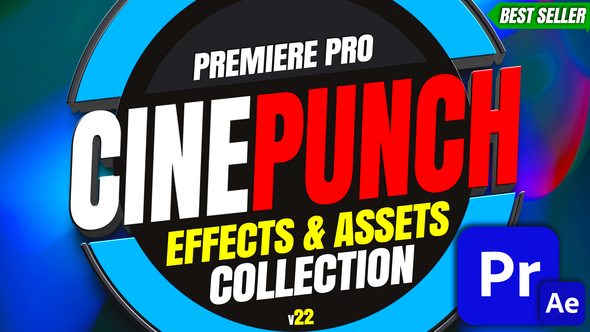
videohive.net
CINEPUNCH I Premiere Pro Effects
Exclusive Premium Premiere Pro Effects Pack for VideoHive Envato The Only Premiere Pro Effects Pack You’ll Ever Need! CINEPUNCH I 20 FX Packs I 10,000+ Cinematic Assets Inside & Gro...
-
Esther Casas
March 9, 2024 at 3:13 pmHi again Mads! great tips! my system can actually handle very well 4K…and this is why I have no idea how they connected these proxies to the project, so is new to me, instead of disabling proxies, I only want to confirm that I am using them and that I export 4K – will check other threads for this but thanks for these links as they are also interesting to have!
-
Esther Casas
March 9, 2024 at 3:16 pmYou are amazing! these are actually the exact templates I need, thanks so much for doing this research for me, it really helps! now the fun starts, thanks again! 🙂


Reply to this Discussion! Login or Sign Up