

Activity › Forums › Maxon Cinema 4D › alternatives to boole object (maxon cinema 4d)
-
alternatives to boole object (maxon cinema 4d)
Kouraib Abdmalek replied 4 months, 3 weeks ago 4 Members · 24 Replies
-

Tom Morton
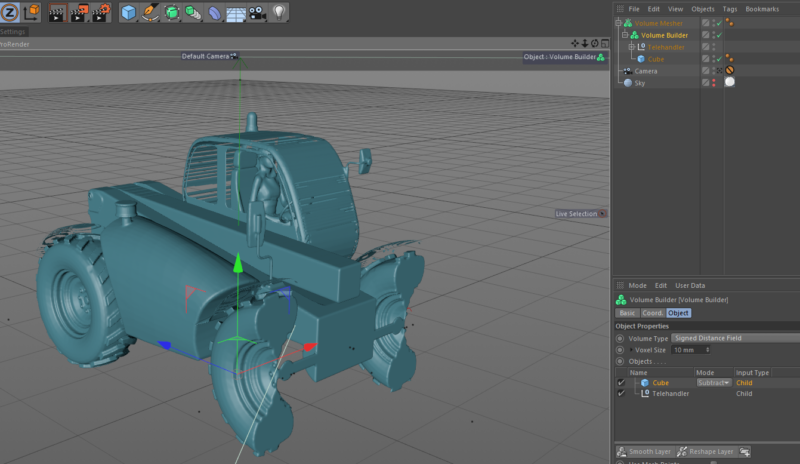
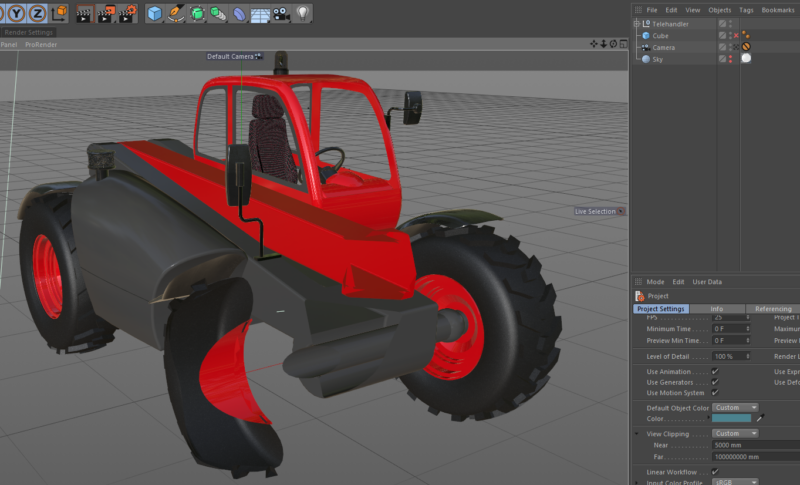
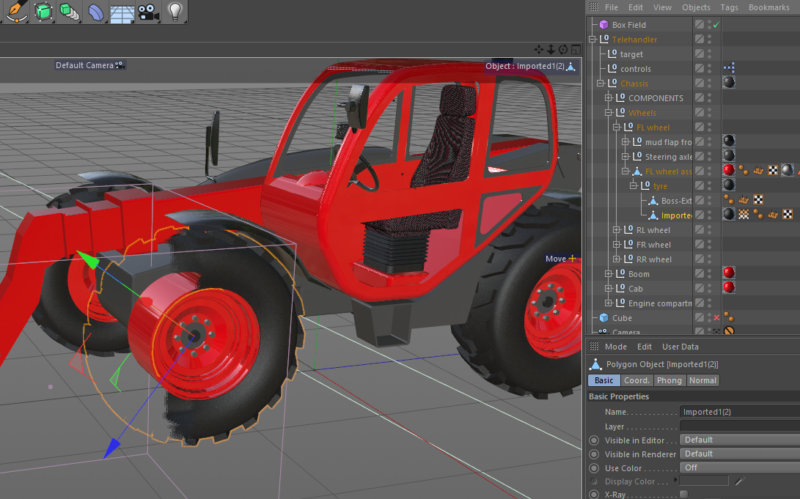
September 25, 2023 at 10:44 amThanks all, I’ve had a good look at the volume builder and mesher objects, and it’s definitely a good alternative to the boole object, just not sure it will always work for me. I’m working with models that have a high number of parts – 1000 – 5000 parts, and keeping the UV’s and textures correct will sometimes be a deal breaker. I can see this method would work, but it just may not be practical for the models I’m currently working with as I’d have to create volume builders for almost every part.
I might give it a go on my next project and see if I can use xpresso to do some heavy lifting so I don’t have to manually create all the mesh objects. I’ll definitely keep playing with it as it’s not something I’ve used much before, and it looks very useful.
-
Tom Morton
September 25, 2023 at 10:47 am@andy, the viewport clipping option did occur to me but I dismissed it because I wanted to animate some cutaways where the product get’s cut away on a certain plane. But that’s a great example of what I want to achieve without the Boole object – just being able to cut the product away without changing any geometry would be an absolute dream!
-
Tom Morton
September 25, 2023 at 10:56 amOK so since posting this last week, I had an idea of a good alternative to the boole object, but I just haven’t been able to make it work. I’m sure it’s possible to do this, but I might need some expert help!
So my idea is to have an alpha channel on all the materials that is controlled by a cube field. I thought I could set it up and then apply the shader to all the materials on the object, and then when I move the cube field it creates an alpha transparency in the materials, allowing me to “cutaway” a model. This also has the benefit of being able to select which materials it applies to, and so I can cut away some parts but others could be fully visible, maybe it’s a lever or something which I still want visible. It should also be fast as there’s no geometry changes, whereas the boole and volume builders can slow things down a lot I found.
Bad news is I’ve tried the vortex map in the alpha channel with a cube field but this only works on a per object basis, it can’t be applied to a group (null). So it would be tedious to do this for a model with 1000 parts.
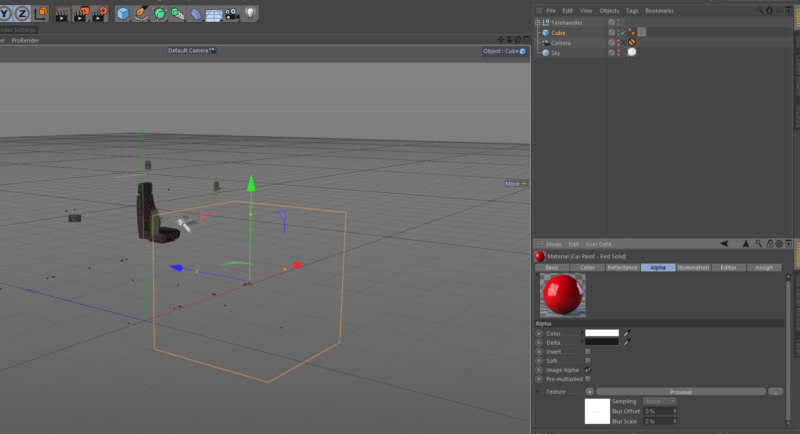
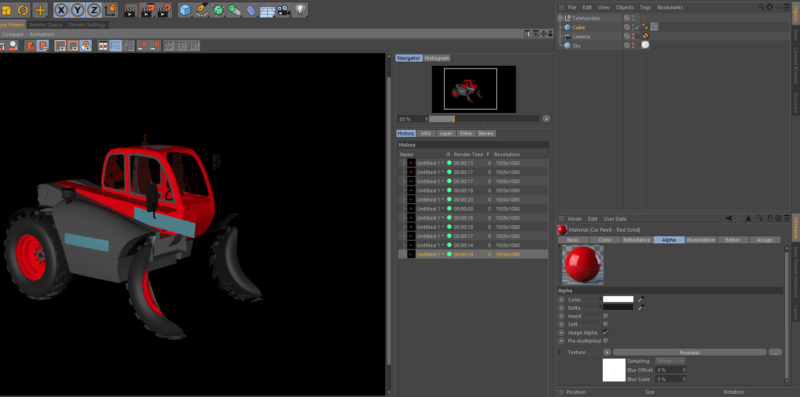
Good news is I’ve also been playing with the proximal shader in the alpha channel and this actually works really well, but you just can’t change the shape. It’s a sphere or nothing – but it works so much better than a boole already. It’s really fast, edges are clean, no funny geometry fuzzing about! But I’m still working with this because I’m sure there’s a way to layer the proximal shader and a cube field to create an alpha transparency exactly where I want.
Can anyone throw anything in here on this point? For my use case of using Booles just to see inside a product, this method will be so much better if it can just work!
-

Kouraib Abdmalek
September 25, 2023 at 12:02 pmHi Tom,
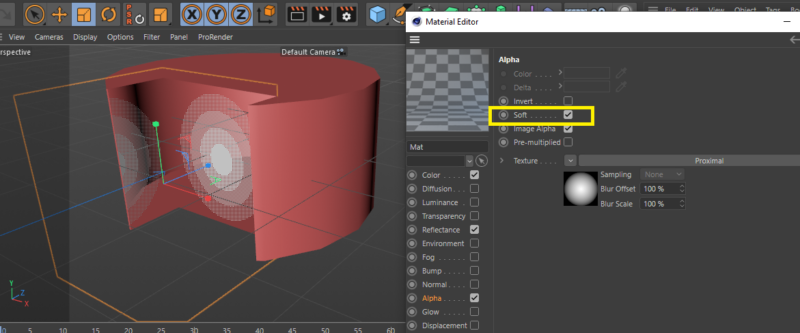
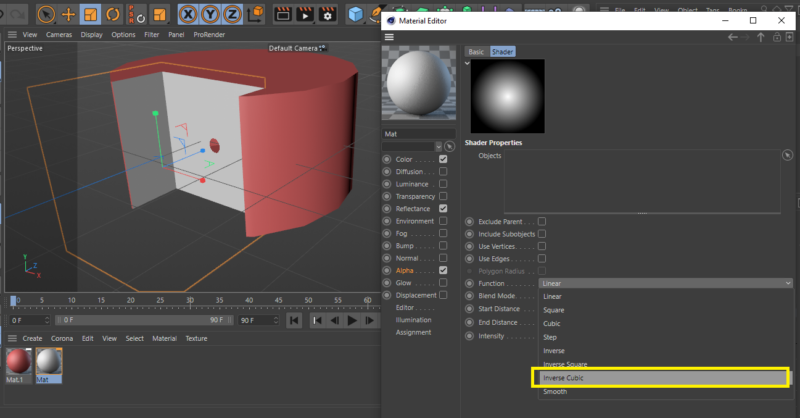
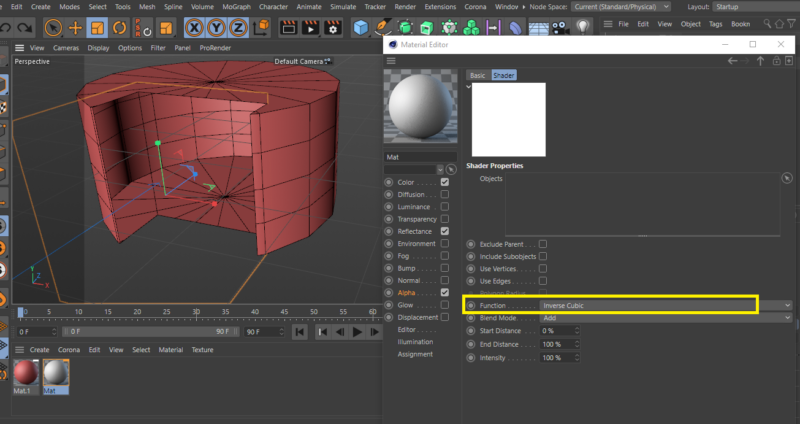
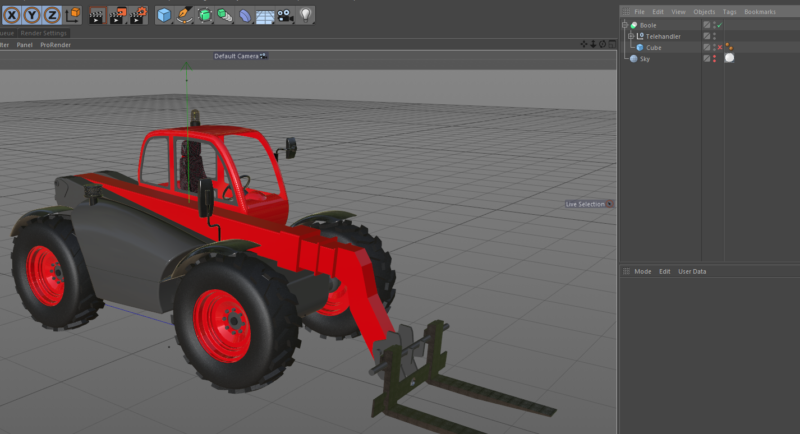
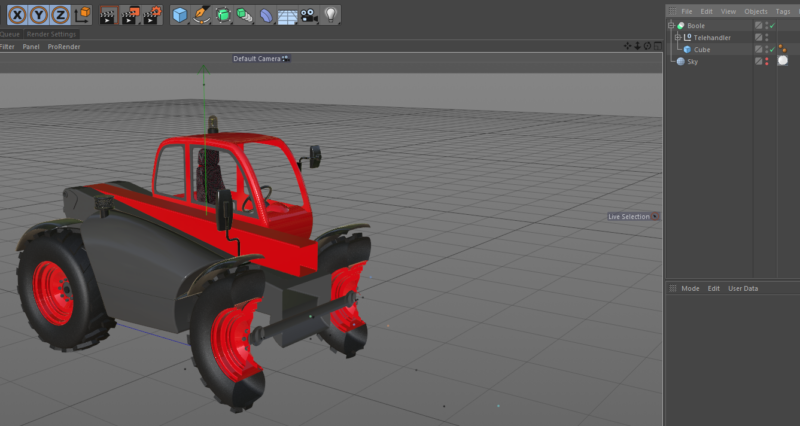
I have not understood your idea well yet, but you can convert the shape to a cube by disabling the Soft option in the alpha channel, then go to Proximal and change the function to an inverse cubic, as in the screenshots attached below.
I hope this helps you

-
Tom Morton
September 25, 2023 at 1:19 pmHello Kouraib,
thanks, that looks exactly like what I want, but I’m struggling to replicate it – can you share your project file or show a screenshot of the objects panel?
-
Tom Morton
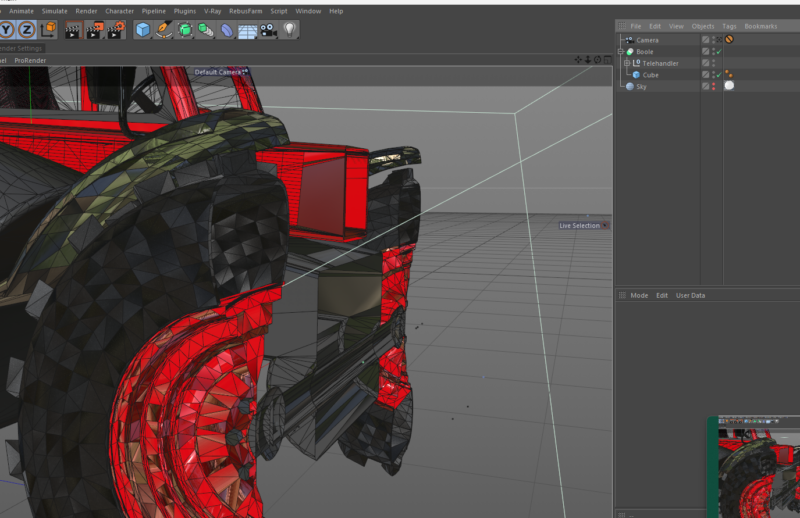
September 25, 2023 at 1:51 pmLiterally been looking for the above for so long, but when I copy it like below, I don’t get the same result 🙁
-
Kouraib Abdmalek
September 26, 2023 at 8:49 amI did this using the boole property, which you try to avoid all the time 🙂
As I said, I didn’t quite understand how you wanted to accomplish this. Just when I saw that you had a problem with the sphere shape that appears when you use the approximal effect in the alpha channel, I wanted to show you how to make it a cube to help you. If you could please attach a file explaining your idea perhaps someone can complete what you are looking for. Thank you
-
Tom Morton
September 26, 2023 at 9:42 amHello Kouraib,
Sure ok, let’s just review quickly: I would like to find a way to cut into a model in C4D so view inside it, but I don’t want to change geometry. The reason for this is that I only want to be able to see inside for the purpose of showing the viewer what is happening. For the purpose of the animation, I’d like to show the cut happening, ie, show the shole product then slowly cut into it.
The most common method is to use a Boole. This is very easy, but it creates new geometry and on complex models this can lead to a lot of complications. The new geometry can upset UV maps, create polygons in unusual areas and so on. On a static boole, these can be fixed with some extra work, but it makes it difficult to have a “moving” boole where you animate intersecting object slowly cutting into a product.
A second method here is to use the Volume Mesher + builder. However this has to be done per object, and can’t be applied to a group / null object containing children as you will lose all UV maps. Also as the purpose of the volume mesher is to create new volumes, you can lose interior detail. I’ve found that to keep details accurate, you have to lower the voxels which hugely slows down the calculating time to build that. Again, changing the geometry leads to a slow down in production time using this method. This method also closes any holes, whereas I want to keep them open so we can see inside the product and show the working parts inside.
A third method suggested here is to use viewport clipping. This is the best yet in terms of performance but offers no flexibility. You can only clip the product at 90 degrees to the viewing angle, so you can’t cut a product and then rotate around the cut. However, this method is fast and keeps the geometry, UV’s and materials all the same.
I guess I want to have my cake and eat it, so I’m still looking for an improvement on the above. I’ve got 2 additional methods to offer but they’re not perfect:
Fourth, I’ve come up with the idea of using fields in the alpha channel to make a material invisible wherever the field is. I can link a cube field to a vertex map in the alpha channel to make the material transparent wherever the cube field is moved to. Works perfectly and it’s fast, but you can’t apply vertex maps to a group or null, only to a polygon object or mesh.
So I’m onto my fifth option. This is to use the proximal effect in the alpha channel to make any part of a material transparent. This is the best option yet, it works well, it’s global for all objects that have the material applied. However, with the proximal effect, you’re limited to a spherical shape from the point you select. So I have set a cube as the object and it will use the centre of it for the proximal point, but it has to be a distance from this point so it’s always a sphere. This works well for me, but I would just very much like to be able to use a flat shape cutaway like a cube for this, but I don’t think there’s a way to use the proximal effect based on a volume or field, and this is what I really want.
So right now I’m trying to find a way to use a cube shape in the alpha channel to make a material transparent wherever the cube is. This is the ultimate as it will let me cut away a product with no geometry change. This will result in clean edges, no extra polygons and accurate cutaways, and it should be very fast to calculate – but I’m just not sure how to do it yet.
-

Andy Kiernan
September 26, 2023 at 10:13 amhows about either making the telehandler one poly object (with tons of material tags et al, then use one vertex map linked to materials? If the object is animated, that wont work though.
Or if its lots of poly objects and no generators, copy the vertex tag to every object? (easy wasy is to put the tag on the parent null and then right click and choose apply to children
-
Tom Morton
October 3, 2023 at 7:39 amYeah, it’s a possibility and that would work well but almost all the models I work with are animated and have moving parts, including xpresso effectors. Every now and then I have joints, particles and so on, so in the majority of cases merging to a single poly won’t work well for me. Thanks for throwing it in thought, ideas are really helpful!
Reply to this Discussion! Login or Sign Up