Creative Communities of the World Forums

The peer to peer support community for media production professionals.

Activity Forums Adobe After Effects After Effects playback is too slow – only a simple bit of script in layer

  • Filip Vandueren

    March 10, 2022 at 12:02 pm

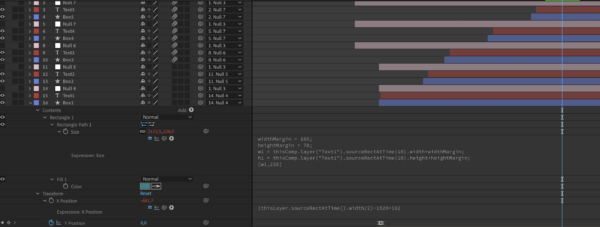
    Are there maybe other expressions that are in turn also referencing the size of Rectangle Path 1 ?

    If you know that an expression only actually needs to be evaluated once, because it would result in the same output each frame, you can start your expression with:

    posterizeTime(0);

    And it will not be calculated again and again while rendering. It will recalculate while you are working in the comp though, for example when you change the text, it will not be “locked” into the wrong previous value.

  • Filip Vandueren

    March 10, 2022 at 12:03 pm

    BTW, in the latest version of After Effects you can enable “the snail” to inspect what expression or effect of what layer is slowing down rendering time the most.

  • Lee Pines

    March 10, 2022 at 12:59 pm

    Thanks for this tip! It’s unbelievably helpful. It turns out it was an effect on the text layer that was slowing it down

We use anonymous cookies to give you the best experience we can.
Our Privacy policy | GDPR Policy