-
3D logo on glass model??
Hi everyone,
I’m working on a project where I need to add logos on top of glass models.
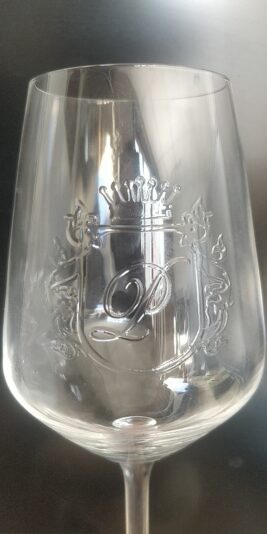
I usually work with .png logos but now I have to work with 3D logos made of glass (see first attached picture). It looks like if the glass was made with the logo “printed” on it.
First I started by opening the logo on Illustrator, and exporting it as .ai from Illustrator 8.
Then I import the .ai logo in C4D, put the logo inside an Extruder to make it 3D.
I add cap & fillet to give this “rounded effect” but it was quickly making the logo look thicker.
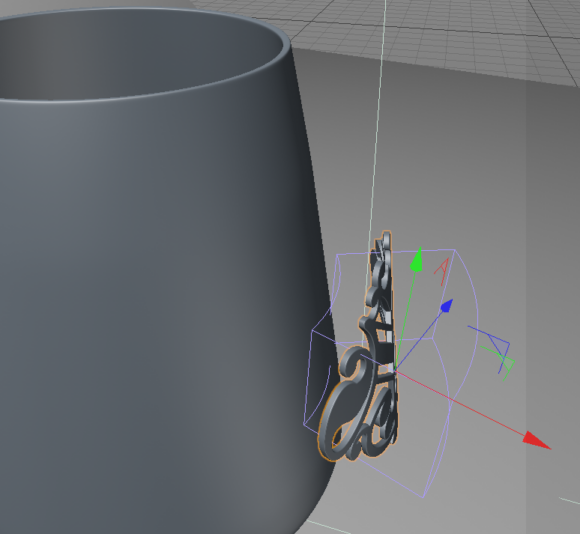
I then used a bend deformer to give it the shape of the glass model. (See second attached picture).
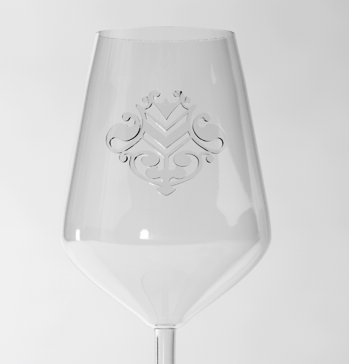
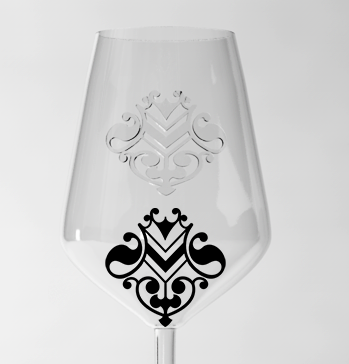
Result is not that bad but if we compare original logo vs the final result, the logo is quite distorted because of the bending. and the “3D logo” doesn’t really look rounded or being part of the glass.
I did it that way because it was using tools I know a bit but I’m sure there’s a way better way to do this. So any help would be more than welcome !
Thanks a lot for your time and help.
Sincerely,
Tom