-
3D Camera Tracking – How to turn off the rotation factor of the orientation?
Hello Everyone. I am testing 3D Camera Tracking for simple pop up trim path & text graphics and I have come to a brick wall.
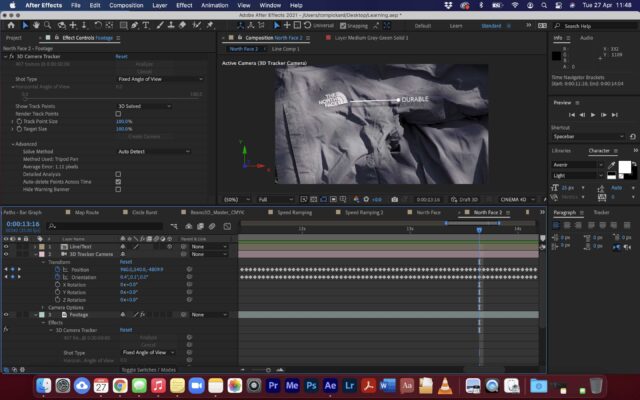
1. I added a 3D Camera Tracker to my footage (which is a flat shot drifting down a coat)
2. I then attached a solid to tracking markers on the white embroidered North Face logo
3. I then made (pre-composed) the solid into a trim path line / dot / text
4. The attachment and the movement is really nice and smooth but the graphics rotate with the footage slightly. I do not want any rotation at all, I want it to stay horizontal throughout the shot.
5. I have looked at the 3D Camera Tracker properties and see that the orientation keyframes are constantly changing, which makes sense. But I just do want the rotation factor to change. I have tried removing all orientation keyframes but then the graphics detach for the tracking markers. How can I stop the rotation?
Any help would be much appreciated:)
Many thanks,
Tom.