

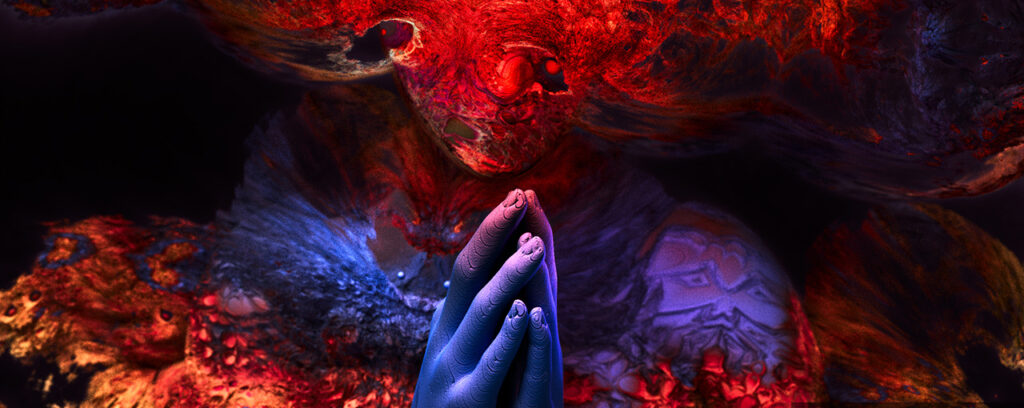
Celebrating Professional Content Creators and the Latest Creative Innovations ‘In the NVIDIA Studio’

Creating content has never been more exciting. Every day, artists are using the latest and greatest technology to bring their visions to life, and sharing their work with the world across a nearly limitless number of platforms. But while imagination is in abundance, sometimes it’s tough to go from inspiration to action, especially when your workflow is affected by not having the right tools.
Long story short, that’s NVIDIA Studio. It’s an ecosystem of fine-tuned hardware and efficient software, powered by NVIDIA’s GPUs, all designed to help you bring your vision to life faster than ever before.
In the NVIDIA Studio celebrates that work, alongside the technology and innovation that professional creators like you use every day to bring that work to life.
Each week, In the NVIDIA Studio will highlight incredible work from the creative community and industry artists just like you, working across video production, photography, 3D art, and more — with an intimate look at their personal workflows and how they use GPU-accelerated workflows to their advantage.
Of course, In the NVIDIA Studio is more than just inspo. It’s where we check in on the full creation process, from concept to completion. It’s where creatives can find resources and tutorials to solve previously insurmountable workflow challenges.
It’s also where In the NVIDIA Studio will bring the newest innovations that artists like you can incorporate into their projects — optimized NVIDIA Studio drivers, updated GPU-accelerated tools in the software platforms you live and work in, or hardware releases for those who are ready to upgrade.
Finally, In the NVIDIA Studio is an ongoing commitment to you, the creator. It’s your vision that In the NVIDIA Studio wants to help bring to life, inspiration to spark. Every week, they’ll show how artists like you tackle the biggest challenges in the industry through the power of NVIDIA’s graphics technologies.
Xueguo Yang is ‘In the NVIDIA Studio’
Xueguo Yang is well known to fractal art fans — the art form which uses algorithms to artistically represent calculations derived from geometric objects as digital images and animations.
The internationally renowned artist showcases his extraordinary fractal art series, Into the Void, and his process for creating it. Xueguo’s artistic collaborations include major publishing organizations and global entertainment companies, and his artwork has been selected for international A-class CG galleries and
competition shortlists.
Xueguo started each Into the Void piece in Daz Studio or Autodesk 3ds Max, generating a very basic 3D shape and carefully extracting its dimensions. He then used one of his preferred fractal art applications, including Chaotica, Mandelbulb3D or, more recently, JWildfire.
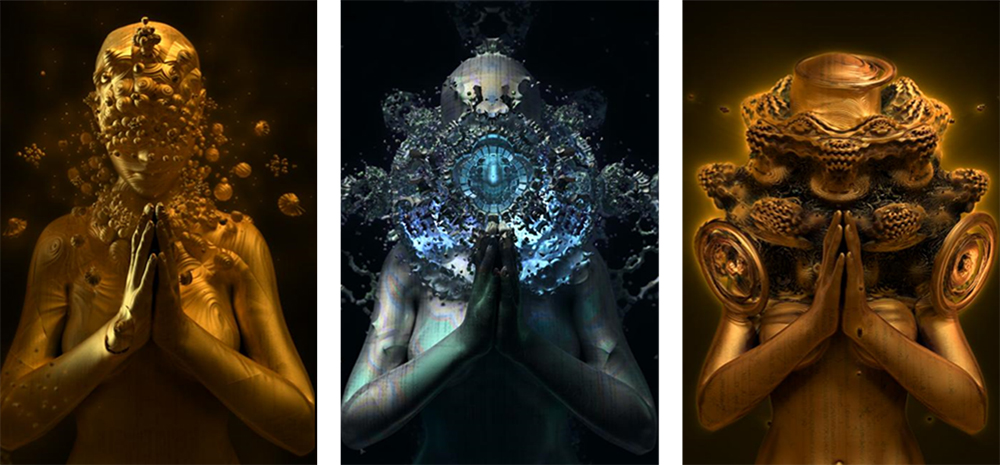
Traditionally, these 3D-heavy apps operated exclusively on CPU architecture, with limited speed and excruciating slowdowns. Newer technology using NVIDIA GeForce RTX GPUs and the OpenCL programming framework dramatically accelerates the creative process so now, complex fractal geometry can be generated, previewed and modified in seconds — a boon for Xueguo’s efficiency.
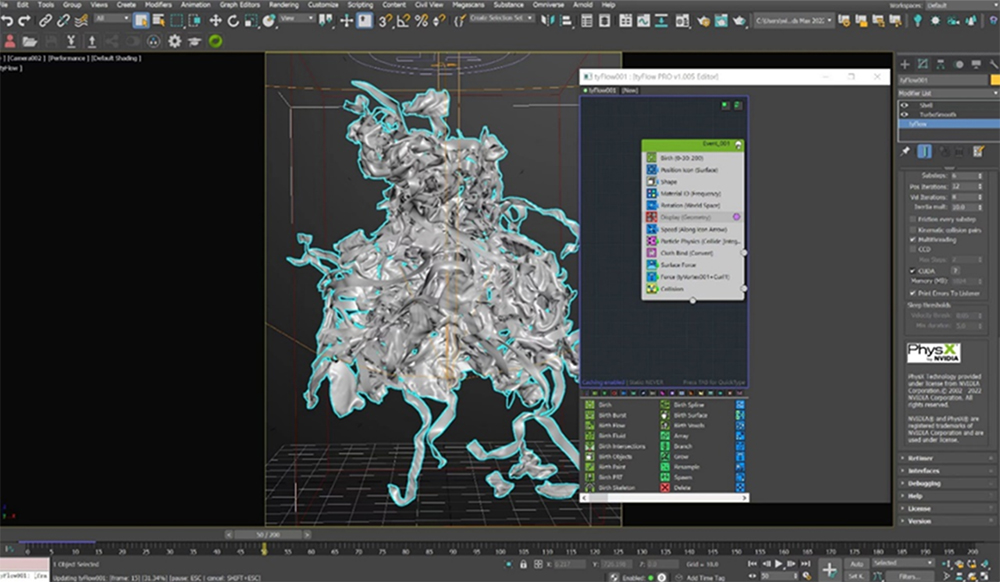
Xueguo then started to build mathematical formulas to create the fractal art pieces. The formulas, ever-changing samples expressed in 3D, required random trial-and-error combinations until Xueguo reached a satisfactory result.
Next, he added some stylish 2D effects before importing the raw files into NVIDIA Omniverse, a 3D design collaboration and world simulation platform.
By using Omniverse’s NVIDIA vMaterials library, which is derived from physical, real-world materials, Xueguo built cosmic voids with photorealistic details such as glass and metal pieces.
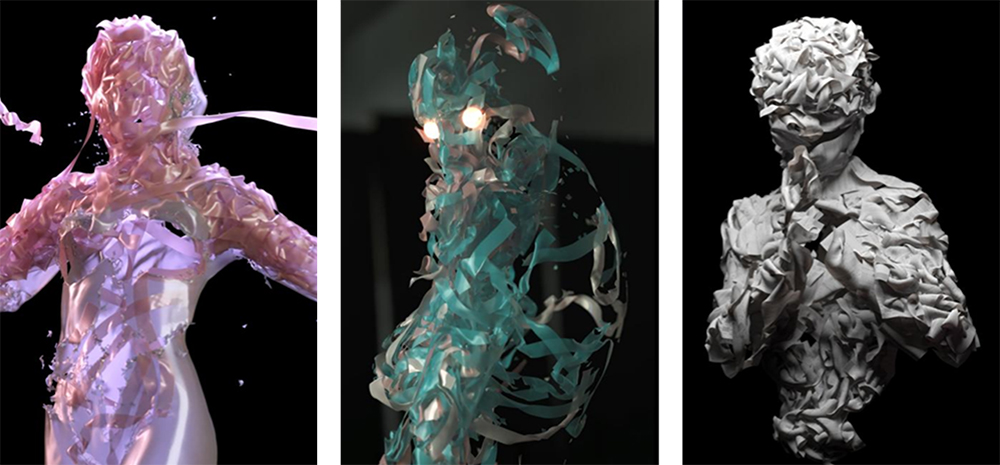
Xueguo further refined textures with the Adobe Substance 3D Painter Connector. He applied Smart Materials — a feature that automatically adjusts the scene to show realistic surface details — tweaking the piece until the perfect combination presented itself.
The Omniverse Create app allowed Xueguo to adjust lighting and shadows, all in original quality, for final compositing and rendering. His GeForce RTX 3080 Ti GPU powered the built-in RTX Renderer, unlocking hardware-accelerated ray tracing for fast and interactive 3D modeling.
Xueguo then turned to the NVIDIA Canvas app to quickly generate a variety of sky and space backgrounds. This process took mere minutes and was far more efficient than searching for backgrounds or even creating several from scratch.
In Photoshop, Xueguo applies the Canvas backgrounds and adjusted colors to his liking. Final exports were rapidly generated, and the Into the Void masterpiece was complete. By entering In the NVIDIA Studio, viewers can now enter the void.
Xueguo noted his entire creative workflow is accelerated by GPUs, with his ASUS ProArt Studio laptop serving as a necessity rather than a luxury.
“You can’t imagine how to deal without real-time ray tracing and AI acceleration of RTX GPUs,” Xueguo said. Follow NVIDIA Studio on Instagram, Twitter and Facebook. Access tutorials on the Studio YouTube channel and get updates directly in your inbox by subscribing to the NVIDIA Studio newsletter.
###
Enjoying the news? Sign up now for the Creative COW Newsletter!

Sign up for the Creative COW newsletter and get weekly updates on industry news, forum highlights, inspirational tutorials, tips, burning questions, and more! Receive bulletins from the largest, longest-running community dedicated to supporting professionals working in film, video, and audio.
Enter your email address, a first and last name, and let us know what you’d like to see more of in the message!
[contact-form-block name_label=”Name” email_label=”E-mail” message_label=”Message” header=”false” header_image_id=”null” header_image_size=”50″ header_image_align=”left” header_title=”Get in Touch” header_text=”Leave your message and we’ll get back to you shortly.” button_text=”Send” button_color=”#3d84f6″ button_text_color=”white” align=”undefined” theme=”default” message_rows=”5″][/contact-form-block]
Responses