

Beyond Upscaling: Natural AI Enhancement & Denoising with Aiarty – The Best Offer of the Year

For video professionals, delivering high-quality content is essential. Whether you’re restoring archival footage, refining HD/UHD videos, eliminating noise, or adding smooth slow-motion effects, Aiarty Video Enhancer offers an efficient, AI-powered solution for natural, high-quality results—all right on your desktop.
Limited-Time Offer: Get Aiarty at the Best Price of the Year!
Aiarty Video Enhancer’s Lifetime License is now available for just $144—use it on up to 3 devices with unlimited free updates. No recurring subscriptions, no hidden fees.
Plus, extra savings for the holiday season! Go to the special offer page and use coupon code XMAS-EXTRA at checkout to unlock even more discounts. This offer won’t last long, so act fast!
Why Choose Aiarty Video Enhancer?
- Local Processing for Privacy: All enhancements are performed locally on your device, ensuring your footage stays private—no cloud uploads. Ideal for sensitive content or remote work.
- Optimized AI Models for Efficiency: Achieve professional results without the complexity. Aiarty’s intuitive AI tools streamline the enhancement process, saving you time.
Elevate Your Output, Secure Your Workflow
Video enhancement isn’t just about making things “look better”—it’s about preserving the natural integrity of your footage while improving resolution, removing noise, and sharpening details. Here’s how Aiarty can help:
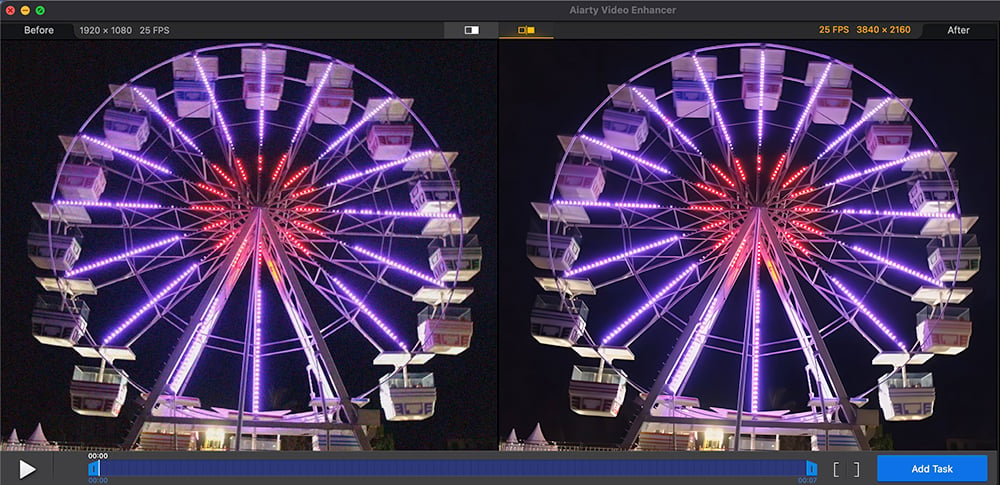
AI-Powered Upscaling: Whether you’re working with footage shot in 720p or 1080p, Aiarty can upscale it to 4K without losing any of the sharpness or clarity.
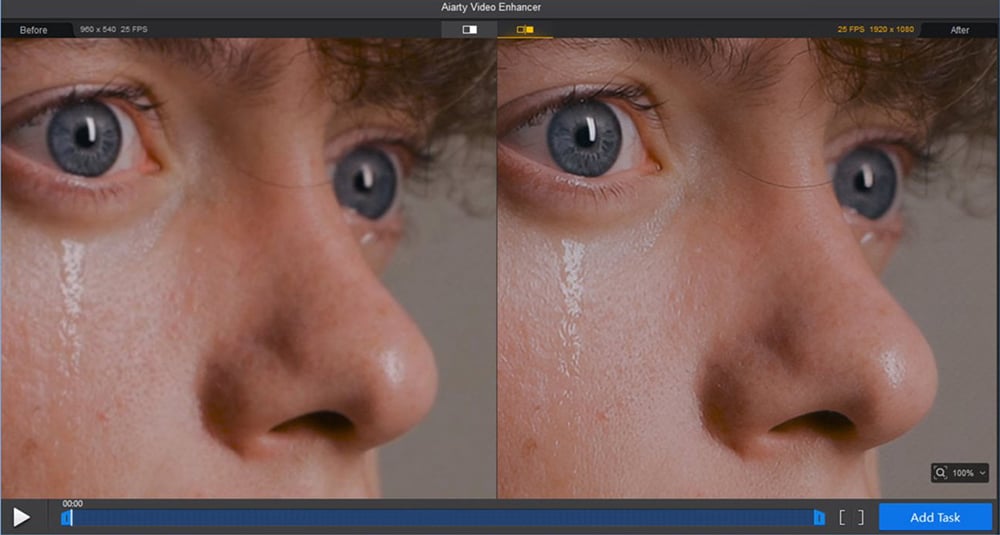
Noise Reduction Without the Trade-Off: Noise reduction is a must-have for low-light or high-ISO footage, but many denoising tools remove too much detail, leaving your image flat. Aiarty’s intelligent noise reduction keeps the texture and sharpness intact while eliminating grain and chroma noise, leaving you with clean, crisp footage.
Frame Interpolation for Smooth Slow-Motion: Not every production has the luxury of shooting at a high frame rate for slow-motion. That’s where Aiarty’s frame interpolation comes in—creating smooth, high-quality slow-motion footage from regular-frame-rate shots.
Audio Denoising: In addition to video, Aiarty also features audio denoising tools that help remove unwanted background sounds (such as hum, hiss, or ambient noise) directly from the video file, streamlining your workflow.
Color Correction & Pre-editing: Aiarty includes an intuitive color panel for adjusting white balance, exposure, and contrast. This allows for quick corrections and ensures consistency across multiple clips before more advanced grading.
Performance, Efficiency, and Precision at Your Fingertips
Whether you’re pre-processing footage for your NLE (like Adobe Premiere, Final Cut Pro, or DaVinci Resolve) or applying finishing touches in post-production, Aiarty integrates easily. Here’s how:
- SDR to HDR 10-bit Conversion: Convert standard dynamic range footage to vibrant HDR 10-bit video, with three AI-driven models (Neutral, Bright, or Graded) to match the look you want.
- Step Mode (VRAM Efficiency): Optimizes VRAM usage for mid-range systems or when working with large files, allowing for smoother performance without sacrificing quality.
- Turbo Mode: Prioritize GPU usage for faster processing, ideal when you need to meet tight deadlines but still maintain a high level of quality.
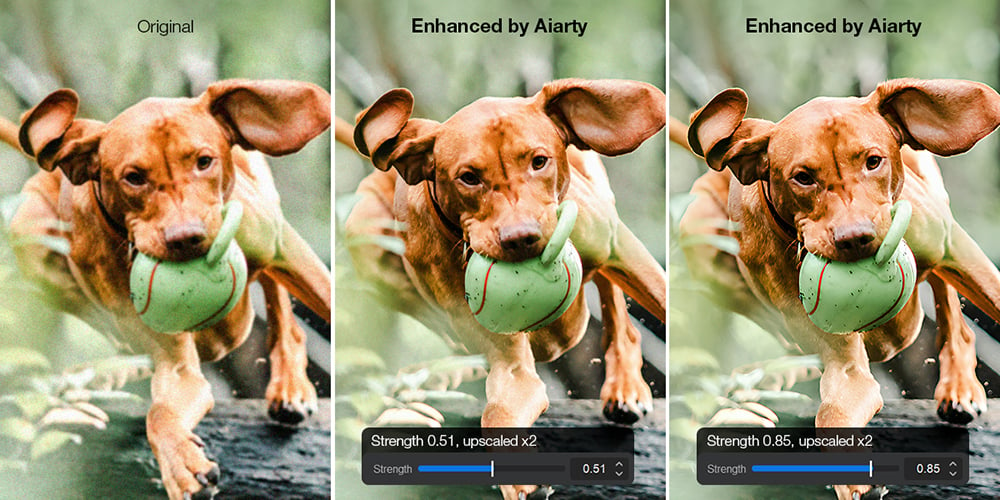
- Precision Control: Aiarty’s Strength Slider lets you fine-tune sharpening and denoising effects, giving you full control over the final result.
Real-World Feedback: Professionals Who Use Aiarty
Aiarty is already gaining traction in the professional world. Here’s what industry experts are saying:
JB Yong, Creative Content Creator and Special Event Photographer/Videographer:
“Tried Aiarty Video Enhancer and I am very impressed. It achieved better sharpness and denoising than other tools I use for video. It’s got a nice, simple user interface that is easy to use. I just want it to work and don’t want a ton of sliders to adjust. I like the Turbo Mode which makes processing faster. Recommended.”
Leigh Miller, Commercial Photographer/Videographer
“Overall, it’s a really good way to enhance your videos and use artificial intelligence to do the heavy lifting.”
Watch his quick test on YouTube:
Can’t see this video? Click here! If you are in Safari, hover over “Safari” in your menu, click “settings for creativecow.net” and toggle the “Auto-Play” to “Allow All Auto-Play”.
John Kempt, Artist
“After testing many video enhancers, I feel Aiarty is the winner. It has different modes depending on the clip. One is specifically designed for low-light situations, which is very helpful. There’s also a blend percentage control for softening the result to your taste.”
Watch his quick test on YouTube:
Can’t see this video? Click here! If you are in Safari, hover over “Safari” in your menu, click “settings for creativecow.net” and toggle the “Auto-Play” to “Allow All Auto-Play”.
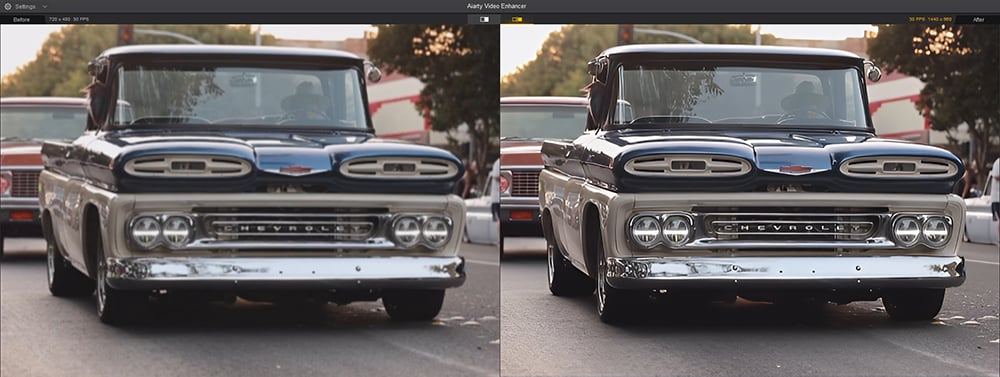
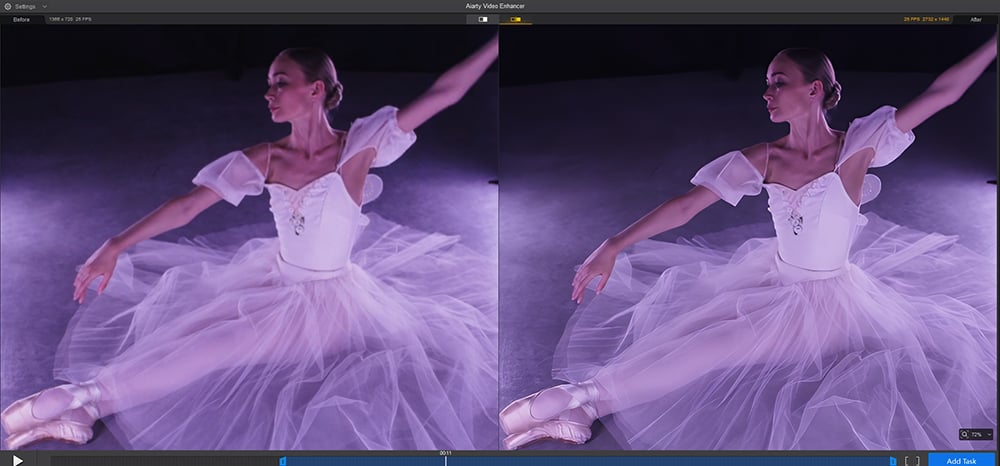
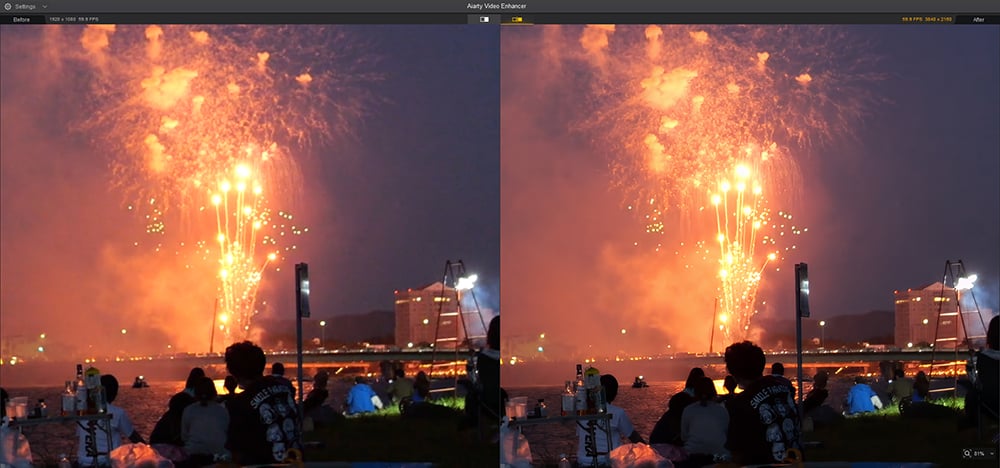
See Aiarty Video Enhancer in Action:
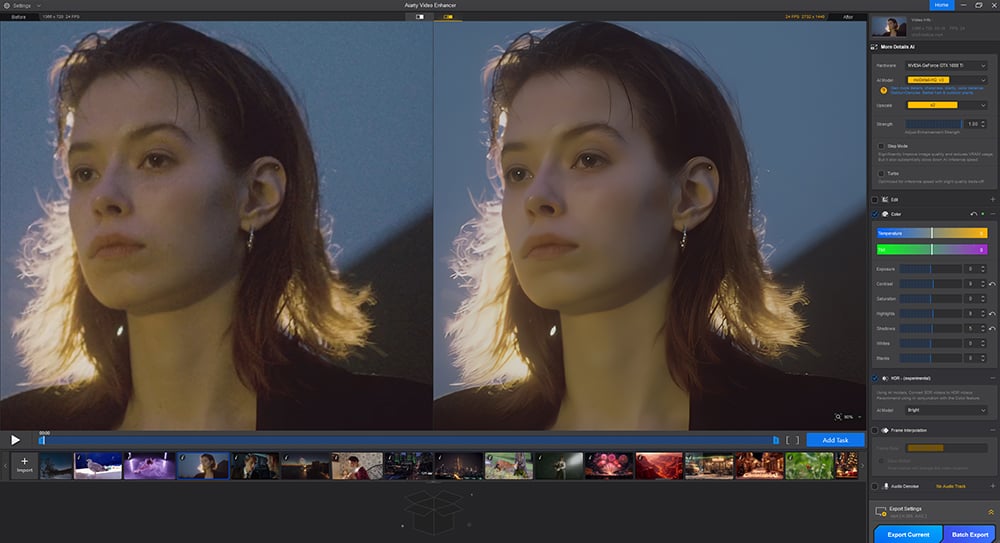
Screenshot 1: Enhance a vintage video with the moDetail-HQ v2 model.
Exclusive Offer – Get Aiarty at 36% Off
Don’t miss out on the lowest price of the year. Secure a Lifetime License of Aiarty Video Enhancer for just $144, with no recurring fees and unlimited updates. Use code XMAS-EXTRA for even more savings—this offer ends soon!
Enjoying the news? Sign up for the Creative COW Newsletter!
Sign up for the Creative COW newsletter and get weekly updates on industry news, forum highlights, jobs, inspirational tutorials, tips, burning questions, and more! Receive bulletins from the largest, longest-running community dedicated to supporting professionals working in film, video, and audio.
Enter your email address, and your first and last name below!

Responses