Creative Communities of the World Forums

The peer to peer support community for media production professionals.

Activity Forums Adobe After Effects animate mouse cursor

  • animate mouse cursor

    Posted by Dalie Danlours on June 25, 2007 at 3:12 pm

    i am working on a project in which i need to animate the mouse cursor, two problems occur:

    1. is there a way (plugin or what so ever) that makes the cursor movement look “natural” (at this moment it looks so fake!)
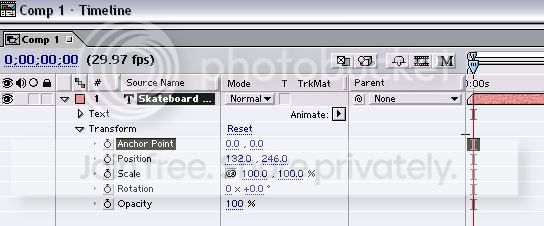
    2. i animated the first part just by drag n dropping the layer “mousecursor”. sometimes the cursor looked a little blurred, i found out that this problem appears because the numbers (from position, x, y) in/decreases with 0,1 and not with 1,0. so is there a way to change the value from 0,1 to 1,0 as default in/decrease value?

    thanks a lot!

    Frank Hardie replied 18 years, 10 months ago 3 Members · 6 Replies
  • 6 Replies
  • Malcolm Desoto

    June 25, 2007 at 3:28 pm

    Try setting up your motion path, selecting your key frames, and then hitting F9. This will ease all your key frames.

    Maybe try enabling motion blur? That might look weird on a mouse though. I dunno.

  • Malcolm Desoto

    June 25, 2007 at 4:47 pm

    Th little mouse intro on the Total Training DVDs has always brought a bit of joy to my life.

  • Dalie Danlours

    June 25, 2007 at 9:12 pm

    motion sketch totally worked for me! thanks a lot! it totally fixed my first problem! but i still

  • Dalie Danlours

    June 25, 2007 at 9:25 pm

    something went wrong the previous reply (it only shows the first line)

    so motion sketch totally worked for me! thanks a lot! it totally fixed my first problem! but i still didn’t figure out how to set the value with which Position (P) in/decreases (currently the (P) position in/decreases with 0,1 every time i move a layer and i’d love to change the accuracy from 0,1 into 1,0

  • Dalie Danlours

    June 25, 2007 at 11:08 pm

    sorry my english isn’t that good. what i’m trying to say is: i’d like to round the numbers off. so i don’t get any decimal values for the x and y position.

    x = 220,1 -> x = 220,0
    y = 168,8 -> y = 169,0

    etc
    etc

    (x and y will always end on ,0 and not 0,1 0,2 0,3 etc etc)

    maybe javascript is the solution, using Math.round()… i am still trying to understand how i could apply it to my layer so anytime i move the layer a rounded number shows up for x and y…

    thanks for reading though!

  • Frank Hardie

    June 26, 2007 at 12:21 am

    Your use of a comma (rather than a period) for a decimal point was confusing.

We use anonymous cookies to give you the best experience we can.
Our Privacy policy | GDPR Policy