

Fixing Flawed Footage and Preparing Timeline-Ready Clips with VideoProc

In professional editing workflows, many of the real challenges begin long before creative decisions are made. Footage and assets frequently arrive with issues such as blurry visuals, heavy noise from low-light shooting, shaky camera movement, outdated images, or audio that needs cleanup before it’s usable.
Trying to fix everything inside the NLE can slow playback, complicate projects, and pull attention away from storytelling. As a result, many editors rely on supporting tools outside the timeline to handle repair, preparation, and delivery tasks, so that the editing software can stay focused on creative work.
VideoProc Converter AI fits into this role as a practical workflow companion. It is not designed to replace professional NLEs, but to help editors clean up footage, standardize assets, and prepare media before editing begins or after the cut is locked, keeping the timeline responsive and predictable.
When Reshoots Aren’t an Option: Cleaning Up Blurry or Noisy Footage
In real-world workflows, reshoots are often impossible. Client-supplied clips, smartphone footage, action-camera shots, and archive material frequently arrive with heavy noise, motion blur, or soft detail—particularly when captured in low light, under fast-moving conditions or high ISO. Travel vlogs may suffer from uneven sharpness and jitter, indoor tutorials or talking-head videos often appear flat or grainy, and older or compressed online footage can further limit usable detail.
In practice, applying heavy noise reduction or AI enhancement directly in the timeline can quickly bog down playback and make fine cutting difficult. A common time-saving approach is to preprocess only the problematic clips outside the NLE, letting enhancement run in parallel while editing continues uninterrupted. This method keeps the timeline responsive and ensures editors can focus on creative decisions rather than technical constraints.
VideoProc Converter AI approaches this task using AI-powered Super Resolution for video enhancement, built on deep learning and convolutional neural networks (CNNs), to enhance clarity while minimizing unwanted noise. Instead of simple sharpening filters, the AI analyzes visual patterns to distinguish real detail from noise, helping retain edges, textures, and facial features without overprocessing.
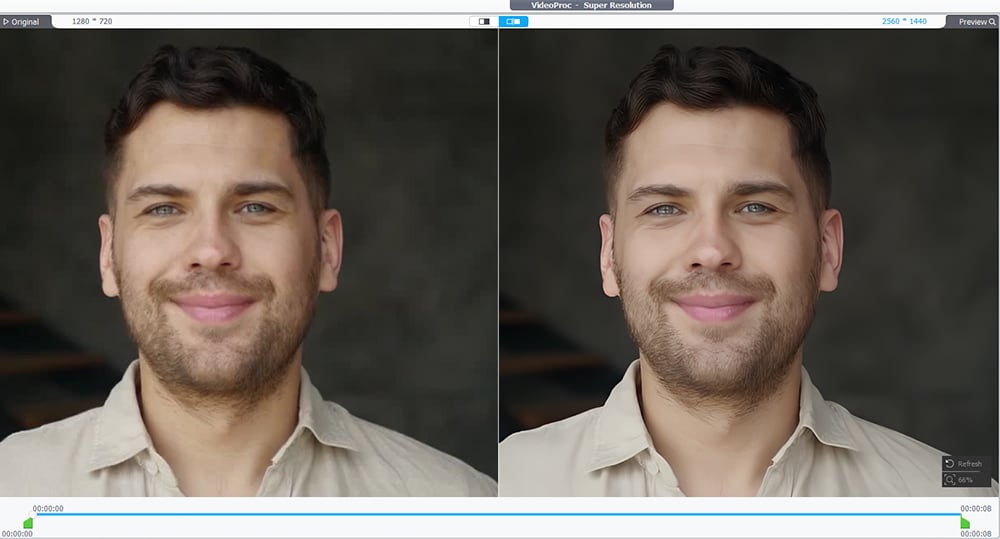
In practical editing workflows, this translates into several useful capabilities:
- AI Super Resolution upscaling at 200%, 300%, and 400%, allowing SD or HD footage to be prepared for 1080p or 4K timelines
- Four AI models tailored to different content types, including More Details for enhanced clarity and sharpness, Real Smooth for overall visual improvement with bright colors, Anime for animated footage, and Zyxt optimized for low-end computers
- Two processing modes to balance quality and speed: High Quality for maximum output fidelity, and Fast Mode for quicker processing
- Batch processing with GPU acceleration, enabling multiple clips to be enhanced efficiently without slowing down the workflow
By improving image quality before editing begins, VideoProc Converter AI helps ensure that poor source material doesn’t slow down the creative process or compromise the final result.
Special Offer: VideoProc is offering a Christmas promotion for Creative COW readers, with discounts of up to 62%. The offer includes lifetime licenses for single or multiple systems, along with lifetime updates and technical support.
Stabilizing and Smoothing High-Motion Clips Before the Edit
High-motion footage is a common challenge for travel, sports, and action-oriented videos. Clips captured on handheld cameras, drones, or action cams often exhibit noticeable shake or motion blur, which can distract viewers and disrupt storytelling.
Instead of fighting these issues inside the NLE, many editors stabilize and smooth motion before importing clips. VideoProc offers stabilization tools to remove unwanted camera shake, along with AI frame interpolation that can increase frame rates and smooth fast movement to reduce motion blur, producing fluid, natural-looking movement—ideal for running, skateboarding, climbing, or dynamic vlogs.
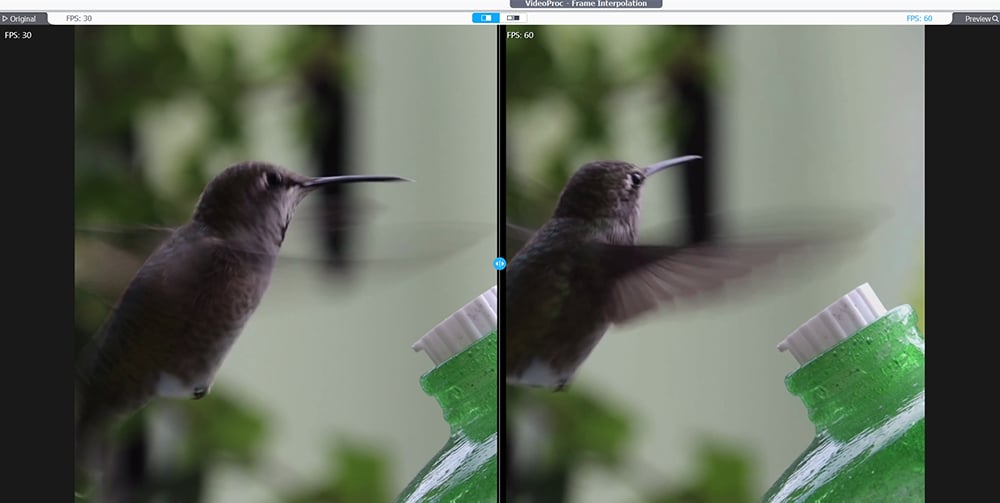
Key capabilities of Frame Interpolation:
- adds AI-generated frames to smooth fast motion and improve playback
- raise low-frame-rate clips to higher FPS (e.g., 60fps→480fps) or create slow-motion effects
- Advanced Controls: customize output FPS, detect scene changes, and deinterlace footage
Key capabilities of Stabilization:
- Corrects jitter and shake while preserving natural motion
- 2 stabilization modes, 4 presets, 3 border colors, and 3 cropping modes to get the desired result
By enhancing shaky or fast-motion footage upfront, VideoProc helps editors maintain fluid visuals and focus on storytelling rather than struggling with raw action shots.
Enhancing Images and Restoring Old Photos for Editing Projects
Editors often rely on images as part of their projects, whether for cutaways, inserts, storyboards, or historical references. These assets may be low resolution, faded, or damaged, especially when working with old photographs or compressed online sources.
VideoProc Image AI helps address these challenges with a suite of enhancement and restoration tools. Its Enhance and Upscale features improve clarity and resolution, making low-quality or compressed images suitable for your HD or 4K projects. The Face Restoration function intelligently repairs facial details in old or damaged photos, while Colorizing can bring black-and-white images to life, adding a natural, consistent look to your visual assets.
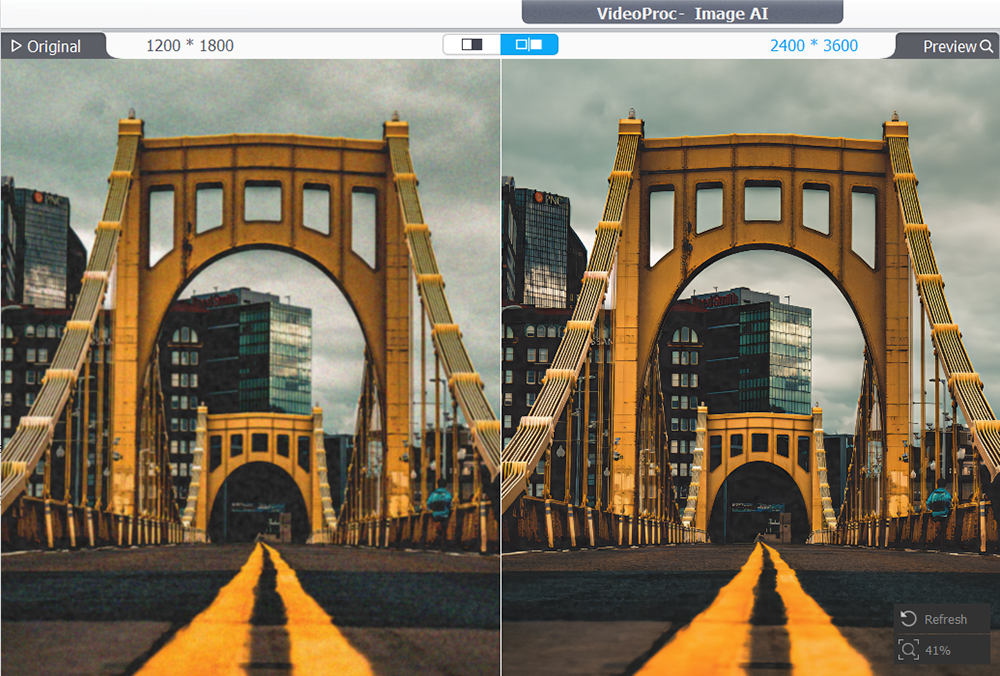
Key capabilities include:
- Enhance & Upscale – increase resolution up to 10K and sharpen details, with AI models tailored for different image types
- Face Restoration – repair damaged or low-quality faces in old photos using selectable faces and composite modes
- Colorizing Monochrome Image – add realistic color to black-and-white images or faded footage
By enhancing and restoring images upfront, editors can seamlessly integrate them into video projects without worrying about visual quality, saving time and keeping the focus on creative storytelling rather than fixing individual images manually. For a limited time, you can get up to 62% OFF discount on the Lifetime License.
Fixing Format and Codec Issues Before They Become Timeline Problems
Editors often work with footage from GoPro, DJI drones, or camera log sources, which may include high resolutions, HDR, or unusual frame rates. Directly importing these clips into an NLE can cause slow playback or timeline errors, disrupting the editing flow.VideoProc Converter AI solves this by converting and standardizing videos and audio before editing. It supports over 370 video and audio codecs, handles GoPro 5.3K 60fps, 4K 120fps, DJI HDR 10-bit, camera log videos, and allows export in ProRes, HEVC, or other preferred formats. Editors can also easily adjust resolutions, frame rates, and project settings to match their timeline.
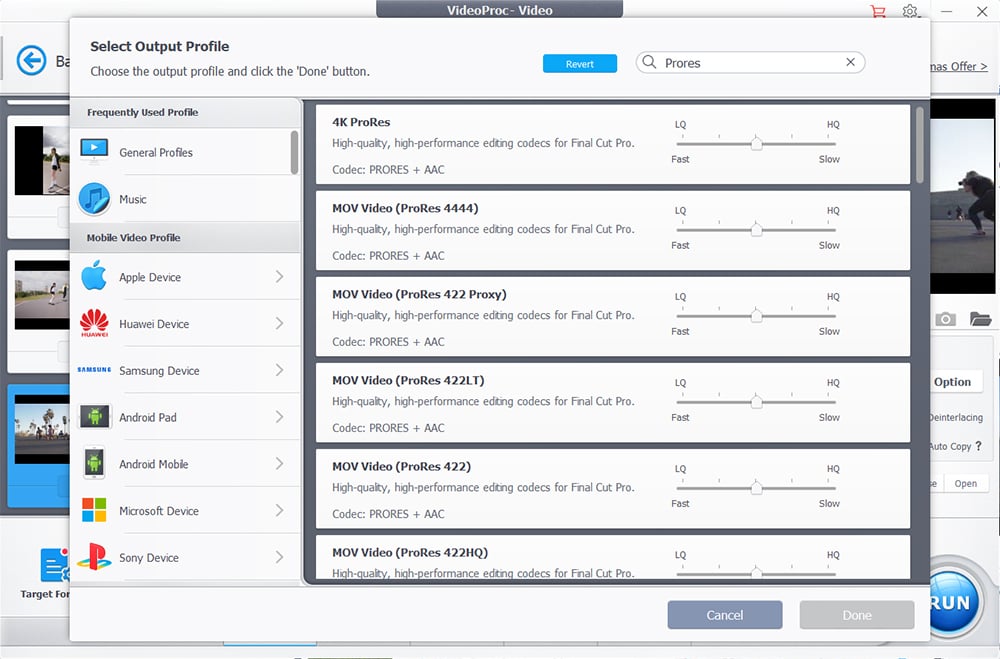
By preprocessing clips this way, editors ensure smooth playback, consistent project settings, and can focus on storytelling rather than troubleshooting technical issues.
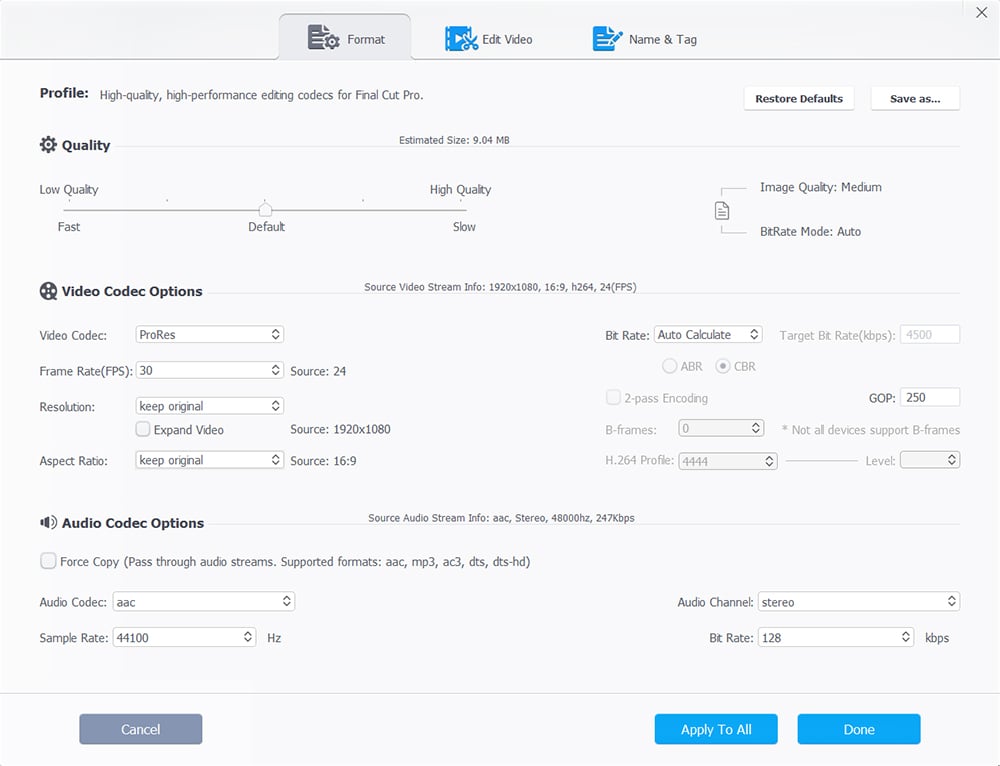
Compressing Footage for Smoother Editing and Easier Delivery
Large video files from NLE exports or high-resolution cameras can be cumbersome to store, share, or upload. Clips such as B-roll, picture-in-picture shots, or secondary angles often don’t require full-resolution quality, but uncompressed files can slow workflows and consume excessive storage.
VideoProc Converter AI provides precise control over file size while maintaining essential visual quality. You can compress clips for platform uploads, client delivery, or archival purposes, adjusting resolution, bitrate, GOP, and output format to meet project needs.
Preprocessing footage this way makes large files easier to manage, speeds up transfers, and streamlines project workflows, so you can focus on creativity instead of technical constraints.
Additional Tools to Support Your Editing Workflow
Beyond video enhancement and format management, VideoProc Converter AI offers several features that help streamline the entire content creation process. These tools make it easy to capture, source, and refine materials without switching between multiple apps.
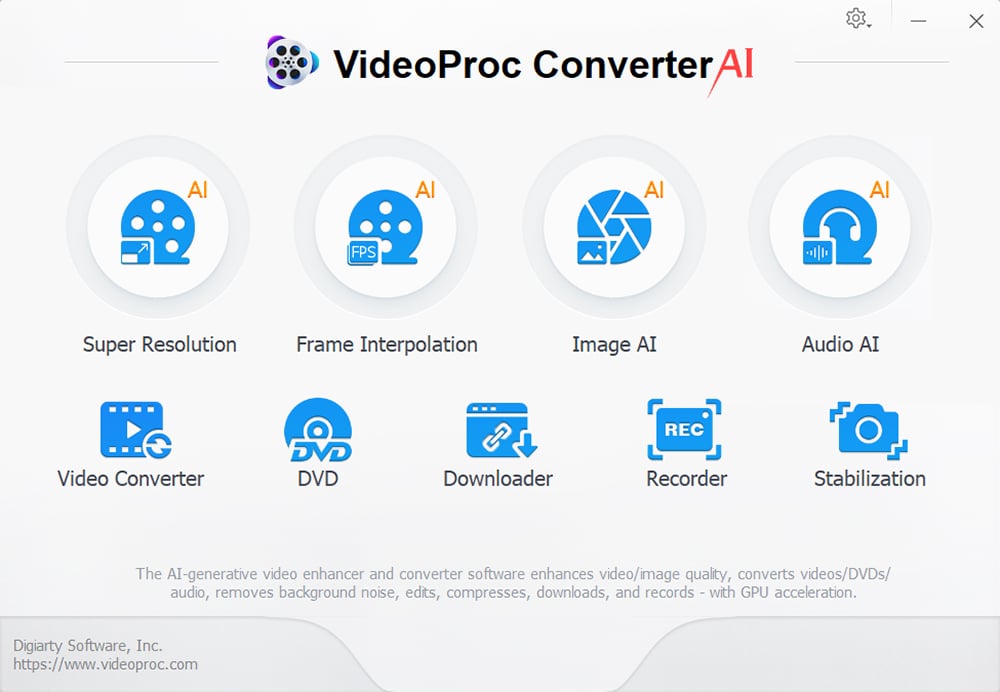
Audio AI tools enhance any project by cleaning up noisy recordings, removing vocals, or suppressing background music. You can also focus on speech for voiceover or narration purposes, making it easier to achieve professional-quality audio without external software.
Screen Recording is perfect for creating tutorials, coding walkthroughs, productivity tips, UI/UX demonstrations, gaming highlights, or Zoom meeting recaps. High-quality recordings can be captured directly and exported in formats ready for your timeline.
Video and Audio Download simplifies sourcing content for commentary, reaction videos, educational explanations, historical references, podcast snippets, or royalty-free music. This feature ensures you can legally gather materials for creative projects while avoiding tedious manual downloads or format issues.
By combining all of these capabilities—capture, download, enhancement, conversion, compression, and audio cleanup—VideoProc functions as a true all-in-one partner for video creation, enabling a smoother, more efficient editing workflow from start to finish.
VideoProc Work Best as Companions for Video Creation
For professional editors, AI tools are most useful when they quietly solve real problems. VideoProc Converter AI doesn’t replace Premiere, DaVinci Resolve, or other NLEs—it handles repair, preparation, and delivery tasks, leaving all creative decisions in your hands. Running in the background, it fixes unavoidable issues, preprocesses footage, and keeps workflows smooth so editors can focus on storytelling instead of technical problems.
Tools like VideoProc are most valuable when they save time, improve material quality, and protect creative focus. Rather than adding more features inside the timeline, they reduce the issues around it, making the entire editing process more efficient and less stressful. For editors working with inconsistent footage, high-motion clips, or tight deadlines, VideoProc Converter AI is a practical companion worth integrating into the workflow.
And just in time for the holidays, you can take advantage of VideoProc’s Christmas sale of up to 62% off on lifetime license.
Enjoying the news? Sign up for the Creative COW Newsletter!
Sign up for the Creative COW newsletter and get weekly updates on industry news, forum highlights, jobs, inspirational tutorials, tips, burning questions, and more! Receive bulletins from the largest, longest-running community dedicated to supporting professionals working in film, video, and audio.
Enter your email address, and your first and last name below!


Responses