-
Replace audio source clip? Bug?
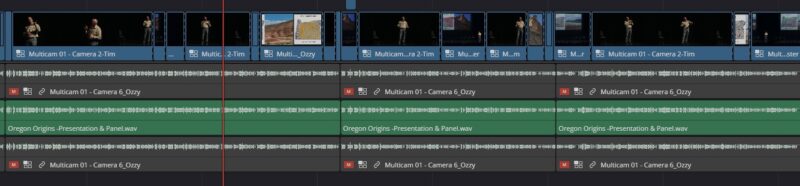
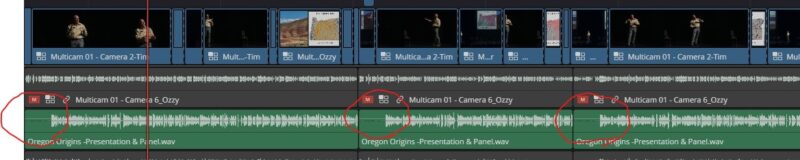
This should be simple, or I may have found a bug. I received a new version of an hour-long audio file from a mixing engineer and want to swap it out for the previous version that I have been using in my davinci edit. There are many edit that have been done to that audio file on the timeline, so I want to swap out the source and keep all of my edits intact. On the edit workspace, when I right click the file in the media bin and select ‘clip operations/replace selected clip’, then select my new version, the audio starts over at each cut point on the timeline. For clarity, the person speaking in the video starts saying “Hi welcome to the show…”, then 4 minutes later there’s another cut and the audio repeats “Hi welcome to the show…”, etc. …and naturally it’s all out of sync. I’ve attached photos so you can see the before and after replacement. You can see by the waveforms that the audio is looping at each edit. I can’t imagine someone wanting this behavior, so I wonder if this is a bug. But this should be a pretty common thing to have to do and I’m still relatively new to this software, so maybe this isn’t the correct way to do this?