Creative Communities of the World Forums

The peer to peer support community for media production professionals.

Activity Forums Adobe After Effects need help scaling objects using 2 separate target objects

  • Dan Ebberts

    February 6, 2025 at 3:36 am

    So how should the two target values interact? I mean, what’s the formula?

  • Remy Krey

    February 6, 2025 at 2:17 pm

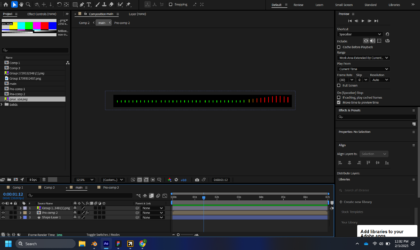
    They should both interact in the way of causing the green lines shown in the first image to grow and become red. The Target objects should not double the size of the green to red boundary size. To help with understanding this more, one of the targets would be on the left which would then position to the right of the screen, and vice versa for the right target.
    If it helps I can attach the following project, to help with further understanding.

  • Dan Ebberts

    February 6, 2025 at 4:53 pm

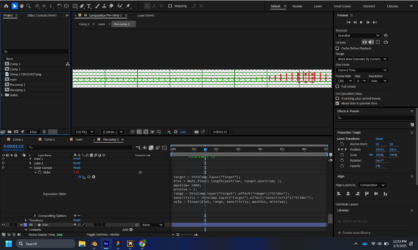
    Without seeing it, I’m guessing it would be something like this (totally untested, so there might be typos):

    target1 = thisComp.layer("Target 1");
    target2 = thisComp.layer("Target 2");
    maxSize= 1000;
    minSize = 1;
    dist1 = Math.floor( length(position, target1.position) );
    range1 = target1.effect("range")("Slider");
    sensitivity1 = target1.effect("sensitivity")("Slider");
    scle1 = linear(dist1, range1, sensitivity1, maxSize, minSize);
    dist2 = Math.floor( length(position, target2.position) );
    range2 = taarget2.effect("range")("Slider");
    sensitivity2 = target2.effect("sensitivity")("Slider");
    scle2 = linear(dist2, range2, sensitivity2, maxSize, minSize);
    scale1/2 + scale2/2
  • Remy Krey

    February 7, 2025 at 6:33 pm

    Thank you, that worked!

  • Brie Clayton

    February 7, 2025 at 7:37 pm

    Thanks for solving this, Dan!

We use anonymous cookies to give you the best experience we can.
Our Privacy policy | GDPR Policy