

Activity › Forums › Adobe After Effects › AFX project: Animated numbers around circle.
-
AFX project: Animated numbers around circle.
Posted by Simon Scott on June 25, 2024 at 5:21 pm<div>Hi</div>
There is a template to buy at e.g. https://artlist.io/video-templates/digital-code-logo/116748
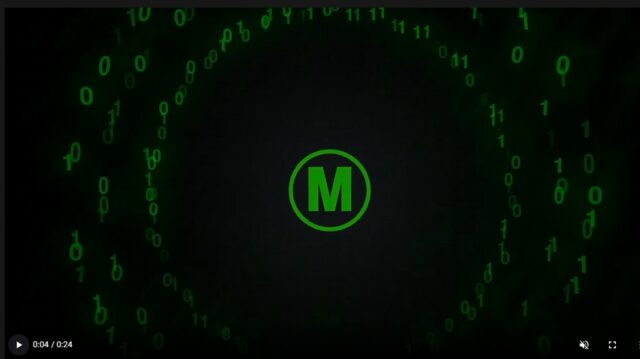
But it consists of prerendered background video. I need that background (numbers around a circle) to be edited. Do you know of any other template or tutorial how to achieve this?
ThanksBrie Clayton replied 2 years, 2 months ago 4 Members · 9 Replies -
9 Replies
-

Hector Vera
June 25, 2024 at 5:59 pmActually yes, I believe there are a few ways you can go about achieving this effect without having to buy this template. Here are the two possible approaches:
- Create a circular mask in After Effects: Add a shape layer to a composition in After Effect and create a circle shape using the Pen tool. Apply a “Mask” effect to the circle and set the mask to the shape layer with the same circle. Animate the position and shape of the mask to create the effect of numbers moving around a circle.
- Use the “Echo” Effect: Apply an “Echo” effect to a layer with the same circular shape and set the echo length to the desired number of frames. Animate the position of the layer to create the effect of numbers moving around a circle. You can use a null object to control the position of the layer and animate it along the circle.
I hope these suggestions help. Good luck with your project! If anything else, you can let me know!
-

Simon Scott
June 26, 2024 at 4:25 pmThanks for the reply, unfortunately I don’t get it yet. Are you talking about the background effect of numbers around the circle?
-

John Cuevas
June 28, 2024 at 3:54 pmAre you saying you already bought the template and the binary number circles(1 and 0’s) is a prerendered video and you need something different? If it’s prerendered, just find that layer in the composition and turn it off, then insert what you want there instead.
Or do you need help in creating this new layer?

-
Simon Scott
June 29, 2024 at 4:55 amYes, I need help in creating that “background prerendered video” by myself. So those floating numbers around a circle. I wrote the author and he said it was made with Trapcode – so I guess there is no other way?
-
John Cuevas
July 1, 2024 at 5:24 pmI’m still a little confused. Did you buy the template? If so, why do you need to remake the numbers going around in a circle? Just want to be clear on exactly what you are trying to achieve.
Thanks
-
Simon Scott
July 2, 2024 at 3:53 pmNo, I didn’t buy it but that doesn’t really matter 😉
As I said I want that effect to create and don’t know why, that’s why I asked 🙂
I want to have that effect and change the numbers to my likings etc. -
John Cuevas
July 2, 2024 at 5:08 pmSorry, when I was following the conversation, I didn’t know if you needed to recreate that specific element or just adjust a pre-rendered portion of that layer.
Create a line of “000000”, You can add to the length later. Add a ‘offset’ text animator and set the offset to 1. Now to that animator add “wiggly selector” and set the Min amount to 0. If you scrub through the timeline you will see you have random binary numbers.
Create circle mask on your text layer. Under text “Path options” choose “Mask 1”, Reverse Path On, and Force Alignment On
Now make sure to click “Text”, and then from the animate pulldown add position animator and add a wiggly selector to it. Adjust your position to taste and then just change the wiggles/second to 0.
Lastly, just add a bunch more “0” to your text until you get what you want.
That would be the basics. Check my sample project.


Reply to this Discussion! Login or Sign Up