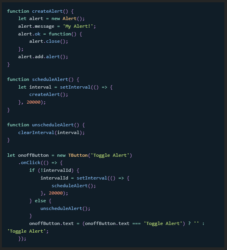
Here’s an improved version of your script that ensures the functionality you’re seeking. This script checks if the interval is already running and toggles it accordingly. Additionally, I’ve added comments for clarity:
// Define a variable to hold the interval ID outside of your button click handler to maintain its scope
var intervalId = null;
onoffButton.onClick = function() {
// Check if the interval is already running
if (intervalId) {
// If it is, clear the interval to stop the alerts and reset the intervalId
clearInterval(intervalId);
intervalId = null;
onoffButton.text = “On”; // Change the button text back to “On”
} else {
// If not running, start the interval to show alerts every 20 seconds
intervalId = setInterval(function() {
alert(“my alert”); // Show the alert
}, 20000); // 20000 milliseconds = 20 seconds
onoffButton.text = “Off”; // Change the button text to “Off”
}
};
Make sure you have declared onoffButton properly as part of your Script UI, and it’s within the same scope as intervalId to ensure they can interact as expected. If you’re still encountering issues, verify the following:
1. Script UI Context: Ensure your Script UI setup (including the button creation and event listener attachment) is done correctly and that the script is running in an appropriate context where UI elements are active and can interact with user input.
2. Global Scope: The intervalId must be accessible within the scope of the onClick function. If it’s not declared at a higher level (outside of any function or conditional block), the onClick function might not be able to access or modify its value.
3. Testing Environment: Test your script in a fresh After Effects environment to ensure that no other scripts or conditions are interfering with its execution.
If everything is set up correctly and you’re still facing issues, consider simplifying your test (e.g., reducing the interval time to see immediate effects) and make sure your After Effects version supports the JavaScript features you’re using. Adobe has been updating their JavaScript engine in recent versions, so ensuring compatibility is always a good step.