Creative Communities of the World Forums

The peer to peer support community for media production professionals.

Activity Forums Adobe After Effects Puppet advanced pin tool only moves one part of a Png…PLEASE HELP!

  • Puppet advanced pin tool only moves one part of a Png…PLEASE HELP!

    Posted by David Seufzer on January 5, 2024 at 8:51 pm

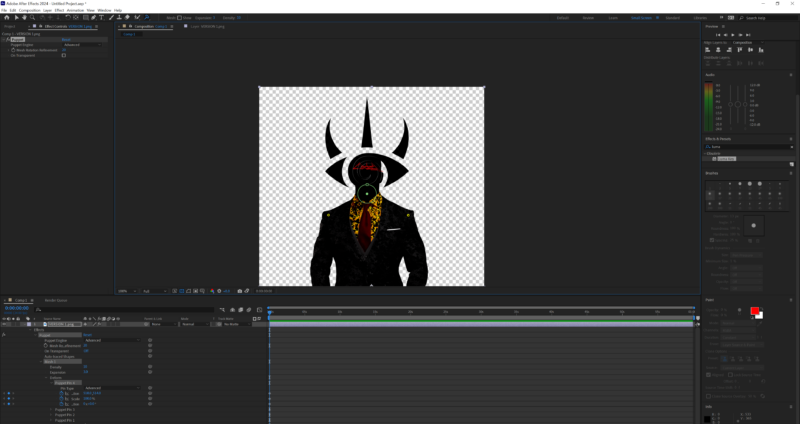
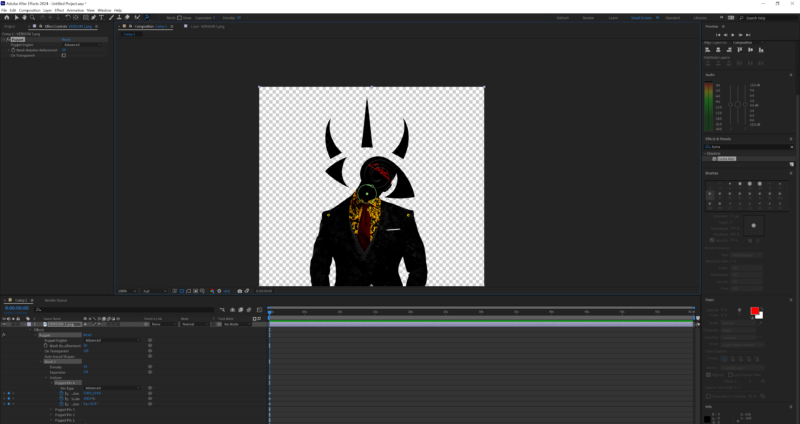
    I’m trying to use the puppet advanced pin tool to rotate the head. But because parts of it are not connected, I can’t rotate the whole thing and I can’t figure out how to link them together. It’s all on one layer as a png.

    Ive watched so many tutorials, I dont know how to even verbalize the problem, it seems like such a simple solution, but I have no idea what to do.

    If someone could help that would be incredibly appreciated!

    Thank you

    Graham Quince replied 2 years, 8 months ago 2 Members · 1 Reply
  • 1 Reply
  • Graham Quince

    January 7, 2024 at 1:43 pm

    So the “horns” are on a separate layer? And you want them to follow the head as it bends to one side? In which case, the simplest option is to line up keyframes. Set rotation keyframes for the other layer at the start, then hold down SHIFT and scrub the timeline and the time indicator will snap to the next keyframe (or use the arrow keyframes on the top layer to do the same).

    If you don’t like that option, then you’ll need to use the linear expression to map the puppet pin positions onto rotation values. More work to get right, but would then allow for a lot of animation.

We use anonymous cookies to give you the best experience we can.
Our Privacy policy | GDPR Policy