Creative Communities of the World Forums

The peer to peer support community for media production professionals.

Activity Forums Adobe After Effects How to create this weather map effect

  • How to create this weather map effect

    Posted by ria clarke on April 7, 2023 at 12:53 am

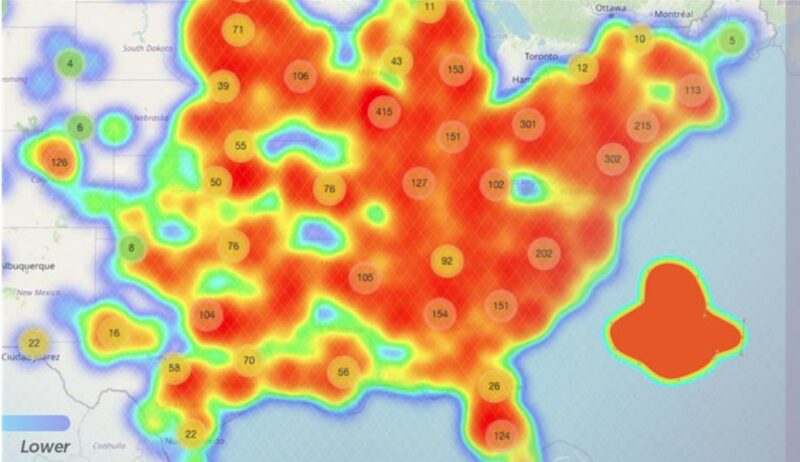
    This might be a bit of an ask but does anyone know how to create this effect? It needs to morph as the map changes.

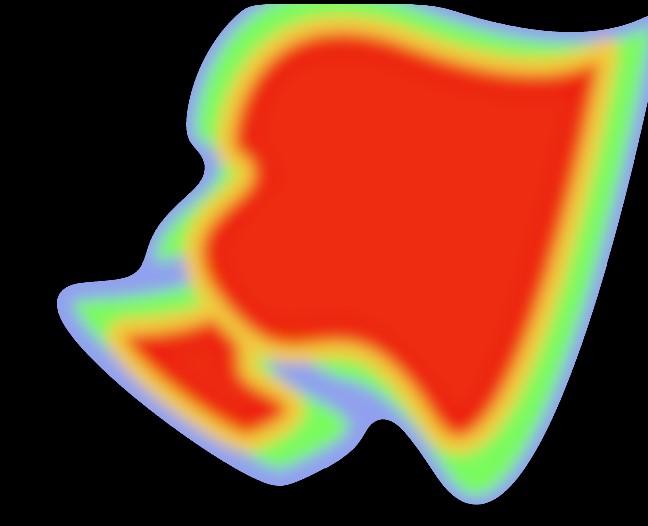
    I’ve used separate shapes with a choke and it does make the shapes seem like theyre morphing but i need the center colours to mix together without the stroke colour
    You can see in mine the center two reds dont merge where they overlay but the outlines will

    any help would be amazing!!

    Graham Quince replied 3 years, 4 months ago 2 Members · 1 Reply
  • 1 Reply
  • Graham Quince

    April 7, 2023 at 1:25 pm

    To get those colours, take a look at Colorama, I used it in a similar fashion at 2:30 into my doppler weather radar video:

    https://youtu.be/3l71RR3_DIo?t=146

    To work, you only use a gradient between black and white and your second shape should use a transfer mode so that the colours blend together. Place Colorama on an adjustment layer and it should get you the effect you’re after.

    Some contents or functionalities here are not available due to your cookie preferences!

    This happens because the functionality/content marked as “Google Youtube” uses cookies that you choosed to keep disabled. In order to view this content or use this functionality, please enable cookies: click here to open your cookie preferences.

We use anonymous cookies to give you the best experience we can.
Our Privacy policy | GDPR Policy