Creative Communities of the World Forums

The peer to peer support community for media production professionals.

Activity Forums VEGAS Pro Issue with wireless preview to external screen

  • Issue with wireless preview to external screen

    Posted by Rick Antonio on January 9, 2023 at 12:15 am

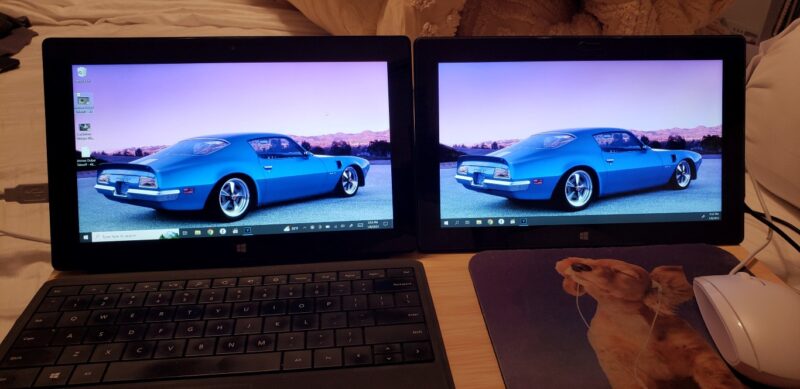
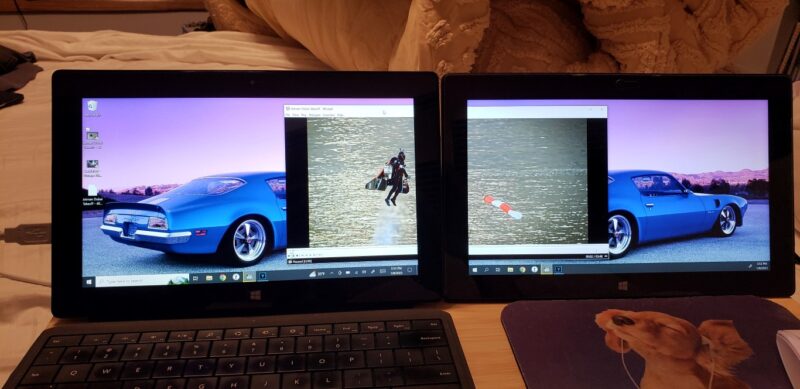
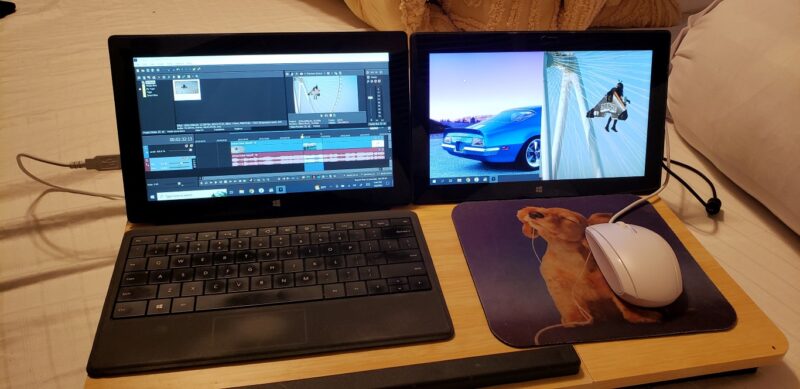
    Since my gaming Laptop went kaput last week, I’ve been forced to use a pair of Surface Pros for quick edits 😐

    I’ve been using one as my main and connect to the other wirelessly as an extended screen 🤓

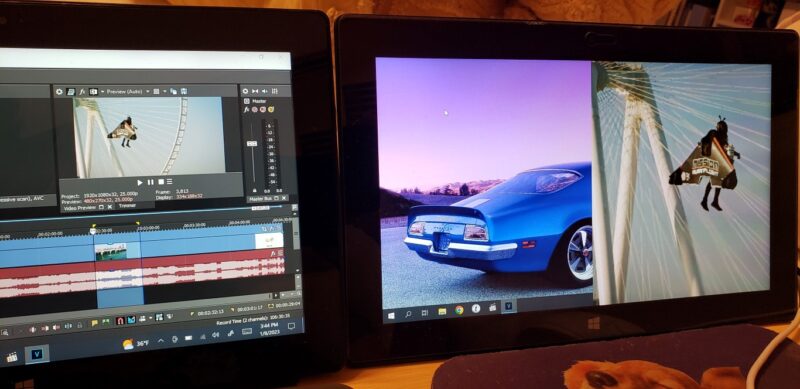
    I’d like to use the extended screen as a full screen preview, but when I hit the external preview button, I get a partial view on the right side of the screen only 😠

    Am I missing sumthin in settings 🤔

    Rick Antonio replied 3 years, 4 months ago 2 Members · 5 Replies
  • 5 Replies
  • Aivis Zons

    January 10, 2023 at 12:19 am

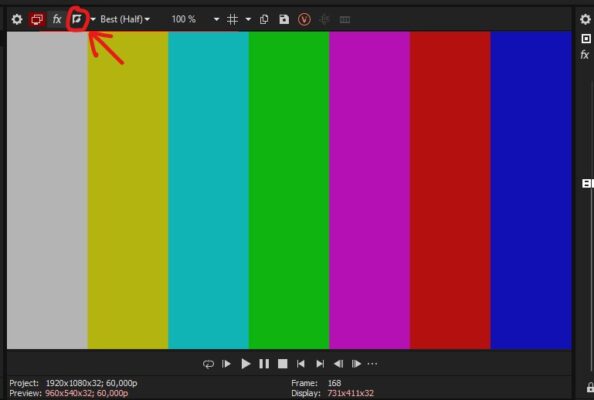
    Try to toggle the button circled in my screenshot (labelled “Split Screen View”).

    It’s pretty weird how you can see your desktop on one side of the screen… can’t really explain that. I typically use this function to toggle FX Bypass for the whole screen when previewing, but it can also be applied to half screen or a selected area.
    If the fix wasn’t this simple then you can try to go into Options, Preferences, Preview Device and see if playing with any of those settings helps fix the issue.

  • Rick Antonio

    January 10, 2023 at 6:53 am

    Tried all the buttons and messed with the resolution settings, but still have the same issue

    The extension works fine when playing videos, but only does this split screen thing when I click on the video preview button

    Threw this video together to give you guys a better idea of what’s going on

    https://www.youtube.com/watch?v=AuDmuoEgfWohttps://www.youtube.com/watch?v=AuDmuoEgfWo

  • Rick Antonio

    January 10, 2023 at 7:03 am

    Also tried the second method at the 1:50 mark of this video, but my version doesn’t appear to have the dots to click on in order to move the preview screen

    https://www.youtube.com/watch?v=y9V7QQ6-Inohttps://www.youtube.com/watch?v=y9V7QQ6-Ino

  • Aivis Zons

    January 10, 2023 at 3:31 pm

    I see. Then I’d cobble this up to be some edge case software bug :/

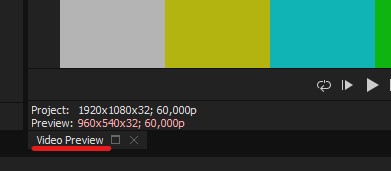
    In your version of vegas pro you click and drag windows by their tab labels, see image. If needed hold Ctrl to toggle docking.

    What I want to suggest in addition to this (if you move it as a window) is that you can save multiple Window Layouts which you can access with keybinds. Found under View – Window Layouts. So for example you could have Alt+D+0 as the default layout and Alt+D+1 as the 2 screen layout, then switch between the 2 with ease.

  • Rick Antonio

    January 11, 2023 at 6:27 am

    SUCCESS!! 😀

    Of course it had to be sumthin stupid simple 😑

    I forgot the Surface Pro’s are essentially tablets with rotation (watch video for the fix)

    https://www.youtube.com/watch?v=mye7mJ6_-gwhttps://www.youtube.com/watch?v=mye7mJ6_-gw

    As for dragging the preview screen around, I was able to do it like you said, but wasn’t able to make it full screen that way (see video)

    https://www.youtube.com/watch?v=aUDOMbI_jIUhttps://www.youtube.com/watch?v=aUDOMbI_jIU

We use anonymous cookies to give you the best experience we can.
Our Privacy policy | GDPR Policy