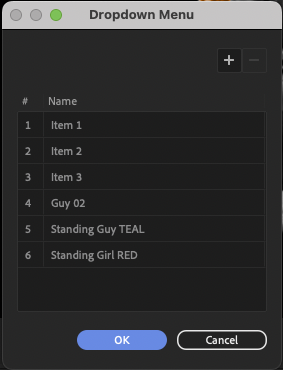
Yes, it is possible to update a drop down menu in a main comp and have that update reflected in other linked comps. To do this, you can use an expression control effect to control the drop down menu in the main comp. This expression control effect can then be linked to the drop down menus in the other comps, so that when the drop down menu in the main comp is updated, the linked drop down menus in the other comps are also updated.
Here is an example of how you can set this up:
-
In the main comp, add an expression control effect to the layer that contains the drop down menu you want to control.
-
In the main comp, open the Expression Editor and add the following expression to the expression control effect:
// Set the default value of the drop down menu dropdownMenu = 1;
// Update the drop down menu when the expression control effect is changed if (thisComp.layer("Expression Control").effect("Dropdown Menu")("Dropdown Menu") != dropdownMenu) { dropdownMenu = thisComp.layer("Expression Control").effect("Dropdown Menu")("Dropdown Menu"); }
-
In the other comps, add the same expression control effect to the layers that contain the drop down menus you want to control.
-
In the other comps, open the Expression Editor and add the following expression to the expression control effect:
// Set the default value of the drop down menu
dropdownMenu = 1;
// Update the drop down menu based on the value in the main comp
if (thisComp.layer("Expression Control").effect("Dropdown Menu")("Dropdown Menu") != dropdownMenu) {
dropdownMenu = thisComp.layer("Main Comp").layer("Expression Control").effect("Dropdown Menu")("Dropdown Menu");
}
With this setup, you can update the drop down menu in the main comp and have the changes reflected in the other comps. Let me know if you have any questions or if you need any additional help with this.