-
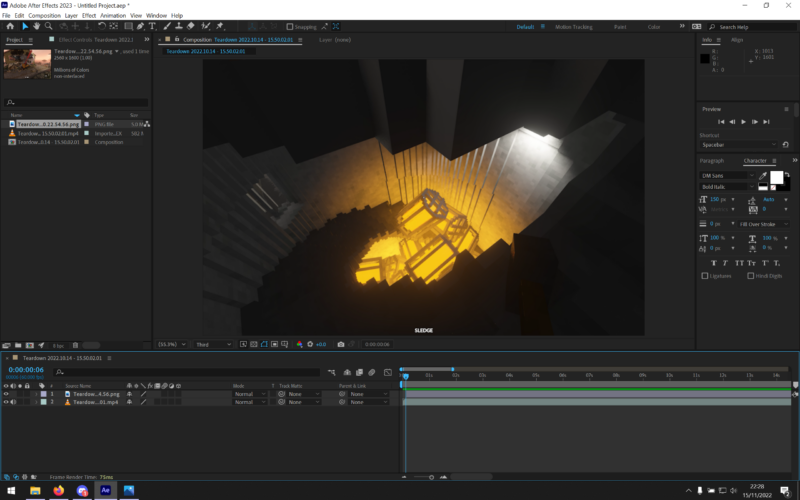
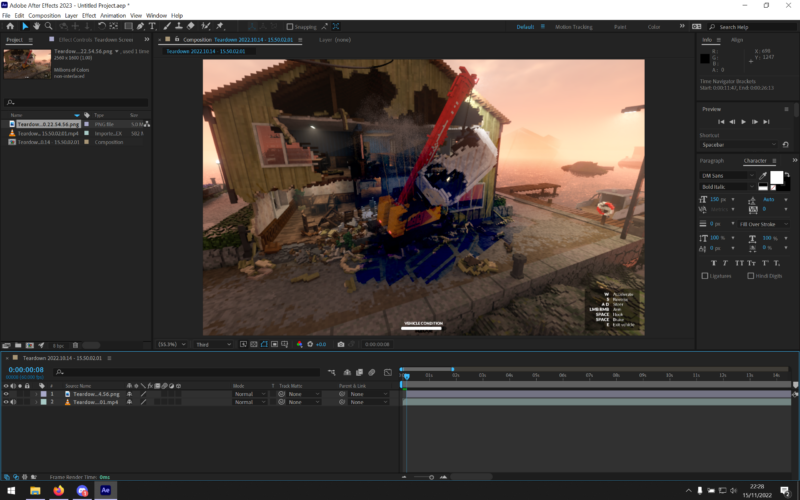
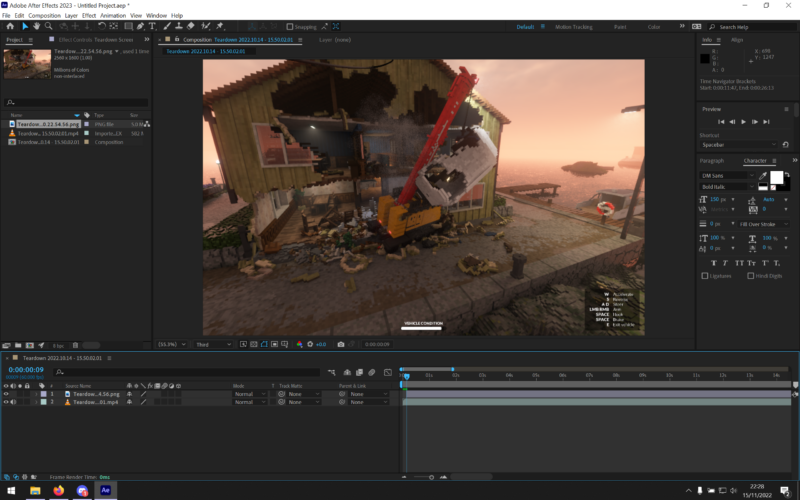
Weird inverted ghosting in preview.
Hello,
I very rarely post on any forums but I have found nobody else experiencing anything similar to what I am.For some reason, After Effects (Premiere Pro as well) ghosts the previous frame, but inverted?? Only in playback, the render is fine. There are no effects on these clips, I just went frame by frame slowly. Also happens when I play it at full speed, it’s just less noticeable. I tried to change literally every setting in the Nvidia control pannel and in After Effects preferences but nothing seems to make a difference (It isn’t G-Sync either).
As you can see in the attached screenshots, the first frame bleeds into the second one. This disappears if I move my mouse or cause the screen to “refresh” in a way?? It’s so confusing to explain.
Hopefully this video illustrates my issue a little better: https://youtu.be/JNXudoJHT3E
Also specs for anyone wondering:
i7-12700H
RTX 3070 Ti – Drivers always up to date, haven’t tried studio drivers and I don’t want to either since I game as well.
16 GB DDR5 4800mhz Some contents or functionalities here are not available due to your cookie preferences!
This happens because the functionality/content marked as “Google Youtube” uses cookies that you choosed to keep disabled. In order to view this content or use this functionality, please enable cookies: click here to open your cookie preferences.