Hey, Walter! Thanks for your interest, man. I’ll try to explain better. But I have to say I almost know the answer is going to be that it’s not possible, haha.
I have two templates, they display the names of the topics that are being discussed. There are many topics in a single video. We create guides to teach viewers how to play a video game.
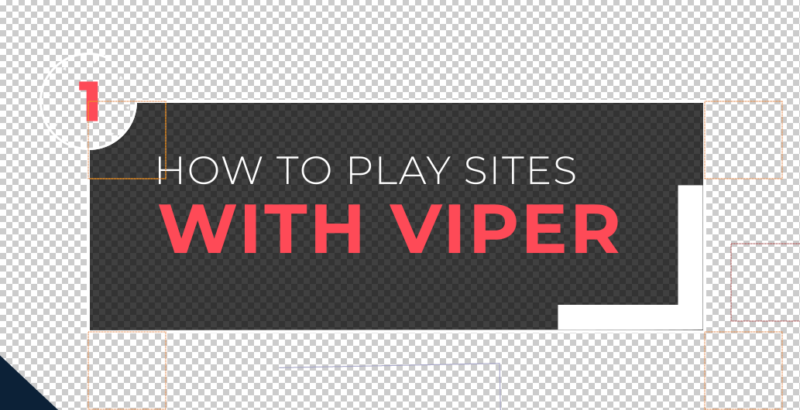
The first template is a ‘screen title’ type of template. It takes most of the screen space and it announces when a topic change happens.
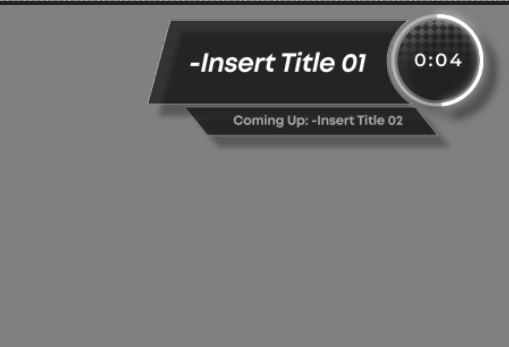
The second template is meant to kick in right after the first one animates out and it’s a small template that only exists in the top right corner of the screen. it also displays the name of the topic for as long as the topic lasts and it has a timer that reaches 0:00 when the topic ends(and the new topic screen kicks in). It also has an optional bar that displays the name of the next topic. It says: ‘Coming up: Name of the next topic’.
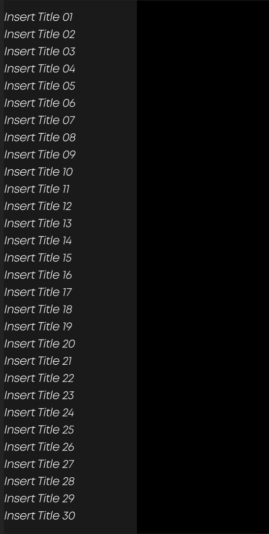
So what I’m trying to solve is that now the editors have to type every topic title 3 times. And that sucks. So I want to find a way for editors to type all titles once in a separate composition; “Global Title Reference”.
This composition is never going to make it to the final video. It’s meant to serve as a place where editors go, type all the titles for that video, and then the main templates have scripts that go and fetch the correct titles they’re supposed to display within that composition.
The reason I can’t use essential graphics with this ‘Global Title Reference’ composition is that these titles are meant to be referenced by 2 separate templates that almost have nothing to do with each other. And the master properties don’t change the original contents of the composition. So that would mean that only one template could fetch the correct titles.
Instead, the templates reference the actual titles inside of the composition. Everything works fine. The only issue is that after the video is done and the editors clean the templates so they’re ready to be used on another video. I have no way to set the text layers inside ‘Global Title Reference’ back to the default “Insert Title” sourceText value.
This is not entirely necessary to do but I want to figure out how to do this just to simply grow as a coding animator. I really like visual order and cleanliness as well as code elegance so I would love for this global title reference composition not to be tainted with titles from previous projects.
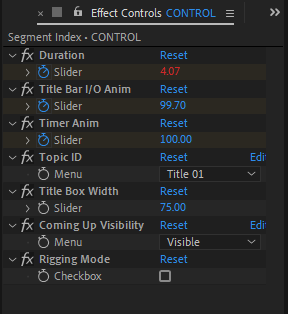
I’ve attached other images showing the controls being referenced and one of the expressions I’ve written for the title. It fetches the correct title based on an Id menu that the editor assigns and it works through essential properties. You basically use that menu to tell the template what title number it’s supposed to be. At the end it also has an if/else statement that adds a linebreak in the middle if the text bounding box surpasses a certain width.
How would you go about this? I hope it’s a fun little challenge! I’m currently trying to learn how to do a simple script that only has one button that does this.