Creative Communities of the World Forums

The peer to peer support community for media production professionals.

Activity Forums Adobe Premiere Pro Difficulty Deepening Brown Skin Of African American

  • Mark Suszko

    September 23, 2021 at 1:57 pm

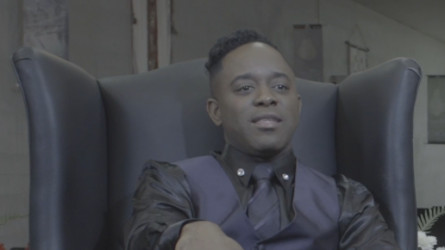
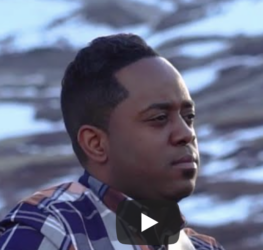
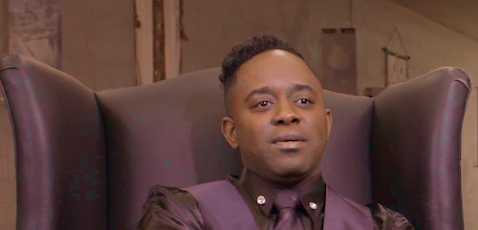
    You may never get it exact, (as far as human visual perception goes) because the overall lighting is so different between them; one being outdoor and the other, indoor. Shooting a color chart thru the lens in both places would have been really helpful to you now.

    I start with getting the white balance to match. Then I look at the scopes, make a split screen between the two shots, and adjust based on the fleshtone vector on the vector scope.

  • Chris Wright

    September 24, 2021 at 1:21 pm

    1. on top of what Mark said with the vectorscope line, you may need to use secondaries.

    2. or try hue v sat, then hue v lum. on top.(it’s a delicate balance)

    you’ll need to have both HSL and YUV scopes open since you’re looking at chroma directly.

    3. another option you can try is chroma compression using luma mattes. here’s an example:

    drive.google.com/file/d/1CLAFvb-PUWM3fC0ZIdVZGWJxpB9idGDC/view?usp=sharing

  • Jonathan Reed

    September 24, 2021 at 2:46 pm

    Thank You so much for your advice and information. I have downloaded your link, but I don’t have Carred.jpg, Can you please send that. Thank You.

    Thank You again.

    JR

  • Chris Wright

    September 24, 2021 at 10:33 pm

    right click replace with any video or image; doesn’t really matter. the actual control is in the matte opacity anyway.

We use anonymous cookies to give you the best experience we can.
Our Privacy policy | GDPR Policy