-
Automatically change character colour with expression
Hi,
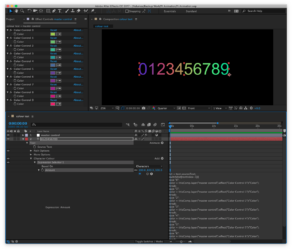
I am trying to automatically control the colour of a set of numbers using an expression I found.
The expression is added to my text on “property, fill colour, expression selector” and I have linked each number colour to a set of colour controls.
The expression does change the colour of each number, but not to the values that I have set in each of my colour controls. See here: shorturl.at/uDOT9
Am I missing something that is causing the colour to alter to the wrong value?
I have tried changing the last line to *100/255 but this doesn’t work (apologies – my expression knowledge is very basic)
Thanks for any help
txt = text.sourceText;
switch(txt[textIndex-1]){
case "0":
color = thisComp.layer("master control").effect("Color Control 0")("Color");
break;
case "1":
color = thisComp.layer("master control").effect("Color Control 1")("Color");
break;
case "2":
color = thisComp.layer("master control").effect("Color Control 2")("Color");
break;
case "3":
color = thisComp.layer("master control").effect("Color Control 3")("Color");
break;
}
[color[0],color[1],color[2]]*<wbr>100