

-
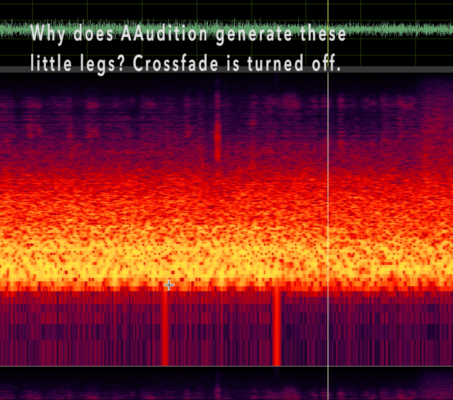
Why?! Audition cut-paste makes little "legs" at edges but crossfade is off.
I can’t figure out why AA is doing this when I copy and paste within the same WAV file. I have turned off crossfades in Preferences>Data, and also tried setting it to a different number of milliseconds. But Audition always makes these little “legs”. I don’t want any kind of “automated transition” for this file. This leg-ging happens with I copy and paste, or Mix Paste with a variety of settings to test it. I don’t hear any little legs, but I’m not in a studio so somebody else with real speakers might hear them. I SEE them and that bugs me.
“Healing” brush them is an option, but I am wondering I had something set oddly that’s making it do this. Thanks!
Sorry, there were no replies found.