

Activity › Forums › Maxon Cinema 4D › How do I activate material editor at the bottom left corner?
-
How do I activate material editor at the bottom left corner?
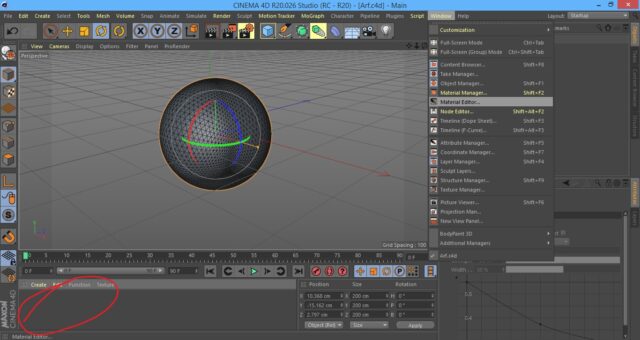
Posted by Roberts Adi on January 8, 2021 at 6:07 amGuys how do I activate material editor at the circled bottom left corner?
Nothing is showing…
 Roberts Adi replied 5 years, 6 months ago 2 Members · 5 Replies
 -
5 Replies
-

Othman Ahmed
January 8, 2021 at 10:55 amJust double click on it. A default material will appear. That’s it
-
Othman Ahmed
January 8, 2021 at 10:57 am -

Roberts Adi
January 8, 2021 at 2:05 pmOthman I’m so happy to see you in Cinema4D?
Thought you specialized in AE only
Thanks for the help once again. It worked.
Reply to this Discussion! Login or Sign Up