

-
Page turn effect
Posted by Jono Grant on September 9, 2020 at 9:14 pmHi there, I have a question about page turn effects.
I have a page turn effect (BCC) in my vegas project, all good.
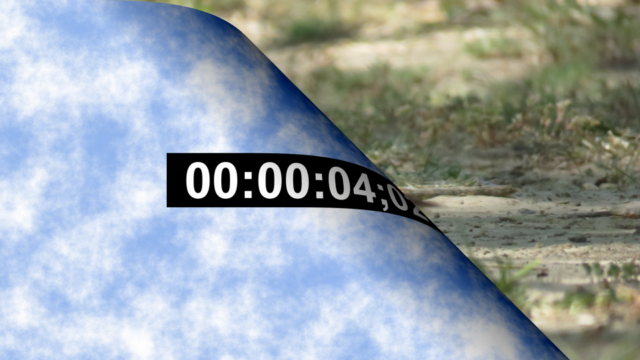
The opening page is a jpeg with text. When the page turns, it shows the backwards text through the page, as it would look if you could see through the page.
I would like the page to turn but not see the text through the other side. Is there a way to do that? Vegas’s page peel effect does the same thing.
Anybody know a way?
Thanks
Tim Wilson replied 5 years, 11 months ago 7 Members · 19 Replies -
19 Replies
-

Graham Bernard
September 10, 2020 at 5:24 amAnybody know a way?
Jono, great question! You got me fired-up. I started testing your request and my results confirm your results. Then I asked myself, hm, what SHOULD a PAGE Peel, Roll page whatever actually DO? My understanding is exactly what we’re finding. Yes, I know, I’m kinda stating the bleedin’ obvious here, but, there comes a time if we can’t find one then maybe we need to look outside the BOX and approach this differently. Could there a point where the TEXT is cut or faded so that it does NOT appear as part of the Transition?
I have other ideas . . . .

-

John Bolton
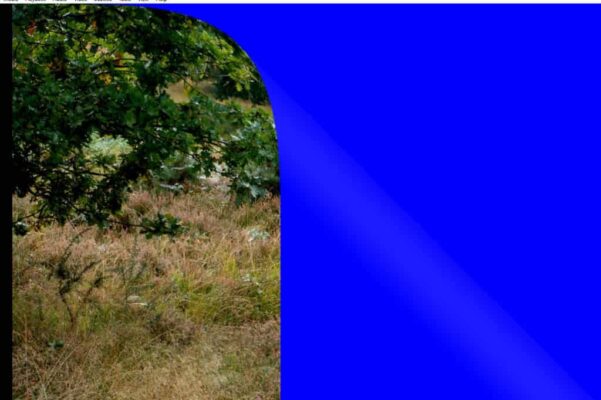
September 12, 2020 at 10:16 amThere is an Option in BBC Page Turn ( Roll ) that says…..The <strong style=”font-family: inherit; font-size: inherit;”>Alternate <strong style=”font-family: inherit; font-size: inherit;”>Back menu allows you to choose a layer in the timeline to apply to the back of the page turn. <em style=”font-family: inherit; font-size: inherit;”>None applies the source layer to both sides of the page.
<font face=”inherit”>If I click on the ALTERNATE BACK </font>option<font face=”inherit”> is says “Source”, but can’t find a way to select the </font>source<font face=”inherit”> (the New back ) from the timeline.. Guess I am missing something somewhere.. Any ideas?</font>
-
John Bolton
September 12, 2020 at 10:39 amDon’t know why it all went a bit weird
Another try
There is an Option in BBC Page Turn ( Roll ) that says…..The Alternate Back menu allows you to choose a layer in the timeline to apply to the back of the page turn. None applies the source layer to both sides of the page.
If I click on the ALTERNATE BACK is says “Source”, but can’t find a way to select the (the New back ) from the timeline.. Guess I am missing something somewhere.. Any ideas?
-
Graham Bernard
September 12, 2020 at 11:20 amIf I click on the ALTERNATE BACK is says “Source”, but can’t find a way to select the (the New back ) from the timeline.. Guess I am missing something somewhere.. Any ideas?
Yeah, John, I was looking for the same.
-
John Bolton
September 12, 2020 at 5:22 pmCan’t even find a tutorial on it. Have tried clicking Source and then the timeline under the one with the actual Page turn..and then click none and all the other permutations..
Can’t be that difficult….. 🙁 but not sure what other permutations to try.
It says Select the LAYER in the source timeline, but does not say which time line or what a LAYER is…
-
John Bolton
September 13, 2020 at 4:50 pmMade a bit of progress. I have a video of how it is done,,,
Cant see to how a Video Demo// Can’t you add Video on this New Creative Cow Version?

-
Graham Bernard
September 13, 2020 at 5:18 pmCan’t you add Video on this New Creative Cow Version?
Nope, not so far. Tim knows our wishes.
-

Tim Wilson
September 13, 2020 at 8:42 pmFor the record, you haven’t been able to upload video in the old COW for years, either. We ended the feature when we were swamped with lawyers insisting that WE pay for all the unlicensed music in the clips we were hosting, mostly in the reels. (I’m not pointing any fingers. LOL) We didn’t have the money for that, and we barely had time to comply with all the takedown notices, so we simply stopped hosting video.
That said, licensing has changed, and as Graham has noted, returning video upload to our feature set is on our Q4 roadmap for sure.
Along with that will come the reopening of our video reels gallery, which had over 10,000 clips in it before most people knew how to spell the word “Vimeo”. LOL We’d forgotten that most of those clips were encoded in Flash, which was then the state of the art, and now more or less banned from sites of good reputation. 🙂 Including ours. We don’t have Flash anywhere anymore. So we have some additional work to undertake on the encoding front.
Anyway, it has been the case for a while that we have asked folks to host video on the platform of their choosing. imgur has become my favorite by far — free, easy, nimble, widely distributed, etc. — but yeah, we’ll have video uploading again soon.
Thanks,
Tim Wilson
Editor-in-Chief
Creative COWPS. Sigs are coming back too! Our first priority was just to get the thing launched so that we could move on the next phase, which includes bringing back in some features like these, and some shiny new ones too! Thanks for your patience while we work this all out.
Reply to this Discussion! Login or Sign Up