Creative Communities of the World Forums

The peer to peer support community for media production professionals.

Activity Forums Maxon Cinema 4D Varying line thickness (artbitrarily) in Sketch Material

  • Varying line thickness (artbitrarily) in Sketch Material

    Posted by Simon Lucas on October 20, 2025 at 12:28 pm

    I’d like to vary line thickness (in a Sketch and Toon Sketch Material) artbitrarily so that I get an inconsistent (gloopy) line – like the kind of thing you’d get with a hand-dipped ink pen.

    I’ve tried the Random option (noise strength and scales) and it does not seem to do what I need.

    I wonder whether I can do this in Python, but cannot find any info how to apply Python commands in the Sketch Materal Python script. Obviously I have read the C4D manual page on the subject (the list of applicable Python commands) but it has no actual examples of it being used. (NB. I know how to code Python)

    Does anyone know any real-world examples of Python being applied in this context? Or know another way to get the effect I need, please?

    Simon Lucas replied 6 months, 3 weeks ago 2 Members · 11 Replies
  • 11 Replies
  • Simon Lucas

    October 20, 2025 at 1:46 pm

    Rumination. Maybe this can be approached more easily in xpresso nodes that operate on the material’s thickeness property.

    Q. But how could I change the line thickness as a function of a position over its total length?

  • Kouraib Abdmalek

    October 21, 2025 at 9:25 am

    Hi Simon,

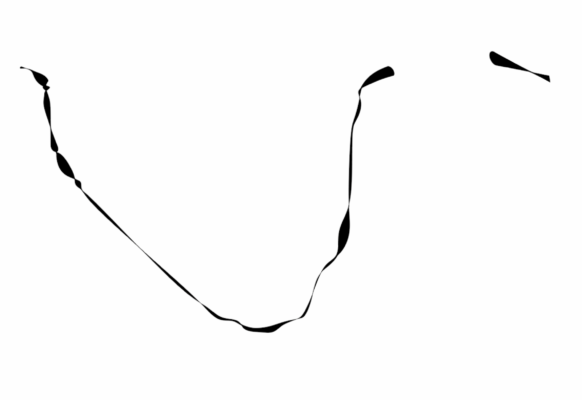
    I think it’s better to use a Standard material instead of a Sketch one because it gives you options to play with the thickness via the Displacement channel with the effects available there. I got using that the line in the screenshot below. I don’t know if this is close to what you’re looking for, but you could adjust the noise effect in the Displacement channel or even use another effect until you get what you want. I hope this helps.

  • Simon Lucas

    October 21, 2025 at 9:55 am

    Hi Kouraib

    thank-you. Yes that’s much closer to what I need. I’ll have a play with it.

    I suppose my main question will be – can this be applied to splines generated by Tracer object?

    Best

    Simon

  • Kouraib Abdmalek

    October 21, 2025 at 11:12 am

    You’re welcome Simon! glad that was helpful, regarding your last question I’m afraid I didn’t understand the problem very well, it would be better if you could attach a screenshot or a file to make it clearer.

  • Simon Lucas

    October 21, 2025 at 11:16 am

    Yes – I dont think that will work. I need to render splines made by particles using the Tracer. And the rest of the objects in the scene will need to be rendered using Sketch and Toon.

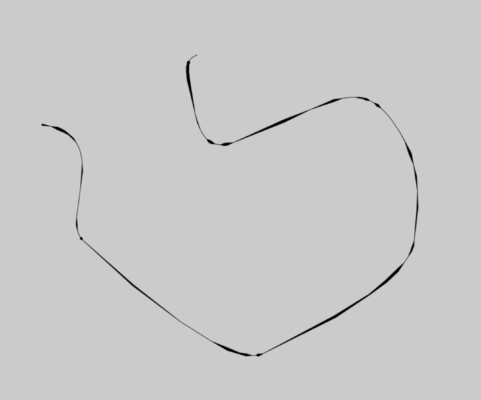
    Here’s an image to show the kind of effect I need. (I roughed this up with splines and sweep and displacement.)

  • Kouraib Abdmalek

    October 21, 2025 at 11:26 am

    You could make the Tracer editable to get an spline and then use Sweep and displacement, is there any problem with this in your scene?

  • Simon Lucas

    October 21, 2025 at 11:44 am

    100 splines made by particle paths, might be the problem. Labour intensive.

    I’m looking at Hair now. It has noise applied to thickness/texture. I’m finding it hard working through the options to get the same effect, but I’ll give it a go.

  • Simon Lucas

    October 21, 2025 at 11:48 am

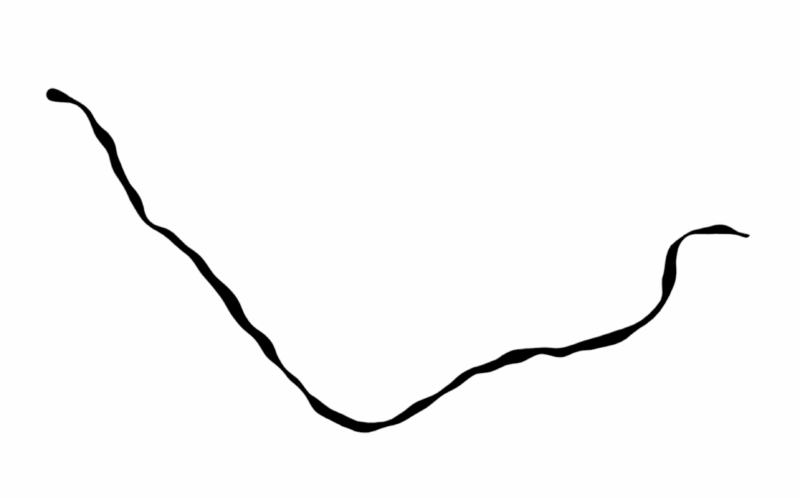
    Well here’s what I have. The ‘blobbing’ is a bit angular. But it’s a start.

  • Simon Lucas

    October 22, 2025 at 11:25 am

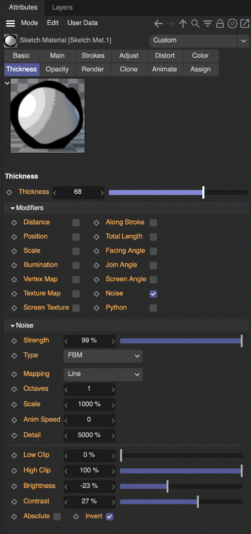
    I’ve gone back to Sketch & Toon with better results than I was getting with Hair Material.

    Some playing around and some very extreme settings. I’m not sure I totally understand how this works, but I include the property settings for anyone interested.

    It’s quite close to my manually created mock-up further back, although I’d like to try and further increase the difference between thick and thin.

  • Kouraib Abdmalek

    October 24, 2025 at 10:35 am

    Thank you for sharing this with us! I will try as soon as I have the chance to find a way to increase the difference between thin and thick and get back to you if I come up with something.

Page 1 of 2

We use anonymous cookies to give you the best experience we can.
Our Privacy policy | GDPR Policy