

-

Edward Troxel
June 23, 2022 at 4:01 pmYou can get external CD Drives. However, I often put my CD in an older machine that has a CD drive, copy the contents to a USB drive, and then install from that USB drive on the new machine.
It’s not an impossibility that the VEGAS capture “might” see that device plugged in and capture – but it won’t be as good as firewire.
-

Dave Giardina
June 23, 2022 at 7:17 pmMy PC doesn’t have any kind of DVD player. I’ll borrow a friend’s iMac which does have a disk player and, as you say, try to extract the program to a USB drive. Hopefully it’ll be compatible with my pc.
-
Dave Giardina
June 23, 2022 at 10:13 pmOn the instruction page they gave a website to download OBS studio. Which I did. But not sure what I’m supposed to do with it. The instructions say to go to “applications” then choose “QuickTime Player” then click “file” then “New Movie Recording” then to select “”AV TO USB2.0”. But I’m not seeing these options. The link they gave is http://www.obsproject.com/download
-

Peter Heap
June 24, 2022 at 1:07 pmHi Dave
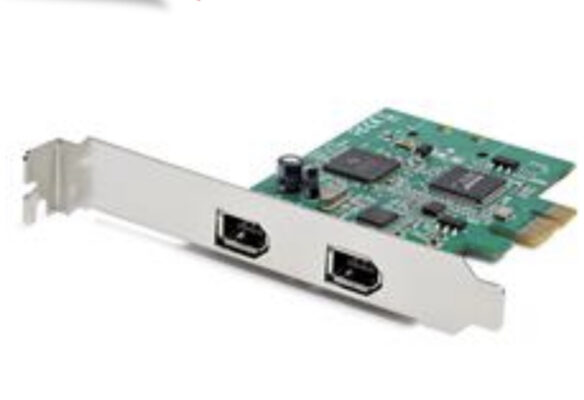
I’ve captured many tapes using Vegas Capture on my PC. Definitely the best way. Google “FireWire card” and something like this will come up. As long as it’s compatible with your PC you should be good to go.
Cheers
Pete
PS if the tapes were recorded on a Canon camera make sure you’re playing out of a Canon camera. Otherwise you’ll get missing audio and visual instability.

-

Bruce Brent
June 24, 2022 at 2:06 pmDave, somewhere in this link you should be able to accomplish your task.
https://transfervideotapes.com/transfer-digital-8-tapes-to-computer/

Reply to this Discussion! Login or Sign Up