Creative Communities of the World Forums

The peer to peer support community for media production professionals.

Activity Forums Adobe Premiere Pro Any way to flatten Multicam Audio without the Video?

  • Any way to flatten Multicam Audio without the Video?

    Posted by Scott Clements on June 26, 2015 at 2:22 pm

    Hi,

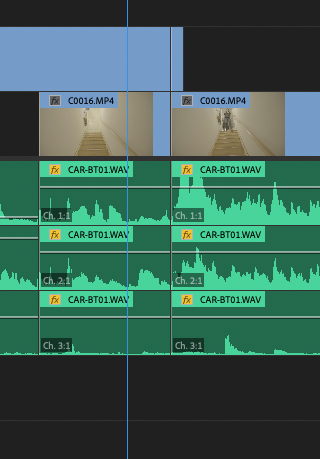
    I have an edit, with a lot of multicam audio (with no video). I want to send out an OMF to protools, but am worried about not having the original audio file names (only the multicam clip names attached to the audio). I can’t figure out how to flatten the audio that has no video attached. Is there a way to do this?

    Film Editor, London UK
    http://www.scottclementseditor.com

    Brie Clayton replied 6 months ago 5 Members · 6 Replies
  • 6 Replies
  • Heath Verite

    August 12, 2015 at 12:11 am

    I was so happy to see your post, but obviously bummed when i saw no other replies. This seems like such an easy issue to have, and yet the internet is silent. :/

  • Scott Clements

    August 12, 2015 at 2:28 am

    I got responses on other forums (I think facebook) saying it’s not possible.

    Film Editor, London UK
    http://www.scottclementseditor.com

  • Heath Verite

    August 12, 2015 at 3:10 am

    That’s sad to hear. I found a work around if you are still having the issue. If you select the audio and LINK it to any arbitrary MULTI-CAM clip. You will then regain the ability to flatten the clip normally.

  • Joy E reed

    January 7, 2022 at 6:10 pm

    I know this is very old, but I found it while I was seeking the same answer. Here’s how:

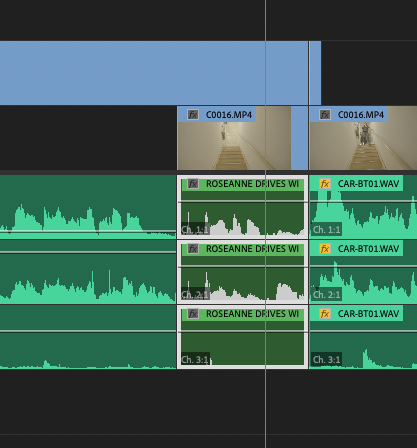
    Select your audio clips and LINK them (to each other)

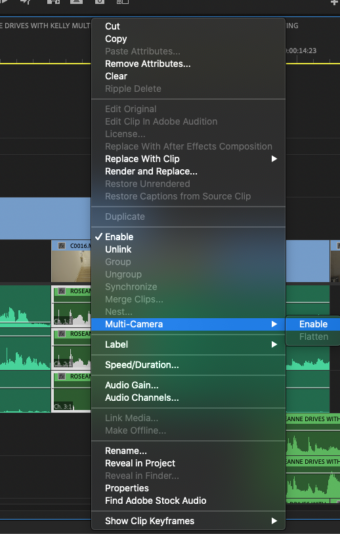
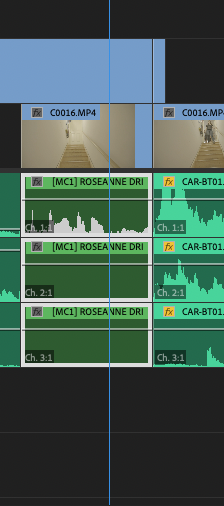
    Keep them selected, right click, and choose MULTICAM->ENABLE

    The waveforms on the lower tracks may disappear, but you may ignore this.

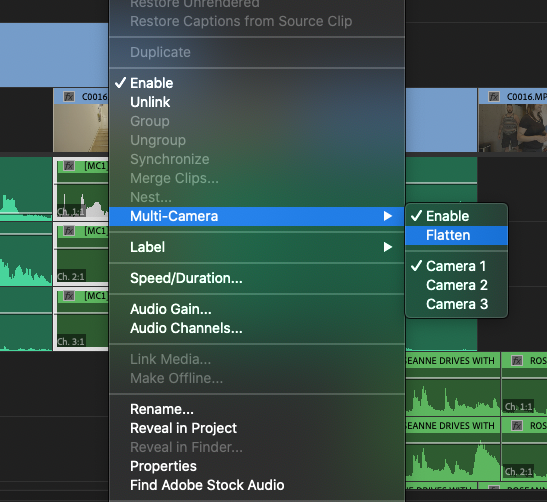
    Right click again, and the option to flatten is there!

    Once flat, the waveforms for all tracks re-emerge.

  • Dee Wassell

    December 4, 2025 at 10:35 pm

    Joy you just saved me so much time! This was literally the fix for me as I’m working with multicam in PP 2025 and couldn’t flatten audio without video without match framing. But linking the audio tracks, then enable multicam on the linked audio, then flatten– worked just as you said. Thanks!

  • Brie Clayton

    December 13, 2025 at 11:55 pm

    Thanks for solving this, Joy!

We use anonymous cookies to give you the best experience we can.
Our Privacy policy | GDPR Policy