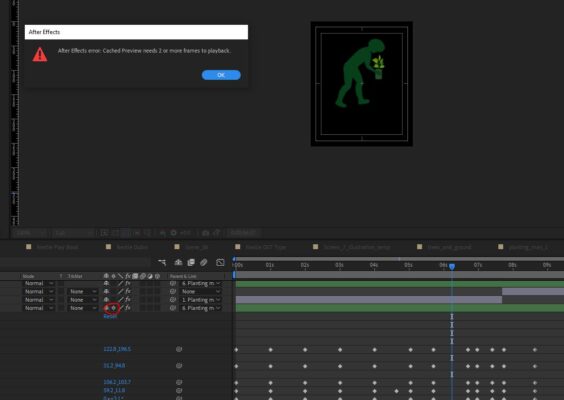
-
cached preview needs 2 or more frames
‘cached preview needs 2 or more frames to playback’
ive googled regarding this issue and tried everything but nothing’s solved it. i purged, cleared, quit, restart, changed ram reserved for other apps, quit unnecessary apps, changed preview quality, increased disc cache size, unchecked ‘reduce cache size when system is low on memory’, changed disk cache location, set work area to appropriare duration, organised project, rendered instead of previewing (renders incompatible .mov file). ive tried duplicating file and trying the copy but same results.
this is only a problem with 1 comp. im working with many .ai files and theyre all on rasterize. i can view parts what my computer previewed before but it will not render anything further.
ive no clue what im suppose to do. please if you suggest something, explain it to me very clearly in case i dont understand. this is urgent client work and i dont wanna be waiting for responses too long.
here are my specs