-
Vegas Pro 17.0 only importing certain mp4 files
For some reason, only some files are importing into my Vegas Pro timeline. All the files I work in are mp4 format, and I have been able to simply drop and drag all my media into my timeline up until this point.
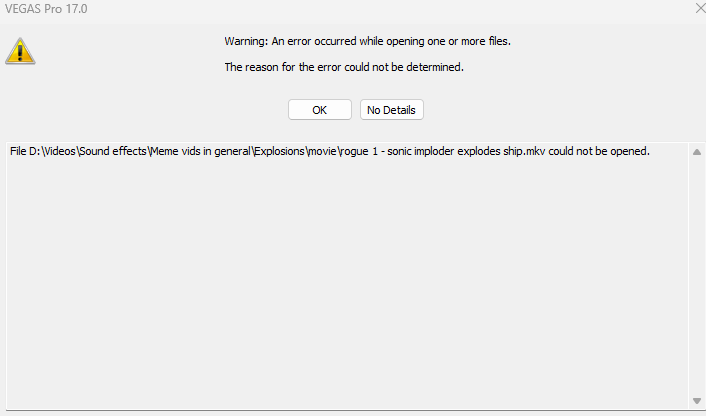
Recently, I have an app called 4K Video Downloader to download game soundtracks for videos, which i can import with no issue as mp3s, as well as video clips (using the same software). However when I tried importing a clip that had used this software to download it, it didn’t want to accept it, with the error as shown. I ended up using an online version to download it and that worked just fine. However when I couldn’t find another clip online, I had to use OBS to screen record it. This video as well also presented the same error.
Each instance has used different methods to download a video, so I believe that Vegas Pro has an issue somewhere but I’m not sure how to fix it. I actively have other videos on my timeline that work just fine, all in the exact same format using the methods I’ve listed prior. It’s also not because the files are too big either, as I’ve added 5 hour downloaded to my timeline before, and it’s worked just fine (other than the fact it took a while to download), the video in question is 2 minutes 30 seconds long.
I have installed windows 11 recently so that could have something to do with it, but I’m still able to add other videos that I just downloaded too, it’s really only just a select few. I have tried redownloading/re-recording videos too, but the same result happens.
This has properly stumped me, so any help would be great 🙂