

Sharper Details, Less Noise, and 8X Upscaling with Aiarty – Lifetime Free Upgrades

Editors, photographers, and VFX artists know the frustration of a great shot compromised by high ISO noise, subtle motion blur, or inconsistent color. Fixing these issues quickly can be a challenge in any post-production workflow, especially when some tools tend to over-sharpen images or smooth out good details.
Aiarty Image Enhancer is a fast, lightweight, fully offline AI-powered tool designed to denoise, sharpen, restore, and upscale images, with realistic details and textures. Whether you’re prepping client assets, restoring archival material, or batch-processing image assets for NLEs such as Premiere, DaVinci Resolve, or After Effects, this image quality enhancer streamlines your workflow while delivering professional results.
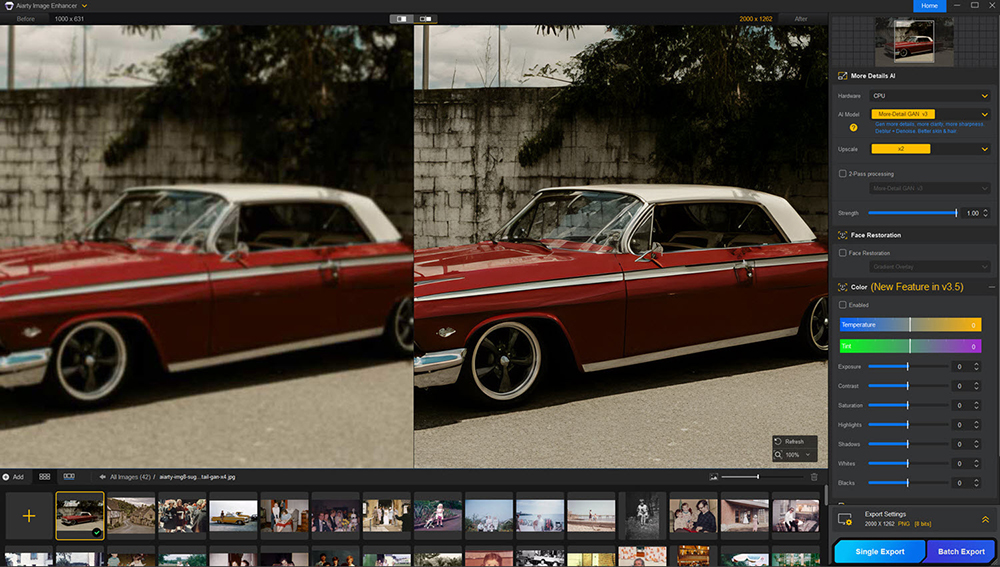
The new V3.5 update of Aiarty Image Enhancer brings powerful creative tools: a Strength slider for precise control over enhancement intensity, a color correction panel for effortless color tweaks, and improved performance on both Nvidia and AMD graphics cards, ensuring smoother workflows for professionals
Lifetime License — One-Time Fee, Lifetime Free Upgrades
Early Black Friday Special: Aiarty Image Enhancer’s Lifetime License is 49% off—the biggest discount this year. A one-time payment of $79 gives you:
- Lifetime access with all future upgrades
- Installation on up to 3 PCs or Macs
- 30-day money-back guarantee
- No hidden fees, no subscription
For editors, photographers, and VFX artists who prefer to own their tools outright and future-proof their workflow, this is a timely opportunity.
Learn more about the Lifetime License Black Friday discount >
What’s New in Aiarty Image Enhancer?
The V3.5 is packed with model strength control, color tools, and faster performance.
- Strength Control: Adjust the AI enhancement intensity with the new slider—apply bold clarity boosts or subtle touch-ups with precision.
- Color Correction Panel: Fine-tune temperature, tint, exposure, contrast, saturation, and more. Restore original colors or experiment creatively to get the perfect look.
- Optimized Performance: Fully optimized for modern GPUs, including NVIDIA RTX 50 series with TensorRT support. Faster model loading saves time when batch-processing or restoring photos.
How Does Aiarty Image Enhancer Work?
Aiarty Image Enhancer has a clean, intuitive interface that makes it effortless for beginners and pros alike. Here’s how to enhance your images in just a few steps:
- Drag and drop your photos into the software.
- Choose an AI model that best fits your images.
- Upscale by 1×, 2×, 4×, or 8×—up to 32K resolution—or choose a custom size such as 4K or 8K. (Use 1× mode to refine large images without upscaling.)
- Preview and zoom to check the details and see an instant before/after comparison.
- Click Run and let Aiarty process your images quickly.
Aiarty works entirely offline, so your images stay private. It also uses hardware acceleration to maximize your computer’s speed, running smoothly on standard PCs or Macs without cloud dependencies.
Powerful Image Noise Reduction for Challenging Low-light Scenes
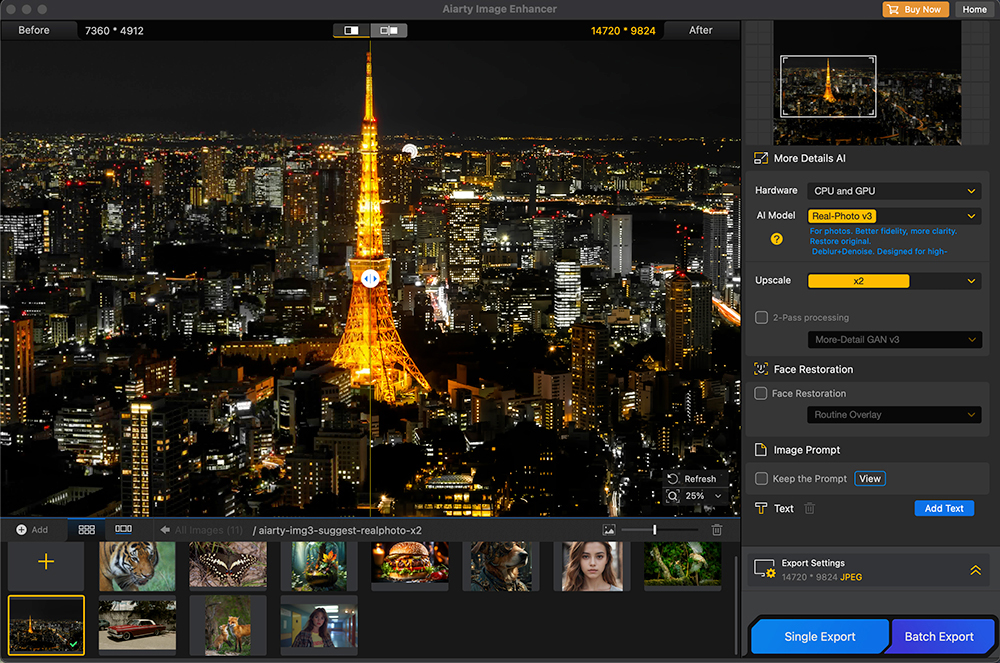
High ISO noise and sensor artifacts can degrade even the best shots. Aiarty’s AI Image Denoising separates real detail from noise, preserving micro-contrast and fine textures. The result: clean, natural-looking images that maintain skin tones, fabrics, and environmental realism—ideal for editorial, post-production, or restoration work.
You can select the suitable AI model and resolution to denoise and upscale in one go, or use x1 to keep the original resolution while denoising and enhancing photo quality.
Screenshot: Night cityscape shows reduced noise while keeping building details crisp
Rescue Soft or Slightly Blurred Images
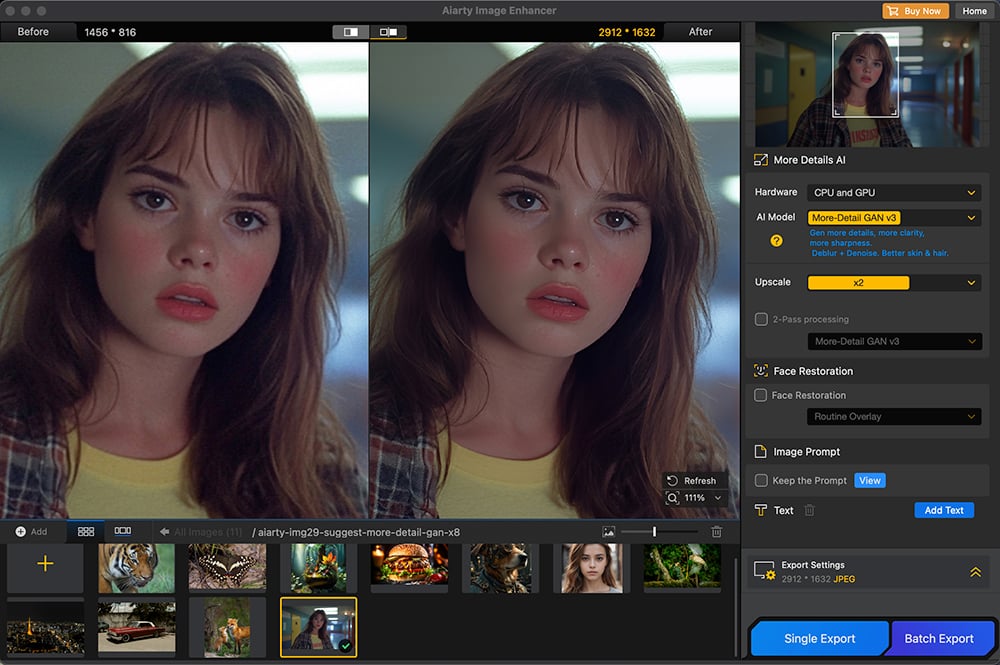
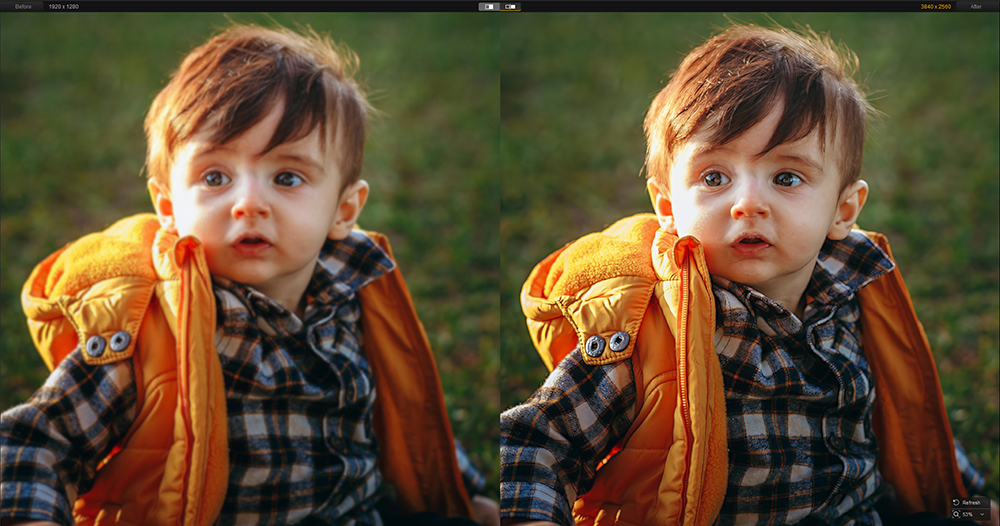
Minor focus misses or subtle motion blur are common in fast-paced shoots. Aiarty’s Natural Sharpening restores edge clarity without halos or harsh artifacts, keeping your images organic. Whether you’re working on portraits, editorial stills, or VFX plates, Aiarty enhances sharpness to a well-balanced degree, avoiding the artificial look of over-sharpening.
Screenshot: Portrait with slight motion enhanced.
Restore Faces and Old Photos
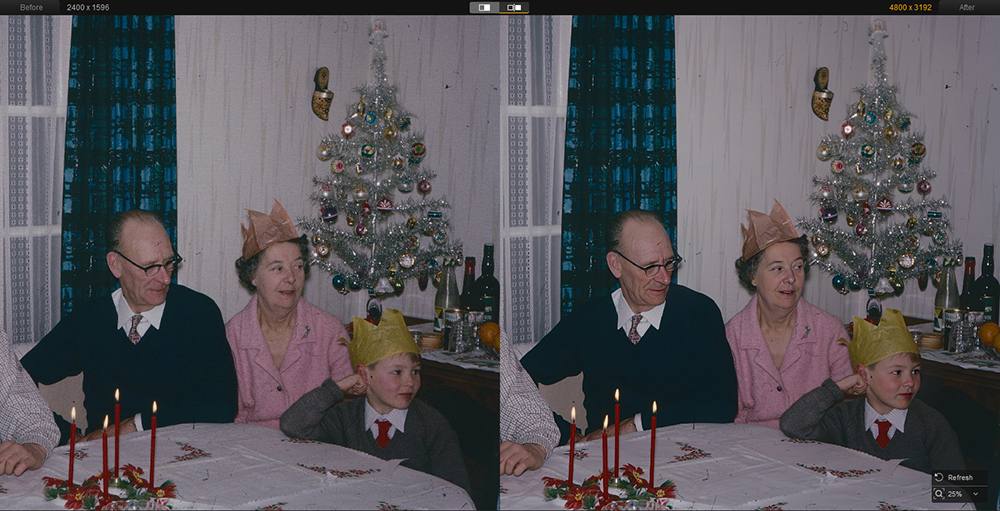
Old or low-quality photos often suffer from fading, blur, or compression artifacts that make faces look unclear. Besides AI models to denoise and restore details, Aiarty Image Enhancer also has a dedicated AI Face Restoration feature, with two modes to enhance faces in portraits and group photos:
- Gradient Overlay: Subtle enhancement for modern portraits.
- Routine Overlay: Stronger restoration for archival or heavily degraded images.
This keeps portraits, family photos, or historic images authentic while improving clarity and detail—ideal for professional photo restoration projects.
Specialized AI Models and Batch Workflow
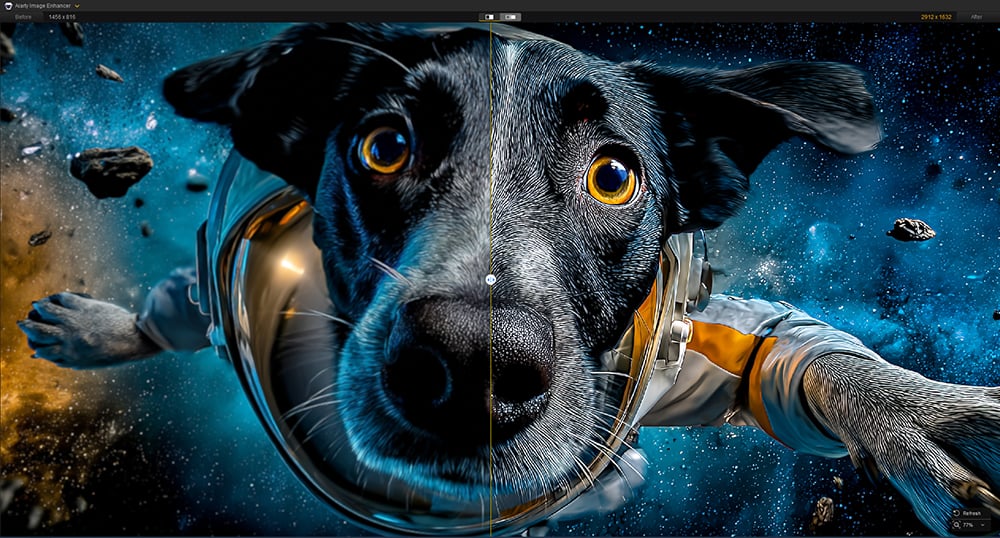
Aiarty includes five AI models tailored to different image types and enhancement scenarios.
- More-Detail GAN v3: It can restore and enhance images with realistic details, working nicely for zoomed-in telephoto, portrait for restoring skin and hair details, and AI art with intricate patterns.
- AIGCsmooth v3: This model can enhance image quality while delivering smooth and natural results, keeping better fidelity to the source image.
- Real-Photo: Best for photography, product shots, and commercial image assets. It restores clarity for a professional look.
- More-Detail GAN v2 and Smooth Diff v2: These are legacy models for average devices to run efficiently.
You can import all the mainstream formats, such as JPEG, PNG, HEIC, AVIF, WebM, TIFF, or raw images, and batch enhance or upscale images.
No matter it is for family photo restoration, client projects, e-commerce listings, web downloads, or digital scans, this AI image quality enhancer can enhance your workflow and deliver high-quality output.
Screenshot: Refine an AI generated image with AIGC smooth model
Upscale to 32K for Prints and Crops
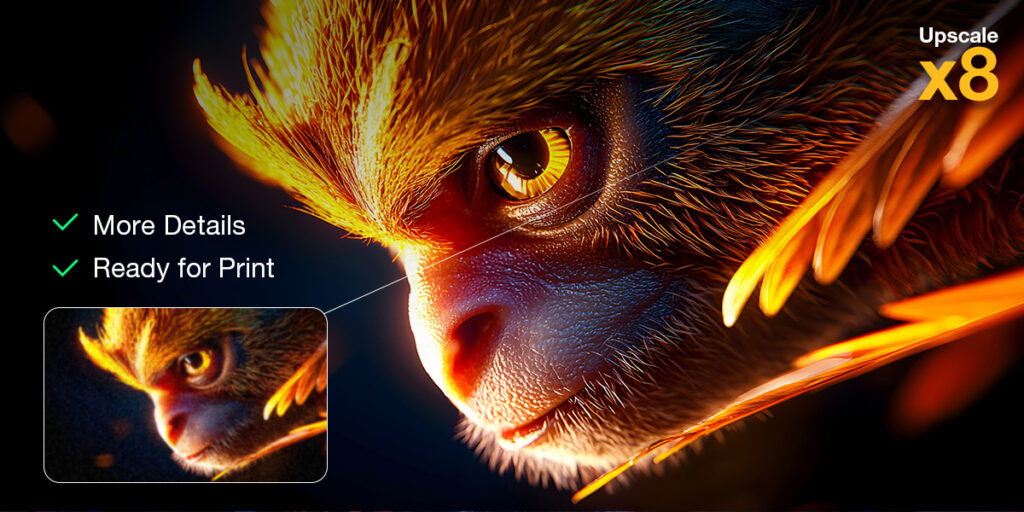
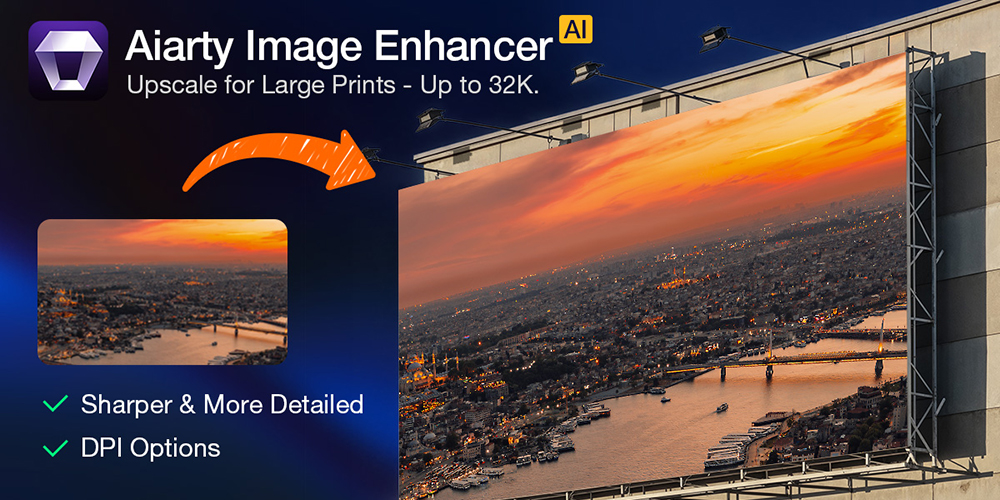
Sometimes you need to deliver images for large-format prints, heavy cropping, or future-proofing archives. Aiarty’s upscaling reconstructs detail up to 8× the original size, supporting 4K, 8K, 16K, and 32K workflows. You can also run 2-pass processing for high-resolution outputs that maintain texture, sharpness, and usability for professional post-production.
Bottom Line
Aiarty Image Enhancer delivers clean detail, natural sharpening, handy color control, and high-resolution upscaling—all fully offline to protect your privacy. It’s a practical image quality upscaler and enhancer for editors, VFX artists, and photographers for professional results without complicated workflows.
For Early Black Friday, the Lifetime License for 3 computers is 49% off, with no recurring fees, giving you full access to Aiarty and all future improvements.
Learn more about Aiarty.
Enjoying the news? Sign up for the Creative COW Newsletter!
Sign up for the Creative COW newsletter and get weekly updates on industry news, forum highlights, jobs, inspirational tutorials, tips, burning questions, and more! Receive bulletins from the largest, longest-running community dedicated to supporting professionals working in film, video, and audio.
Enter your email address, and your first and last name below!


Does Aiarty support multiple GPUs for faster rendering? Does the quality AI tools cost AI credits (aka money) to use? I have a very powerful home computing setup so I don’t need to run AI processing on “pay for” cloud AI services.
Message: Aiarty Image Enhancer supports GPU acceleration for faster processing, but it doesn’t currently support simultaneous multi-GPU inference. No credits or cloud services are required. They offer a lifetime license, and users can use it forever with unlimited free updates—fully on their own PC.